

TikTok has become an essential platform for discovering funny, educational, and entertaining videos. However, accessing these videos requires an internet connection, which can be a problem in areas with weak signal. Additionally, this can be useful when you want to save your mobile data. Fortunately, you can watch offline videos on TikTok by downloading your favorite content. Here is how to do it simply:
1- Open your TikTok app: Launch the app by tapping its icon on your home screen or in your app list. This will take you directly to your personalized feed.
2- Click on your profile: Once on the TikTok home page, locate the profile icon in the bottom right corner. This icon, usually represented by a silhouette, gives you access to your personal space where you can manage your videos and settings.
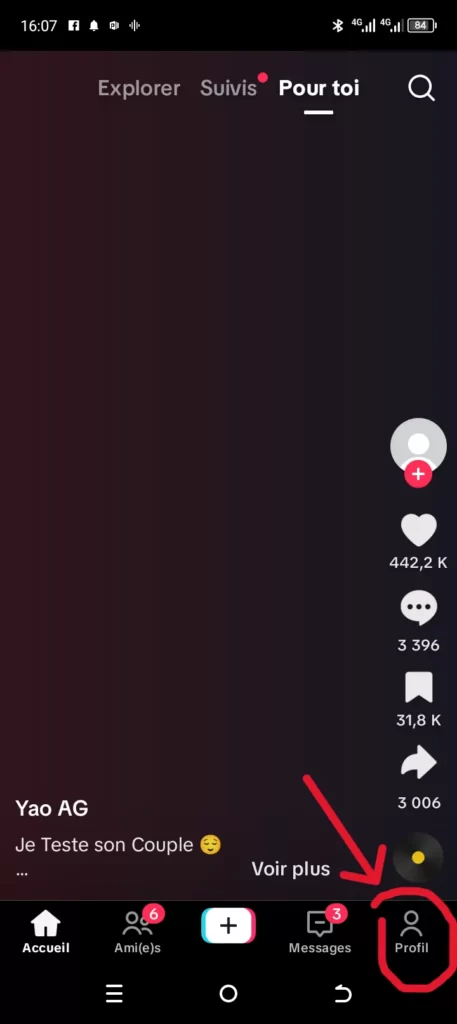
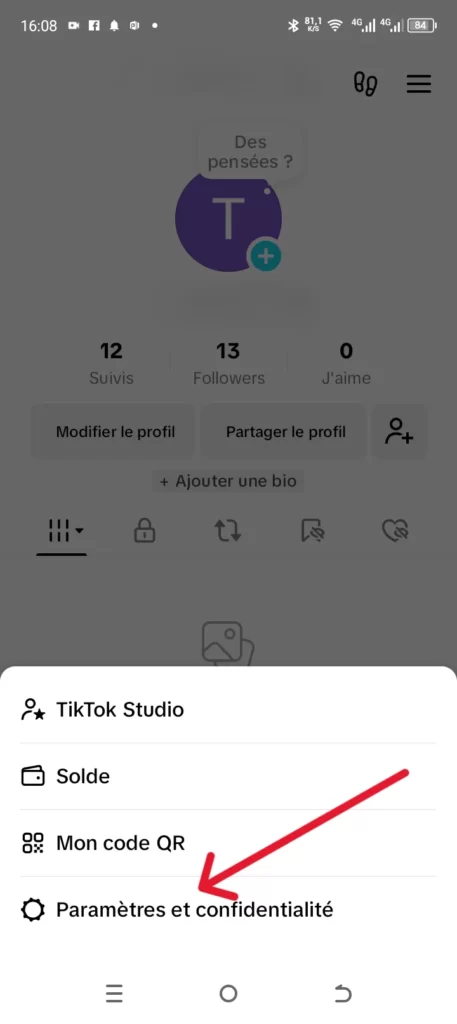
3-Tap the three small lines: At the top right of your profile page, you will see an icon with three horizontal lines. Click on it to open a dropdown menu containing various customization and account management options. Select Settings and Privacy.
4-Scroll down to find the “Offline videos” option: In the settings menu, slowly slide your screen down to browse all available categories. The “Offline videos” option is generally found in the lower sections, grouping downloadable content for offline viewing. As you can see, by default, you can watch up to 50 offline videos on TikTok. However, the platform has gone even further by allowing you to watch up to 200 offline videos, with the estimated viewing time clearly indicated under each option.
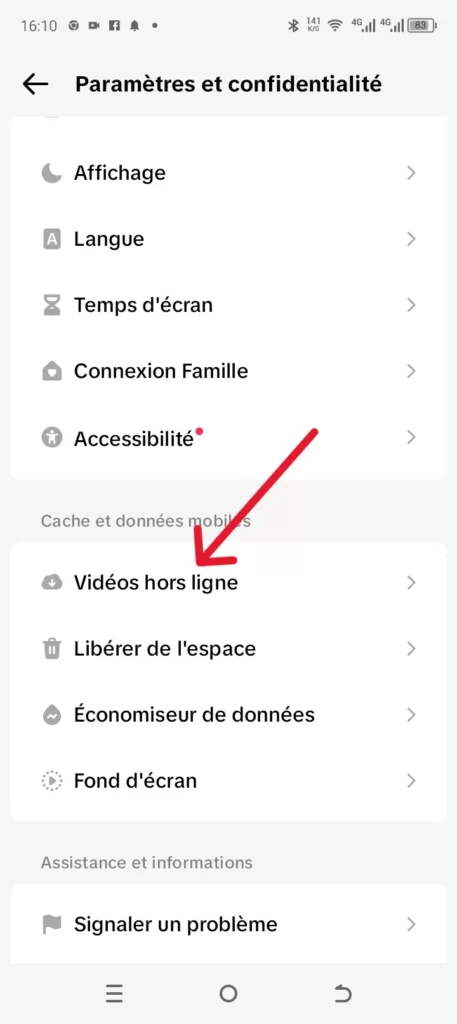
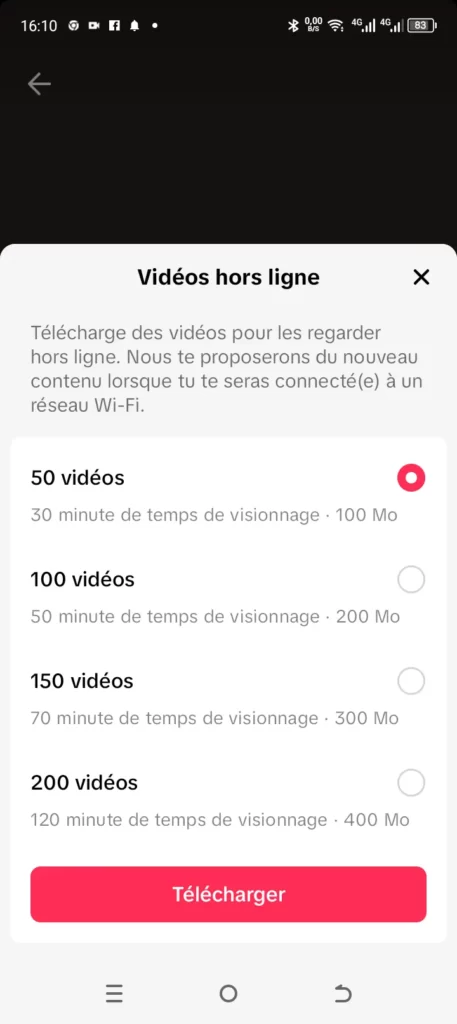
Click on “Offline videos”: Once you have found the option, tap it to access the space where your downloaded videos are stored. This way, you can watch your offline TikTok videos at your convenience.
Basically, TikTok pre-downloads videos temporarily to your smartphone and gives you the ability to watch them without an internet connection. This is a great advantage if the network is unstable or if you have limited mobile data.
Read also:
- How to save an image as a PDF?
- How to translate text into another language from a photo?
- Resolving TikTok message sending and receiving issues
Share this content: