How to unblock a Telegram account blocked by content filtering?

Are you blocked or unable to access a channel on Telegram? This increasingly common issue is often linked to content filtering implemented by certain regions or Internet Service Providers. These restrictions can prevent access to your account or specific platform features, causing frustration and confusion. Don’t worry we will explore effective solutions to easily unblock your restricted Telegram account.
Using Telegram Web to Unblock a Telegram Account Restricted by Content Filtering
What you need to know is that the only version of Telegram that allows you to unblock your account is the web version, accessible only through a browser (Chrome, Edge, Safari for iPhone). Therefore, whether you are on a PC, Android, or iPhone, the mobile and desktop apps will not be able to help you; however, you can still check them to be sure. To do this:
1- Open Telegram on your PC, Android, or iPhone and go to Settings.
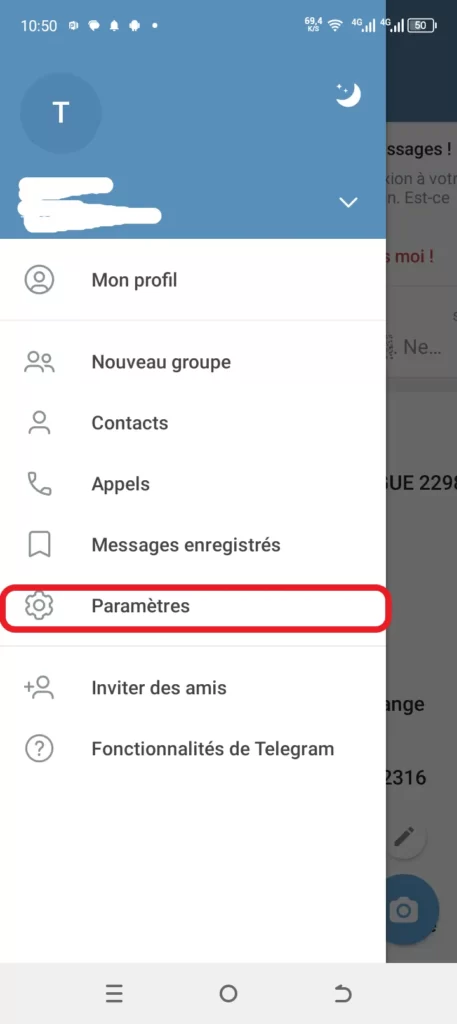
2- Click on Privacy and Security. If you scroll down, you will notice that the content filtering option is not visible.


How to log in to Telegram Web from your browser:
1.In your browser’s search bar, type “Telegram Web” and open the first link that appears.
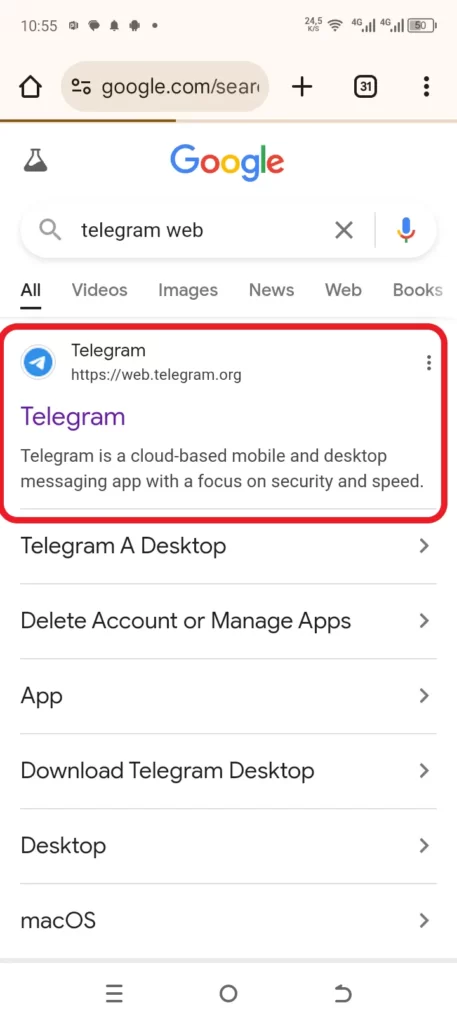
2. Enter your phone number and click Next. A code will be sent to your standard Telegram app; enter it to log in.

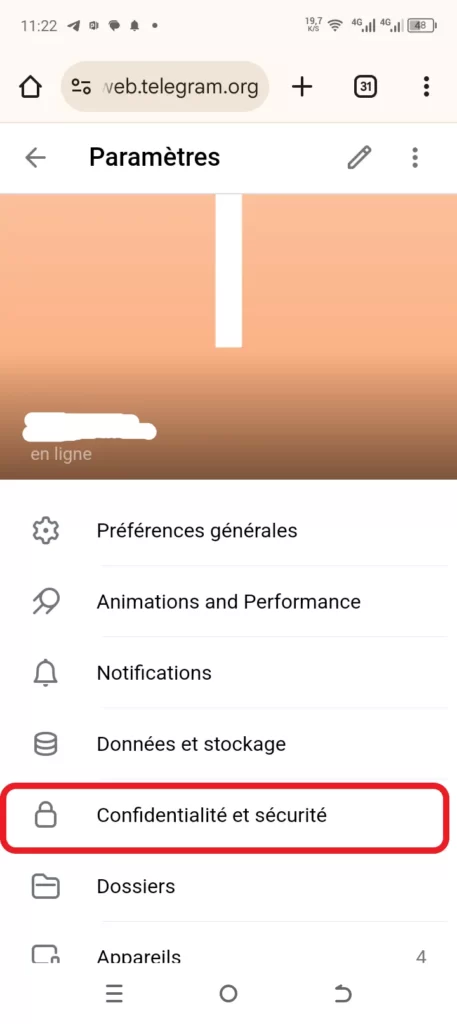
3.Once logged in, go to Settings, then Privacy and Security.
4.Scroll to the bottom until you find the “Sensitive Content” section. Simply check the box, and you’re all set.
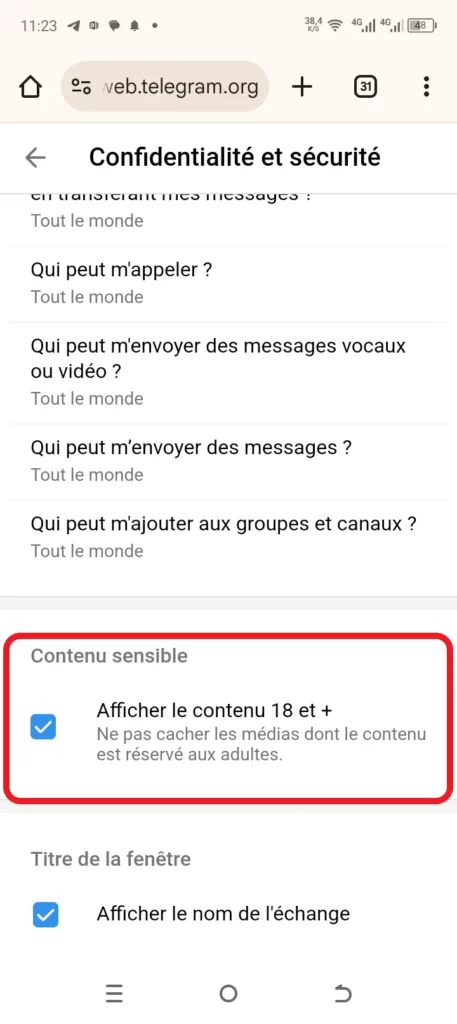
While having a blocked Telegram account can be frustrating, as long as it is due to content filtering, you can easily fix it.
Read also:
- How to recover deleted files on Android?
- How to reset a forgotten Windows password: Effective methods to regain access to your account.
Share this content:








Leave a Reply