

Updated on November 10, 2026
This article contains affiliate links: if you buy through them, Wanda-techs earns a commission at no extra cost to you.
To find out which websites your email address is signed up to, cross-check several sources, because no tool gives a complete list. Your inbox, your Google, Apple or Microsoft accounts, your saved passwords and data breach databases each reveal part of the picture.
After that, you can unsubscribe and close the accounts you no longer need.
Common symptoms and causes
- An inbox full of newsletters and promotions from sites you have forgotten.
- Accounts created for one purchase or a free trial, then never opened again.
- One-click sign-ups with “Sign in with Google” or “Sign in with Apple” that you no longer remember.
- An address that appears in a data breach, meaning a database of accounts that was stolen and then published.
Before you start
No complete list exists. Each method only sees one slice: the emails you received, the sign-ins made through a Google or Apple account, the saved passwords, the known breaches.
Get ready:
- access to your mailbox and to your Google, Apple or Microsoft account;
- a computer for Gmail, because the Manage subscriptions feature is only offered on desktop;
- iOS 18, iPadOS 18 or macOS Sequoia (or later) for Apple’s Passwords app.
Tip: open a spreadsheet or a plain note before the first step. Add each site you find, with the method that revealed it.
Warning: removing an app’s access or deleting a link can switch off some of that app’s features. Deleting an account erases its data, so back up anything you want to keep first. With Apple, stopping “Sign in with Apple” for a developer applies to all of that developer’s apps.
Step 1: Find the sites in your emails
Start with the welcome and confirmation emails you received after signing up. Gmail accepts search operators, keywords that filter the results: from: (sender), subject:, category:, after:, before: or older_than:1y.
- Open Gmail on a computer and click the search box at the top of the page.
- Type
subject:(welcome OR confirm OR activate)to find sign-up emails. - Add
category:promotionsorcategory:updatesto limit the search to those inbox tabs. - Exclude senders you already know by putting a minus sign in front of
from:(an example to adapt:-from:mybank.com). - Target old accounts with
older_than:1y.
You now have a first list of senders, and therefore of sites.
Good to know: the keywords in point 2 are a suggestion from our editors, not an official list. Also try “account created” or “verify your email”.
Step 2: See the sites connected through Google, Apple or Microsoft
Your Google or Apple account keeps track of the sites where you used the “Sign in with Google” or “Sign in with Apple” button.
Google Account
Warning before points 3 to 5: stopping “Sign in with Google” does not delete your account on the site. The app keeps your data, and only the automatic sign-in stops. Deleting a link removes Google’s access to your account in that app.
- Open Google Account > Linked apps, or go to
myaccount.google.com/linkedapps. - Filter the list with Sign in with Google, Linked account or Access to your Google Account.
- For a sign-in you no longer want, pick the app, then See details > Stop using Sign in with Google and Confirm.
- For an app that has access to your account, pick See details > Remove access, then Confirm.
- For a linked account, pick Delete link, then Confirm.
Apple Account
Warning before point 3: Stop using signs you out of the app on the device. If the developer publishes several apps, stopping applies to all of them. You can use “Sign in with Apple” again later.
- On an iPhone or iPad, open Settings > [your name] > Sign in with Apple.
- On a Mac, open Apple menu > System Settings > [your name] > Sign in with Apple; on the web, go to account.apple.com > Sign-In and Security > Sign in with Apple.
- To stop a service, tap the app or the developer, then Stop using.
Microsoft account
Microsoft also has an app permissions page, but we could not verify its exact path. Sign in at account.microsoft.com and look for a section about connected apps and services. The label may vary.
Your list now includes the sites where you signed up with these buttons.
Step 3: List your saved passwords
Your browser or password manager keeps a login for every site where you let it save one.
Google Chrome on a computer
- Click the More menu (the three dots).
- Open Passwords and autofill > Google Password Manager.
- Browse the list and select a site to see the details saved for it.
- Click Checkup in the sidebar to spot weak, guessable or breached passwords.
iPhone, iPad and Mac
- Open the Passwords app (iOS 18, iPadOS 18, macOS Sequoia or later).
- Tap All to show every saved site or app.
- Open the Security tab to see weak, reused or breached passwords.
iCloud Keychain syncs these passwords across your Apple devices, along with passkeys, cards and Wi-Fi networks. Check that it is on in Settings > [your name] > iCloud > Passwords and Keychain.
Edge and other browsers have their own manager. We have not verified their menus.
Step 4: Check whether your address appears in a data breach
Have I Been Pwned, a free service, lists the data breaches in which an address appears.
- Open Have I Been Pwned (
haveibeenpwned.com) and enter your email address. - Read the list of breaches that include your address.
- Sign up for the notification service to be warned about future breaches, then confirm the verification email sent from
[email protected]. - Change the passwords of the accounts involved.
- Run the Checkup in Google Password Manager or the Security tab in the Passwords app to spot other compromised passwords.
Good to know: some breaches considered sensitive only show up after you verify your address. An address missing from Have I Been Pwned is not necessarily safe. And changing a password does not erase the breach record.
If a Google account has already been taken over, follow our guide to recover a hacked Google account.
To protect your main accounts against password theft, a physical security key works as a second sign-in factor. Here are two Yubico models to compare.
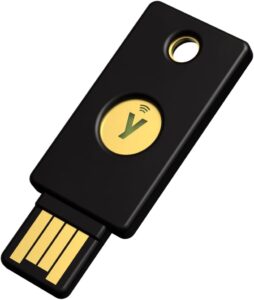 Yubico YubiKey 5 NFC, security keyPhysical key that confirms a sign-in to your Google account over NFC or USB. Protects the account that synchronises your contacts.AmazonSee at Amazon
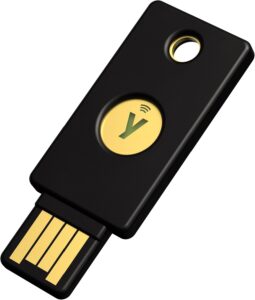 Yubico Security Key NFCThe budget YubiKey, limited to FIDO2 and U2F. Enough to protect hosting, Google, GitHub or Cloudflare accounts.AmazonSee at Amazon
Step 5: Unsubscribe and delete the accounts you don’t need
Sort your list into three columns: keep, stop the newsletter, close the account.
Stop newsletters in Gmail
- On a computer, click More in the left column of Gmail, then Manage subscriptions.
- Browse the list of active subscriptions.
- Click Unsubscribe next to each sender you want to stop.
The sender has a few days to process the request; its new emails then land in spam. The feature is rolling out gradually and may be missing from your account.
Warning: blocking a sender, from the More menu of an email, does not unsubscribe you. Its messages go to spam.
Delete an account and your data
Warning: deleting an account erases its data. Back up anything you want to keep first.
- Find the organisation that runs the site: look in the privacy policy, the legal notice or the contact details of its data protection officer (DPO).
- Send your erasure request through the site’s form, by email or by post, naming the specific data to delete.
- Start from a template letter from your data protection authority. The CNIL in France, for example, publishes ones titled “Supprimer des données personnelles” and “Clôturer un compte en ligne”.
- Keep proof of when and how you sent it.
- Wait for the answer: under the GDPR, one month at most, or three months if the request is complex and the organisation explains why.
Good to know: the site may refuse part of the erasure for a reason set by law. Invoices, for example, may have to be kept for years the law sets, even after the account is closed. Rights and deadlines differ outside the EU and the UK.
For Facebook and Instagram, follow our guide to permanently delete a Facebook or Instagram account.
If nothing works
If a company has not given you a satisfactory answer a month after your erasure request, file a complaint with your data protection authority (the CNIL in France, the ICO in the UK). Keep a copy of your request and the proof of the date you sent it. If your Google account is compromised, follow our guide to recover a hacked Google account.
Protect your accounts and your data: our toolbox
Once your accounts are sorted, a few tools help keep them safe and back up what matters.
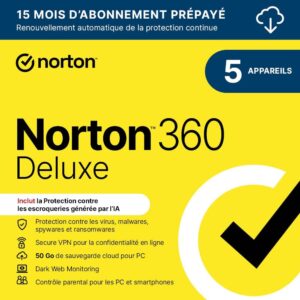 Norton 360 Deluxe 2026, 5 devices, 15 monthsSecurity suite licence for PCs, Macs, Android phones and iPhones, with a VPN and a password manager. A way to protect the accounts that hold your contacts.AmazonSee at Amazon
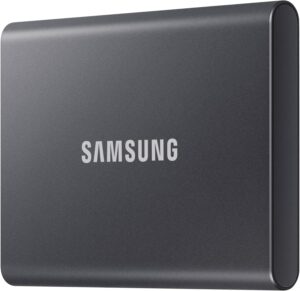 Samsung T7 1 TB external SSDFast, rugged pocket SSD to keep an offline copy of your site files and database at home. Unplugged, it is out of an attacker's reach.AmazonSee at Amazon
- SanDisk Ultra Dual Drive Go 128 GB, USB-C and USB-A flash driveUSB key with two connectors, for a computer or a phone. Handy for carrying files or a software update.AmazonSee at Amazon
 Bitdefender Premium Security 2026 with unlimited VPN, 5 devices, 1 yearBitdefender's top tier, with a VPN with no data cap and a password manager. Useful if you manage your sites from public Wi-Fi.AmazonSee at Amazon
Frequently asked questions
How do I find every account created with my email address?
No tool lists every account created with an email address. Cross-check four sources: the welcome emails in your inbox, the apps linked to your Google or Apple account, the passwords saved in your browser and the data breaches listed by Have I Been Pwned.
How do I see the sites connected to my Google account?
Open Google Account > Linked apps, or go to myaccount.google.com/linkedapps. The Sign in with Google filter shows the sites where you signed up with that button. The Access to your Google Account filter lists the apps that can reach your Google account.
Has my email address been leaked?
Enter your address on Have I Been Pwned: the free service lists the known breaches in which it appears. Change the passwords of the accounts involved. An address missing from the list is not necessarily safe.
How do I unsubscribe from newsletters in bulk?
In Gmail on a computer, open More > Manage subscriptions and click Unsubscribe next to each sender. The feature is rolling out gradually and may be missing from your account. Blocking the sender sends its emails to spam without unsubscribing you.
Share this content: