
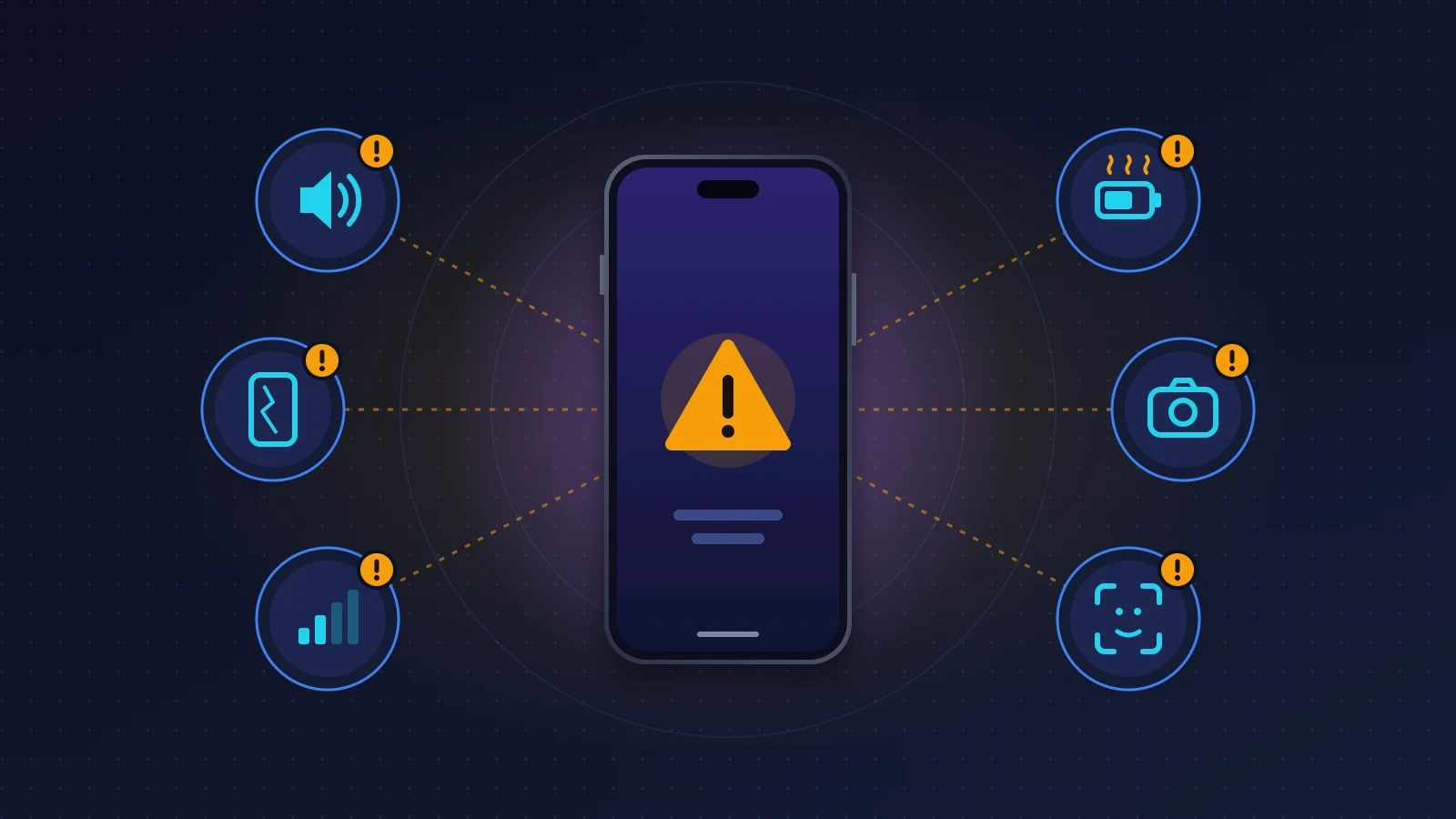
The list of iPhone 18 Pro problems looks long, but it sorts itself out quickly. Of the fifteen or so faults reported on the iPhone 18 Pro and 18 Pro Max, three are bugs Apple has acknowledged and fixed in iOS 27.0.1. Only one requires a new device: the US Pro Max that loses service on AT&T. The rest is a mix of user reports Apple hasn’t commented on, design limits and settings that need adjusting. Install the latest version of iOS first, then ask yourself whether the symptom follows the phone or the software. That’s what decides whether you wait, tweak a setting or ask for a replacement.
Quick answer: what’s confirmed and what isn’t
This roundup reflects the situation on iOS 27.0.1 and gets updated with each new iOS release. If your iPhone offers a newer version, read its notes first in Settings > General > Software Update.
Acknowledged and fixed by Apple
- iPhone 18 Pro and 18 Pro Max restarting when Face ID fails inside an app.
- Touch input freezing when you open Notification Center and then Control Center in quick succession (all iPhones on iOS 27).
- An unwanted color cast on some photos taken at 2x and f/1.48, on a small number of devices.
Acknowledged by Apple, but only a replacement solves it
- The iPhone 18 Pro Max sold in the US and used on AT&T that gets stuck in SOS. Updates protect devices that are still working, not those that have already lost service.
Reported by users, not confirmed by Apple
- Hardware: earpiece crackling, lines or spots on brand-new displays (individual cases), a display that looks cooler, a pale halo around the lenses.
- Software: stutter and frozen widgets on iOS 27, apps crashing over AirPlay, French dictation cutting out.
iPhone 18 Pro problems table: status and fixes
| Problem | Models affected | Status | What to do |
|---|---|---|---|
| Restart after a failed Face ID attempt | 18 Pro, 18 Pro Max | Fixed (iOS 27.0.1) | Update iOS |
| Touchscreen frozen after Notification Center + Control Center | All iPhones on iOS 27 | Fixed (iOS 27.0.1), keep an eye on it | Force restart, update |
| Color cast on photos at 2x and f/1.48 | Small number of 18 Pro and Pro Max | Fixed (iOS 27.0.1) | Update iOS |
| Stuck in SOS, no service at all | US 18 Pro Max on AT&T | Confirmed, replacement required | Replacement if already affected |
| Face ID failing with a screen protector | 18 Pro, 18 Pro Max | Confirmed (Apple advice) | Remove matte or privacy protector |
| Heat and poor battery life after setup | All, including 18 Pro and Pro Max | Confirmed (temporary) | Leave plugged in overnight on Wi-Fi |
| Speaker crackling or popping | 18 Pro, 18 Pro Max | Not confirmed | Turn off keyboard sounds, film the fault |
| Dead pixel, spot, colored line | Isolated 18 Pro and Pro Max units | Not confirmed (individual defect) | Video at startup, replacement |
| Blue-tinted or dim display | 18 Pro, 18 Pro Max | Not confirmed | True Tone, accessibility settings, let it cool |
| Stutter, blank or frozen widgets | iPhones on iOS 27 | Not confirmed | Indexing, display settings, restart |
| Blurry close-up photos | 18 Pro, 18 Pro Max | Not confirmed (optical limit) | Macro, f/2.8 or f/4 aperture |
| App crashing over AirPlay | iPhones on iOS 27 with Apple TV | Not confirmed | Start the video from the Apple TV |
| French dictation cutting out | Mostly 18 Pro | Not confirmed, improved according to testers | Update, test without AirPods |
| Pale or pinkish halo around the lenses | Dark 18 Pro and Pro Max | Not confirmed | Clean, then contact the seller |
| Silver specks on the camera plateau edges | 18 Pro and Pro Max, mostly dark colors | Seen in testing, wear not covered | Case with a soft raised lip |
Audio
Why is my iPhone 18 Pro speaker crackling or clicking?
Owners of both models hear a faint pop in the earpiece when the keyboard or a notification appears, and sometimes a crackle during calls. Apple hasn’t said anything, and iOS 27.0.1 makes no difference for most of the people reporting it. Software looks like the more likely cause, since replacement units make the same noise. Turn off keyboard sounds and switch to silent mode: if the pops go away, the component is very likely fine. Sound that stays distorted on everything, music and calls included, does justify a replacement, with a video as evidence (full speaker crackling diagnosis).
Display
Spot, dead pixel or green line on a new iPhone 18 Pro: what should you do?
Videos of green or pink lines are circulating, with no figures and no response from Apple, and nothing points to a faulty batch. The decisive test is a simple restart. If the flaw shows while the Apple logo is on screen, it comes from the panel, because iOS hasn’t loaded yet, and no update will make it go away. Film it on solid backgrounds with another device and ask for a replacement within 14 days (display defective out of the box).
Is the darker circle next to the clock a defect?
No, in the vast majority of cases. The Face ID infrared camera now sits under the display, to the left of the Dynamic Island, and pixel density is reduced there to let infrared light through. Some people can make out a small, duller circle, especially at low brightness or at an angle. A sharply defined mark, visible head-on at high brightness, or one that extends beyond that corner, does point to a panel problem.
Why does my iPhone 18 Pro display look bluer or dimmer?
On paper the display is the same as the 17 Pro’s, and no press review has measured a shift toward blue or a general loss of brightness. The impression mostly comes up during data transfer, with both iPhones side by side on different settings. Check True Tone, turn off Reduce White Point in the accessibility settings and let a warm phone cool down, since heat makes it cap brightness. A strong green or pink cast, banding or uneven areas deserve a proper diagnosis (blue-tinted or dim display).
Cellular
Why is my iPhone 18 Pro Max stuck in SOS?
Apple has acknowledged a loss of service on a small number of iPhone 18 Pro Max units used on AT&T in the United States, with no other model or carrier affected as far as it knows. iOS 27.0.1 and an AT&T carrier settings update prevent the fault, but a device that’s already affected has to be replaced. Units sold outside the US use Apple’s own C2 modem rather than the Qualcomm X80 reserved for US versions, so an SOS outside the United States almost always has another cause, starting with the eSIM (iPhone stuck in SOS only). The SIM swap test is covered in our iPhone 18 Pro Max SOS guide.
Stability and iOS 27
Why does my iPhone 18 Pro keep restarting on its own?
The most common case is solved: on iOS 27.0, a failed Face ID attempt in a protected app could freeze and then restart the device, which iOS 27.0.1 fixes. If the restarts continue, open the panic-full files in Settings > Privacy & Security > Analytics & Improvements > Analytics Data. A log that repeats word for word and mentions a missing sensor (“Missing sensor(s)”) points to a part or a flex cable and calls for a replacement. A crash with no clear pattern is often solved by a clean restore (how to read a panic-full file).
Screen not responding after opening Control Center: how do you unfreeze it?
The freeze happens when you open Notification Center and then Control Center too quickly: the screen ignores touches and the Lock Screen shortcuts stay on display. To get out of it without losing anything, force restart: press and release volume up, press and release volume down, then hold the side button until the Apple logo appears. iOS 27.0.1 fixes this bug, although several outlets managed to trigger it again in an iOS 27.2 beta.
Why is my iPhone 18 Pro laggy or stuttering on iOS 27?
A new iPhone spends its first days indexing your data: leave it plugged in on Wi-Fi for a night or two without touching it. If the app switcher still stutters after that, go back to the default icon style and try Reduce Transparency, because the glass effects in iOS 27 cost processing power on every frame. Only a fault that survives a full erase, on the latest version of iOS, is worth a trip to Apple Support (stutter and interface bugs).
Blank widgets or a frozen Home Screen: is it a known bug?
Reported on the iPhone 18 Pro as well as older models, it doesn’t appear in any Apple release notes. The freeze mostly shows up in edit mode, when you drag a widget to another Home Screen page, and Geeky Gadgets still sees it on iOS 27.0.1. Remove the blank widget, restart, add it back, update the app that provides it, and move your widgets slowly.
Battery and heat
Why is my iPhone 18 Pro getting hot and draining so fast?
Apple admits that a major update weighs on battery life and temperature for a few days while the system finishes its background work. On a new iPhone, add the iCloud restore and photo library analysis on top of that. Allow two to three days, leaving the device plugged in overnight on Wi-Fi. After that, the Battery screen in Settings almost always points to an app running in the background. If the phone still gets hot after an erase, set up without a backup, you have a strong case for Apple Support (heat and battery drain on iOS 27).
Camera
Why are my close-up photos blurry?
The 48MP main camera can’t focus closer than roughly 17 to 18 cm (about 7 inches), according to GSMArena’s review, so the iPhone has to switch to the ultra wide camera for macro. If you’ve turned off automatic switching, or you’re shooting right at the limit, the image comes out soft. The maximum f/1.48 aperture also narrows the sharp zone: for a document or a nearby object, choose f/2.8 or f/4 in the camera controls. A blurry photo at two meters in daylight, or a shaky preview, points instead to autofocus or stabilization (blurry photos and focus).
A strange tint on 2x photos: has it been fixed?
Yes. In the iOS 27.0.1 release notes, Apple acknowledges a color issue on photos taken at 2x and f/1.48 in certain lighting, on a small number of 18 Pro and 18 Pro Max units. Don’t mistake it for a display problem: open the image on another device to check where the tint actually is.
Face ID
Why has Face ID stopped working on my iPhone 18 Pro?
The Face ID infrared sensor looks through the display, at the top left, so a film, a smudge or a bubble in that spot is enough to disrupt it. Apple recommends removing privacy screen protectors on the iPhone 18 Pro, and reviewers and users see the same effect with matte films. A clear, well-centered tempered glass works. Wipe the left corner, reset Face ID and set up an alternate appearance with your prescription glasses on (every step for Face ID).
“A problem was detected with the TrueDepth camera”: does it need repairing?
Yes, if the message survives an iOS update: that’s Apple’s own guidance. Face ID is disabled for safety, because the dot projector is a laser the iPhone monitors. Avoid unauthorized repair shops: the sensor must be genuine and calibrated with Apple’s tools, and on this model a replacement display has to reproduce the reduced-pixel area.
Connections: AirPlay and dictation
Why does the app crash when I AirPlay to Apple TV?
Some users see their streaming app close, or the iPhone screen go black, the moment playback moves to the Apple TV. The same behavior affects iPhone 17 Pro Max and iPad models, so the iPhone 18 isn’t to blame. The most reliable workaround is to open the streaming app on the Apple TV itself and control playback with the remote, which is the only option for Netflix anyway since it removed AirPlay from its iOS app. Update the app, iOS and tvOS as well (AirPlay crashes).
Why does dictation stop after a few words?
On some iPhone 18 Pro units, French dictation lost track after two or three words while English worked fine, and an Apple diagnostic found nothing wrong with the hardware. French site iGeneration later saw it return to normal on iOS 27.0.1, with no mention in the release notes. If the problem persists, dictate a sentence in Notes with and then without AirPods: if it only cuts out with the earbuds, the Bluetooth microphone is the cause, not iOS. For Siri, the accessibility settings let you lengthen how long Siri waits before it stops listening (dictation that stops).
Finish
Why is the area around my iPhone 18 Pro lenses changing color?
Owners of Burgundy and black models report a paler ring, sometimes pinkish, around the lenses. Apple hasn’t commented, and some of these rings simply come off with cleaning. Clean with a slightly damp microfiber cloth, then a 70% isopropyl alcohol wipe, never bleach. If the ring stays put and feels smooth to the touch, photograph it and show it to the seller as a finish defect (discoloration and scratches).
Silver specks on the camera plateau edges: defect or wear?
It’s wear. On a sharp edge, the colored layer of anodized aluminum doesn’t hold well, and rubbing against keys or sand trapped under a case is enough to expose bare metal. JerryRigEverything stripped the color off the plateau with little effort in his durability test. Apple’s warranty excludes this kind of cosmetic damage, and a case whose soft lip rises above the plateau remains the best prevention.
What iOS 27.0.1 fixes (and what it doesn’t)
The iOS 27.0.1 release notes list three fixes, and not one more.
| Fix | Who benefits |
|---|---|
| Unexpected restart when Face ID fails to authenticate | iPhone 18 Pro and 18 Pro Max |
| Color artifact on photos at 2x and f/1.48 in certain lighting | A small number of 18 Pro and Pro Max units |
| Unresponsive touchscreen after opening both centers at once | All iPhones on iOS 27 |
Combined with the new AT&T carrier settings, iOS 27.0.1 also protects US Pro Max units against losing service. Protection, not repair: a device already stuck in SOS has to be replaced.
Nothing, on the other hand, about crackling, battery life, AirPlay, the widget freeze, the blue-tinted display or discoloration. French dictation seems to be back for some users without the notes saying so, which suggests a quiet adjustment. In the notes for upcoming versions, watch for the words audio, earpiece, cellular or AirPlay: their presence will count as official confirmation, and we’ll add every fix here.
Should you get your iPhone 18 Pro replaced?
Yes for a fault that follows the device, no for a bug that follows iOS: a replacement phone runs the same software. A replacement is justified for the persistent SOS on the AT&T Pro Max, a spot or line visible at startup, a TrueDepth alert that survives an update, permanently distorted sound, a missing sensor in the logs or a halo present right out of the box.
Within 14 days of delivery
With Apple, you have 14 days after delivery or in-store pickup to return the iPhone, and a defect found on arrival should be reported within that window. An Apple Store purchase can be exchanged at another Apple Store in the same country, depending on stock. With a retailer or carrier, follow their return policy and describe the product as defective on arrival.
Your statutory consumer rights
On top of anything Apple offers, the law in your country usually gives you rights against the seller, whether that’s Apple, a carrier or a retailer. In the UK, the Consumer Rights Act lets you ask the seller for a repair, a replacement or, in some cases, a refund for faulty goods. In the EU, the legal guarantee of conformity runs for at least two years. Elsewhere, durations and conditions vary from country to country: check your local consumer protection agency before you go in.
Apple’s warranty and AppleCare+
Apple’s one-year limited warranty comes on top of your statutory rights and doesn’t replace them. AppleCare+ extends support and covers accidental damage, with a service fee. Neither one covers cosmetic wear on the edges.
What to bring
Book an appointment through the Apple Support app, with your receipt, a video of the fault filmed on another device, your iOS version and the list of fixes you’ve already tried. For a cellular problem, ask for a radio test in store.
For readers in Africa
Apple’s local presence comes through Apple Authorized Service Providers, which you can find in the Apple Support app. Call before you go, with the serial number at hand. Apple’s iPhone warranty can be limited to the country or region of purchase, so a device bought in Europe or the United States may have to go back there for a replacement. Keep the receipt and the box. Pro Max units imported from the US have no SIM tray and use the Qualcomm modem, although nothing suggests the AT&T fault shows up on other networks.
Should you buy an iPhone 18 Pro despite these problems?
Yes, as long as you know its weak spots. The overall picture is more reassuring than the length of the list: the three acknowledged bugs were fixed in a single update, and the only fault that requires a replacement concerns one model, one country and one carrier. The rest mostly comes down to a new system still indexing, to settings, or to known physical limits.
Three caveats are still worth weighing. Under-display Face ID doesn’t get along with matte or privacy films. The camera plateau edges mark quickly on dark colors, and the halo reported on Burgundy units has no explanation yet; Silver hides wear much better. Finally, iOS 27 is still young, with interface freezes and crackling that the first update didn’t fix.
If you’re in no hurry, waiting for the next iOS bug-fix update lets you see how the list evolves. Otherwise, buy from a seller with an easy return policy and inspect the display and camera plateau in good light before you fit a screen protector and case. To compare the two models before choosing, see our iPhone 18 Pro specs and price and iPhone 18 Pro Max price and verdict pages.
Frequently asked questions
What are the known iPhone 18 Pro Max issues?
The same as the 18 Pro, plus the loss of service on US models on AT&T, which Apple says is specific to the Pro Max.
What exactly does iOS 27.0.1 fix?
The restart after a failed Face ID attempt, a color cast on 2x photos at f/1.48 and the touchscreen freeze linked to Control Center. Nothing on audio, battery life or AirPlay.
Has Apple acknowledged a defect that requires a replacement?
The only case where Apple considers a replacement necessary is the US Pro Max stuck in SOS on AT&T, without disclosing the cause. The company hasn’t announced any repair program for the display, the speaker or the finish.
My iPhone 18 Pro was bought outside the US: is it affected by the SOS fault?
Apple has only seen the fault on the Pro Max used on AT&T in the United States. Models sold elsewhere, with the C2 modem, fall outside that scope, and an SOS outside the US usually comes from the eSIM.
Does a replacement fix iOS 27 bugs?
No, the new device will reproduce the bug. A replacement makes sense when the fault survives an update and a full erase.
How long does a new iPhone 18 Pro run hot?
Two or three days in general, rarely more than a week. Beyond that, look for the culprit app on the Battery screen.
Do you need a specific screen protector for the iPhone 18 Pro?
Get a clear glass protector designed for the iPhone 18 Pro, with no matte finish or privacy filter, and check that no bubble covers the top left corner.
Where can you report a new iPhone 18 Pro problem?
At apple.com/feedback and through Apple Support, which opens a case. For a third-party app, let its developer know as well.
Running into one of these iPhone 18 Pro problems, or another one that isn’t on the list? Describe it in the comments with your model, iOS version and country of purchase: your reports help us spot the faults that are being confirmed and keep this page up to date.
Share this content: