iPhone
Why Is Your iPhone Not Charging? What to Try Before a Repair
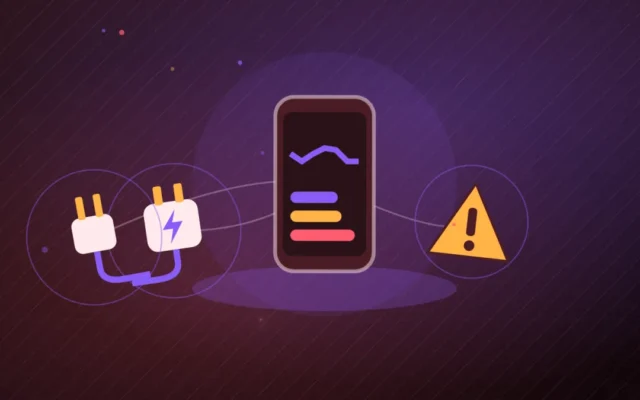
Is your iPhone not charging, stopping at 80 % or showing "Liquid Detected"? Test the cable, adapter, port and charging settings before paying for a repair.

Wanda-Techs: Tech News, Tips & PC, Mobile Troubleshooting
15 posts
Is your iPhone not charging, stopping at 80 % or showing "Liquid Detected"? Test the cable, adapter, port and charging settings before paying for a repair.
WhatsApp notifications not showing usually come down to a setting in the app, the system, a Do Not Disturb or Focus mode, or the battery. Here are the checks to run in order on Android and iPhone.
An MTN eSIM is requested in store or online depending on the country, then activated by scanning a QR code. Compatibility, iPhone and Android steps, price, and what to do if the QR code stops working.
A SIM card not detected can come from the card, the tray, the plan, the software or the network settings. The checks to run on iPhone, Samsung and Pixel, from the simplest to the most involved.
One AirPod silent while the other works? Charging, cleaning, audio balance and a reset by model: Apple's steps, in the right order.
Car Bluetooth not working, or connected with no sound? Check the phone settings, restart both devices, then delete the pairing on both sides and pair again.
A phone that is not charging is diagnosed by testing the cable, the adapter and the outlet first, then cleaning the port. The Samsung moisture alert, the 80% charge limit, an iPhone force restart and battery health complete the diagnosis.
The McDonald's app, now called McDo+ in France, won't open, can't find your restaurant or doesn't show your points. Here are the checks to run, from outages to payment and loyalty.
CarPlay won't start, keeps disconnecting or does not show up wirelessly? Check the iPhone settings, the cable, the car pairing and the updates, in that order.
iPhone screen stuck in portrait: turn off Portrait Orientation Lock in Control Center, then check that the app supports horizontal mode. The guide also covers the Level sensor test, the forced restart, the iOS update and AssistiveTouch.