
The msmpeg2ac3dec.dll error shows up when the Dolby Digital audio decoder built into Windows 11 breaks after an update and takes down the program that called it. A game quits just before the loading screen, a video player vanishes the moment you start a movie, an editing app exits without a word. In most cases two moves are enough: route around the faulty decoder on the application side (a plugin for the game, a codec pack for the player), or uninstall the offending update and pause Windows Update until Microsoft ships a fix.
At a glance: the quick fix
- Open Reliability Monitor (
perfmon /rel) and confirm that the faulting module really ismsmpeg2ac3dec.dll, with exception code0xc0000602. - For an older Bethesda game (Fallout: New Vegas, Oblivion, Fallout 3), install the community plugin that keeps this decoder out of the way while you play.
- For a media player or any DirectShow-based program, install LAV Filters, or switch to a player that ships its own codecs.
- If none of that suits you, uninstall the update under Settings > Windows Update > Update history > Uninstall updates, then pause updates.
- Never download a replacement DLL from a third-party site.
Recognizing the msmpeg2ac3dec.dll error
The symptom is abrupt. No blue screen, and in most cases no error window either: the program closes and you are back on the desktop. According to Microsoft, the app may refuse to start, close without warning, or run normally until a feature calls for sound, such as playing a music track.
In games, the most widely reported scenario involves Fallout: New Vegas and The Elder Scrolls IV: Oblivion. The menu appears, the ambient music plays, then the game disappears right before the loading screen of a new game or a save. That moment matches a change of music track.
1. Reliability Monitor
Press Windows + R, type perfmon /rel and press Enter. A calendar appears with red crosses on the days a crash occurred. Click the cross for the day in question, then “View technical details”. You are looking for two lines: the faulting module name, msmpeg2ac3dec.dll, and the exception code, 0xc0000602.
2. Event Viewer
Right-click the Start button > Event Viewer > Windows Logs > Application. Look for Error-level entries whose source is “Application Error” and whose Event ID is 1000. The details give the name of the faulting application (FalloutNV.exe, Oblivion.exe, the name of your player) and that of the faulting module.
If the module named is something else (d3d9.dll, nvwgf2um.dll, ntdll.dll, an anti-cheat file), you are not dealing with this bug. A 0xc0000005 code inside FalloutNV.exe itself points instead to that game’s long-standing problems on modern Windows.
Why it happens
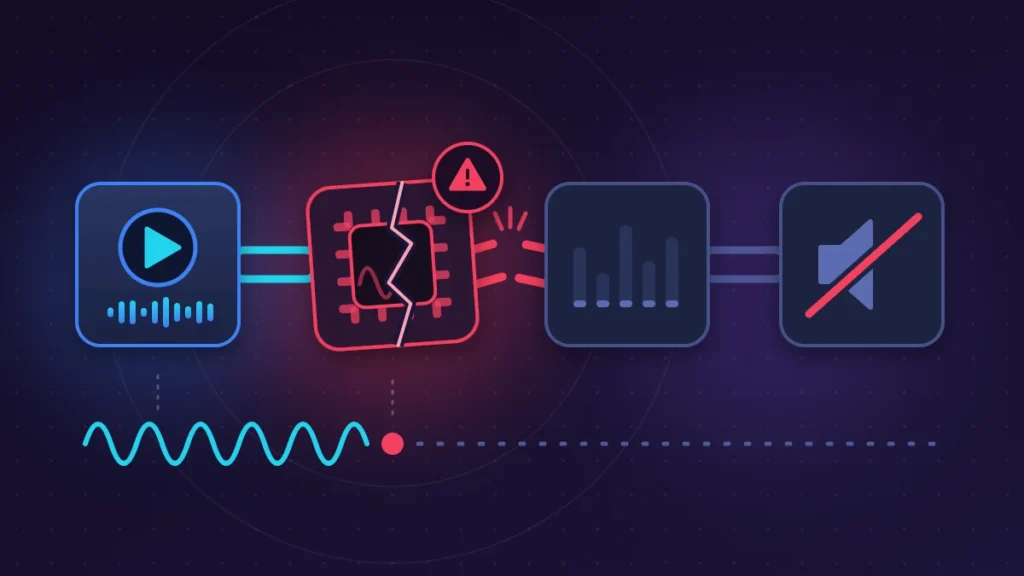
msmpeg2ac3dec.dll is the Windows AC-3 decoder, known inside the system as “Microsoft DTV-DVD Audio Decoder”. AC-3 is the technical name for Dolby Digital, the sound format used on DVDs and in a great many video files. The file serves programs that do not decode audio themselves and hand the job to Windows.
Now and then a cumulative update ships a defective version of this component. The documented case is preview update KB5124010 (builds 26100.9550, 26200.9550 and 26300.9550), which affects Windows 11 24H2, 25H2 and 26H2. Microsoft acknowledged the bug on its release health dashboard, specifying that it concerns this update and later ones until the fix is delivered. Windows Server is not affected.
The confusing part is that the affected games do not use Dolby Digital sound at all. Their music is in MP3. But these old engines go through DirectShow, the legacy Windows multimedia architecture, which assembles a chain of decoders on the fly for every file it has to play. During that assembly, Windows queries the installed decoders, including the AC-3 one. According to the analysis by the author of the community fix, the faulty component collapses on the second call, which explains why the crash hits at the music change and not at launch.
Modern applications escape the problem because they bundle their own decoder: VLC, web browsers and recent games do not depend on this file.
Two identical PCs can behave differently. According to one specialist site, the AC-3 decoder is only present on machines that were upgraded from an older version of Windows 11. Look for the file in C:\Windows\System32 and C:\Windows\SysWOW64 to find out whether you are concerned.
Before you start
- Write down the number of the last update installed: Settings > Windows Update > Update history, “Quality Updates” section.
- Back up your saves. For Bethesda games, they are in
Documents\My Games. - If BitLocker or device encryption is on, have your recovery key at hand before uninstalling any update or running a system restore.
Fix 1: update the application and try another player
A publisher that still maintains its software may release a version that no longer calls the Windows decoder. Check through the game launcher, the Microsoft Store or the program’s Help menu.
For movies and video files, simply change tools. VLC, mpv or MPC-HC decode Dolby Digital with their internal codecs and ignore the system one. If the file opens in VLC while it brings down your usual player, the diagnosis is confirmed. Nothing to expect on that front, though, for an old game that is no longer updated.
Fix 2: install LAV Filters for DirectShow players and software
LAV Filters is a set of open-source decoders, distributed on GitHub by its developer (the Nevcairiel/LAVFilters repository). Once it is installed, DirectShow applications use it for audio and the faulty Microsoft decoder is no longer called. Several troubleshooting sites report that this is enough to stop the crashes.
Steps
- Download the installer from the “Releases” page of the official GitHub repository, and nowhere else.
- Run it and keep the default components. The 32-bit and 64-bit versions install together, which matters for older programs.
- Close and reopen the affected application, then repeat the action that used to make it quit.
To roll back: Settings > Apps > Installed apps > LAV Filters > Uninstall.
This workaround is not endorsed by Microsoft. It changes nothing for programs that rely on Media Foundation rather than DirectShow.
Fix 3: the community patch for Fallout: New Vegas, Oblivion and Fallout 3
A modder has released a small plugin, “Loading Crash Fix (Windows 11 KB5124010)”, available on Nexus Mods for New Vegas and Oblivion, with the source code on GitHub. The idea: tell Windows to ignore the AC-3 decoder while the game is running. Music keeps going through the usual MP3 decoder. No game file or system file is modified.
Steps
- Install the game’s script extender if you have not already: xNVSE for New Vegas, xOBSE for Oblivion, FOSE for Fallout 3.
- Download the archive that matches your game.
- Install it with your mod manager, or copy the DLL into
Data\NVSE\Plugins\(New Vegas) orData\OBSE\Plugins\(Oblivion). - Start the game through the script extender’s launcher, not the original launcher, otherwise the plugin does not load.
Then load a save: if the loading screen appears, you are done. To remove the patch, delete the DLL. The Fallout 3 version is described by its author as untested.
Another, cruder option for Oblivion: turn the music off in the game’s configuration file. The usual setting is bMusicEnabled=0 in the [Audio] section of Oblivion.ini. You play without music, but you play.
Fix 4: uninstall the offending Windows update
This is the remedy quoted most often on forums, and it works. The price: you lose the update’s other fixes. For an optional preview release, the loss is minor. For a monthly security update, prefer fixes 2 and 3.
Through Settings
- Settings > Windows Update > Update history.
- At the very bottom, under “Related settings”, click “Uninstall updates”.
- Find the update (KB5124010 in the known case), click Uninstall and confirm.
- Restart.
From the command line
Open Terminal as administrator and type:
wusa /uninstall /kb:5124010Adjust the number to your case. This command sometimes fails. Microsoft states that wusa /uninstall does not work on combined packages, which also contain the servicing stack update, and that one cannot be removed. In that case, go through DISM:
DISM /online /get-packagesLook through the list for the package whose name contains RollupFix and the build number of the update, then:
DISM /online /Remove-Package /PackageName:EXACT_PACKAGE_NAMECopy the name exactly as it appears, changing nothing. Then restart.
If Windows no longer starts properly
From the recovery environment (hold Shift while clicking Restart): Troubleshoot > Advanced options > Uninstall Updates > Uninstall latest quality update.
After the restart, the update should be gone from the history. One user reported a boot failure after the removal: it is rare, but keep the BitLocker key within reach.
Fix 5: pause updates to prevent reinstallation
Without this step, Windows Update puts the update back within days.
- Settings > Windows Update.
- Turn off “Get the latest updates as soon as they’re available”. That is the option that installs preview updates automatically.
- Under “Pause updates”, pick a duration from the drop-down menu.
The catch: the defective code is carried over into the following cumulative updates until the fix is released. Pausing for too long means going without security patches. Keep an eye on Microsoft’s Windows 11 release health page and turn updates back on as soon as the issue is marked as resolved there.
Fix 6: System Restore
Useful if the uninstall fails or the update does not appear in the list. Windows generally creates a restore point before installing an update, provided system protection is turned on.
- Windows + R, type
rstrui.exe, press Enter. - Choose a point that predates the crashes.
- Click “Scan for affected programs” to see what will be removed.
- Start the restore.
Your documents are untouched, but software and drivers installed since that point disappear.
What does not fix this particular bug
sfc /scannow and DISM /Online /Cleanup-Image /RestoreHealth repair corrupted system files. The file is not corrupted, though: the faulty one is the official version delivered by the update. The tools will find it compliant. Keep them for cases where Reliability Monitor blames other modules.
Turning off spatial sound (Settings > System > Sound > your device > Spatial sound > Off) or changing the output format on the same screen takes thirty seconds. None of the sources consulted confirms that it prevents this crash, which makes sense: the failure occurs at decoding, not at audio output.
Reinstalling the game or verifying its files is pointless: the file at fault belongs to Windows.
Warning: do not replace msmpeg2ac3dec.dll with a copy picked up from a DLL download site. Those files are a classic malware vector, and their version does not match your system. Renaming or deleting the file after taking ownership of it is just as inadvisable: the update that brings the fix may then fail.
For businesses: Known Issue Rollback and Group Policy
Known Issue Rollback (KIR) lets Microsoft remotely disable a faulty change without removing the whole update. It only applies to non-security changes. On consumer PCs, it arrives on its own through Windows Update and takes effect after a restart.
On managed devices, the administrator installs the MSI file published by Microsoft, which adds a policy template. The policy appears in gpedit.msc, under Computer Configuration > Administrative Templates, in a folder named after the KB concerned. It has to be set to “Disabled” (not “Enabled”, the classic mistake), pushed out with gpupdate, and the machines then restarted.
For the AC-3 decoder bug, Microsoft initially offered neither a KIR nor an official workaround. The defense in that situation is to hold back approval of the preview update in WSUS or Intune and to test legacy line-of-business applications on a pilot group.
Summary table
| Symptom | Likely cause | Fix to try |
|---|---|---|
| Older Bethesda game closing before the loading screen | AC-3 decoder called when the music changes | Fix 3, otherwise fix 4 |
| Video player closing when a movie is opened | DirectShow player using the Windows decoder | Fix 1 (another player) or fix 2 |
| Creative or communication software quitting without a message | Audio feature relying on the Windows decoder | Fix 2, then fix 4 |
Faulting module other than msmpeg2ac3dec.dll | A different fault (graphics driver, anti-cheat, system files) | sfc /scannow, drivers, publisher support |
wusa /uninstall returns an error | Package combined with the servicing stack | DISM /Remove-Package |
If nothing works
Report the problem in Feedback Hub (Windows + F), attaching the program name, the build number (shown by winver) and the two lines from Reliability Monitor.
When you contact the software publisher’s support, give exactly this: the faulting module, exception code 0xc0000602, the number of the update installed just before, and whether removing it solves the problem. You will save several rounds of back-and-forth.
Resetting the PC or reinstalling Windows makes no sense: the system will update itself again and you will end up with the same file. Nor is this a hardware failure, so there is no point in claiming on the computer’s warranty.
Keeping it from happening again
Leave “Get the latest updates as soon as they’re available” turned off on a machine you use for gaming or work. Preview updates are optional and act as a test bench for the following month’s fixes.
Keep system protection on for the C: drive so that restore points are available. And before accepting an optional update, skim the known issues section on the Windows 11 release health page. Two minutes of reading saves an evening of troubleshooting.
Frequently asked questions
Is msmpeg2ac3dec.dll a virus?
No. It is a legitimate Windows component, signed by Microsoft, located in System32 and SysWOW64. A file with the same name sitting anywhere else does deserve an antivirus scan.
Why does my game crash when it has no Dolby Digital sound?
Because Windows queries this decoder while building the audio playback chain, even for a plain MP3.
Is uninstalling the update dangerous?
For a preview update, the risk is low: it contains no new security fixes. For a monthly security update, you reopen holes that had been patched. In that case, favor the application-side workarounds.
Is Windows 10 affected?
Microsoft’s known issue entry only mentions Windows 11 versions 24H2, 25H2 and 26H2. Windows Server is explicitly excluded.
The msmpeg2ac3dec.dll error can almost always be fixed without touching the system, by moving the faulty decoder out of the application’s path. If you have found another workaround for a game or program not listed here, describe it in the comments with the program name and your build: it will help the next readers.
Share this content: