

This article contains affiliate links: if you buy through them, Wanda-techs earns a commission at no extra cost to you.
Which laptop to buy in 2026 without falling for a spec-sheet trap? Insist on at least 16 GB of memory (RAM, the computer’s working memory) and 256 GB of SSD or UFS storage, the threshold Microsoft sets for its Copilot+ PCs. The Windows 11 minimum, 4 GB of RAM and 64 GB of storage, lets the system run but is not a buying recommendation.
Our picks at a glance
Configurations to avoid on a discounted listing:
- 8 GB of RAM or less: that is half the 16 GB threshold for Copilot+ PCs.
- eMMC storage: memory soldered to the motherboard, neither removable nor replaceable, often 32 or 64 GB on laptops.
- An Intel Core N-series processor, which Intel classes as entry level, or an “Intel Processor” with no generation number.
- Windows 11 in S mode, if you plan to install software from outside the Microsoft Store.
- A clearance laptop still running Windows 10 and not eligible for Windows 11.
Profiles to aim for:
- The Copilot+ threshold: 16 GB of DDR5 or LPDDR5, 256 GB of SSD or UFS, an NPU above 40 TOPS.
- A processor you can identify on its maker’s page, of a recent generation in its range.
- Windows 11 outside S mode, or S mode with an exit you know how to take.
We name no model: no complete 16 GB laptop listing could be verified on a manufacturer’s site at the time of writing. So what you need is the skill to read the listing of the model you have spotted.
Before you start
Keep the Windows 11 minimum configuration handy. It is the floor for any listing:
- compatible 64-bit processor, 1 GHz, 2 cores;
- 4 GB of RAM and 64 GB of storage;
- UEFI firmware with Secure Boot, TPM 2.0 chip;
- DirectX 12 compatible graphics with a WDDM 2.0 driver;
- HD 720p display larger than 9 inches.
Warning: on some models the RAM and storage are soldered to the motherboard and cannot be upgraded after purchase. Opening the device to try an upgrade may void the warranty; check the warranty end date first, and read the manufacturer’s listing.
Warning: leaving S mode is permanent, with no way back. Back up your files before changing your Windows edition: documents, photos and any folders you do not want to lose.
How to choose a laptop in 2026
On the spec sheet, six lines decide the purchase.
- Memory: 16 GB, in DDR5 or LPDDR5, is the Copilot+ PC threshold.
- Storage type: SSD or UFS, at least 256 GB for a Copilot+ PC; eMMC storage is soldered and cannot be replaced.
- Processor: with Intel, its range, generation and suffix can be read from its name.
- NPU: a chip dedicated to artificial intelligence workloads, measured in TOPS, trillions of operations per second.
- Windows edition: S mode limits the PC to Microsoft Store apps.
- Windows version: Windows 10 has not received security updates since 14 October 2025.
Trap 1: a laptop with 8 GB of RAM sold as enough
What the listing says: “8 GB RAM”. Windows 11 starts with 4 GB, but Microsoft presents that figure as a minimum configuration, not a level of use. No official source defines a “comfortable” amount.
The only published threshold above the minimum is the one for Copilot+ PCs: 16 GB of DDR5 or LPDDR5. A PC with an NPU above 40 TOPS but 8 GB of RAM is not a Copilot+ PC.
What to aim for: 16 GB at least. On some models the RAM is soldered; our sources do not confirm it for any specific model, so check the manufacturer’s listing.
Tip: look on the manufacturer’s listing to see whether the memory is soldered or whether a memory slot is left free.
Trap 2: 64 GB of eMMC storage
What the listing says: “64 GB eMMC” or “128 GB eMMC”. eMMC combines NAND flash memory and a simple controller on a chip soldered to the motherboard: it is neither removable nor replaceable. Samsung, which makes it, lists capacities from 8 to 256 GB, generally 32 or 64 GB on laptops and rarely 128 GB.
Windows 11 requires 64 GB of storage. A PC with 64 GB of eMMC therefore sits exactly at the system’s floor. Samsung states in its FAQ that SSDs offer far higher transfer speeds than eMMC, without publishing a figure.
What to aim for: an SSD or UFS storage of at least 256 GB, as the Copilot+ program requires.
Trap 3: an entry-level processor that is hard to identify
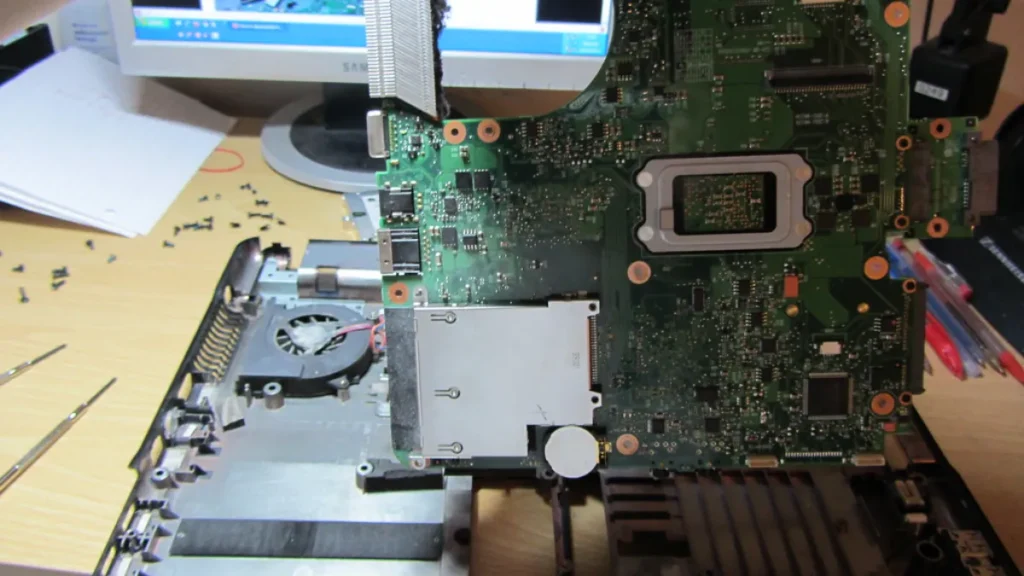
What the listing says: “Intel Processor N…”, or a processor name with no generation number. At Intel, the “Intel Processor” range, successor to Pentium and Celeron, has no generation number and carries the prefix N or U. Intel places its Core N-series in the entry-level tier.
For other Intel chips, the name reads in three parts:
- the range: Core 3, 5 or 7 for mainstream laptops, with a three-digit number, or Core Ultra 5, 7 or 9, with a built-in NPU;
- the generation, the leading digit of the number: the Core Ultra 7 165H is generation 1, the Core Ultra 7 288V generation 2;
- the suffix: H for high performance, P for thin and light laptops, U for power-efficient chips, V for Lunar Lake, Y for very low power.
Within the same class, a higher number signals more features or performance, according to Intel, which gives no speed measurement. For AMD Ryzen and Qualcomm Snapdragon, refer to the chipmaker’s page: we could not verify their naming.
What to aim for: a processor you can place in its range and generation. For a Copilot+ PC, Microsoft lists the AMD Ryzen AI 300 and 400, the Intel Core Ultra 200V and 300V and the Snapdragon X.
Trap 4: Windows 11 in S mode
What the listing says: “Windows 11 Home in S mode”. In S mode, the PC installs only apps from the Microsoft Store; Edge remains the default browser and Bing the default search engine. Changing those settings requires leaving S mode.
S mode exists only in the Home edition and does not let the PC join a corporate domain. On a Snapdragon PC in S mode, there is no third-party antivirus and no Hyper-V, and some drivers, games or accessibility tools may not work.
What to aim for: a PC outside S mode, or an S mode you will leave. Leaving is free and permanent.
Warning: leaving S mode is irreversible. Back up your files before you start.
- Open Settings > System > Activation.
- Under Switch to Windows 11 Pro, click the Go to the Store link.
- On the Microsoft Store page that opens, click Get.
The PC then leaves S mode and accepts apps installed from outside the Store.
Warning: do not use the Upgrade your edition of Windows link, which leaves you in S mode.
Trap 5: a clearance laptop running Windows 10
What the listing says: “Windows 10”, on an old reference being cleared out. Windows 10 support ended on 14 October 2025: no more assistance, and no more feature or security updates. The PC keeps working, but the risk grows.
The consumer ESU program extends Windows 10 coverage to 12 October 2027, according to Microsoft’s page. Microsoft 365 apps receive security updates until 10 October 2028.
What to aim for: a PC that ships with Windows 11, or one eligible for the free upgrade. It requires Windows 10 22H2 and the Windows 11 minimum configuration.
Good to know: Microsoft’s PC Health Check tool checks eligibility, but does not check the graphics card or the display. Compare those two points with the list in the “Before you start” section.
What is a Copilot+ PC?
A Copilot+ PC combines the Windows 11 minimum configuration, an NPU above 40 TOPS, 16 GB of DDR5 or LPDDR5 and 256 GB of SSD or UFS. Copilot+ artificial intelligence features are designed to run on that NPU. Windows Task Manager shows its usage.
Good to know: a 40 TOPS NPU is not enough to make a Copilot+ PC if the RAM or storage stays below the threshold. Before buying, check that the processor is in the families Microsoft lists.
Comparison table
| Criterion | To avoid | Windows 11 floor | Our target (Copilot+ threshold) |
|---|---|---|---|
| Memory | 8 GB or less | 4 GB | 16 GB DDR5 or LPDDR5 |
| Storage | soldered eMMC, 64 GB | 64 GB | 256 GB SSD or UFS |
| Processor | Core N-series (entry level according to Intel) | 1 GHz, 2 cores, 64-bit | Ryzen AI 300 or 400, Core Ultra 200V or 300V, Snapdragon X |
| NPU | not applicable | not required | above 40 TOPS |
| System | Windows 10, unwanted S mode | Windows 11 | Windows 11 outside S mode |
The floor values come from the Windows 11 minimum configuration, the target values from Microsoft’s Copilot+ program.
Which laptop to buy in 2026: three profiles to aim for
Which laptop for office work
Aim for 16 GB of RAM, 256 GB of SSD or UFS and Windows 11 outside S mode. On the Intel side, the Core 3, 5 or 7 range targets mainstream laptops; a Core Ultra adds an NPU. Copilot+ AI features are designed to run on the NPU.
Study
Start from the office profile and check the list of software your school requires. In S mode only Microsoft Store apps install; on a Snapdragon PC in S mode, some drivers and accessibility tools may not work. Our comparison Chromebook or Windows laptop for studying helps you choose between the two systems.
Creative work and heavy use
No official source gives a threshold above 16 GB: take at least the full Copilot+ configuration. At Intel, the H suffix marks high-performance chips. Choose the storage capacity according to the size of your projects, knowing that soldered storage will never grow.
Buying at the right time
Black Friday falls on Friday 27 November 2026 and Cyber Monday on Monday 30 November 2026. Each retailer sets its own sale dates around those two days. Our page Black Friday 2026: the real tech deals to watch follows the other categories.
To judge a discount, check what the “before” price really was: a genuine reduction compares against a price the seller actually charged beforehand. Rules on reference prices differ from one country to another, so read your own country’s consumer authority page.
Clearance models deserve a careful read of the listing: Windows version, storage type, amount of RAM. Our method for checking a crossed-out Black Friday price complements this check.
Good to know: some retailers, Dell for example, publish their own price guarantee and extended return terms for the shopping season. Those terms are specific to each retailer and each country: read the retailer’s page for your country and do not assume other sellers offer the same.
Complete your purchase: our selection of accessories
A mouse, an external SSD, a charger and a few accessories go well with a new laptop.
- Logitech MX Anywhere 3S, compact rechargeable Bluetooth wireless mouseA compact wireless mouse that connects over Bluetooth and recharges instead of using batteries. A comfortable alternative to a laptop trackpad on the move.AmazonSee at Amazon
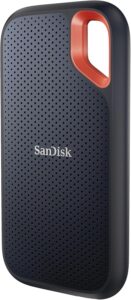 SanDisk Extreme Portable SSD 1 TBA pocket-size external SSD to back up files or move large folders between computers. Useful when a laptop offers little internal storage.AmazonSee at Amazon
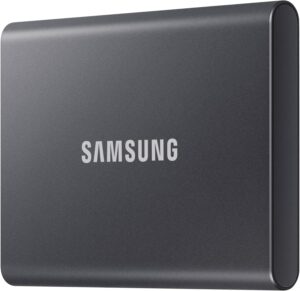 Samsung T7 external SSD 1 TBA portable external SSD to back up documents and photos or extend a laptop's storage. It connects over USB and fits in a bag.AmazonSee at Amazon
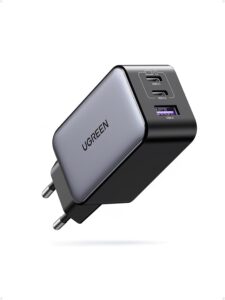 UGREEN Nexode 65 W charger (3 ports)One wall charger for a laptop, a phone and a third device at once.AmazonSee at Amazon
- Amazon Basics ventilated aluminium laptop stand, 10 to 17 inchesA ventilated aluminium stand that raises the laptop for a better screen height. It suits laptops from 10 to 17 inches.AmazonSee at Amazon
- Keyboard and laptop cleaning kit, 11 piecesAn 11-piece kit to clean the keyboard and screen of a laptop. Useful to keep a PC tidy over the years.AmazonSee at Amazon
Frequently asked questions
Is 8 GB of RAM enough in 2026?
It exceeds the Windows 11 minimum of 4 GB, but remains at half the 16 GB required for a Copilot+ PC. No official source sets a comfortable level. We aim for 16 GB; on some models the RAM is soldered, so check the manufacturer’s listing.
Which processor should you avoid in a laptop?
Be wary of Core N-series chips, which Intel classes as entry level, and read “Intel Processor” labels closely: they are the successors to Pentium and Celeron and carry no generation number. For the others, place the range, generation and suffix in the name. For AMD and Qualcomm, read the chipmaker’s page.
What is a Copilot+ PC?
It is a Windows 11 PC with an NPU above 40 TOPS, 16 GB of DDR5 or LPDDR5 and 256 GB of SSD or UFS. Microsoft lists the AMD Ryzen AI 300 and 400, Intel Core Ultra 200V and 300V and Snapdragon X processors. Copilot+ AI features are designed to run on the NPU.
Can you add RAM to a laptop?
It depends on the model: on some laptops the RAM is soldered to the motherboard and cannot be increased, which the manufacturer’s listing states. Opening the device may void the warranty, so check the warranty end date first. The eMMC Samsung describes is soldered to the motherboard and cannot be replaced.
Photo credits: Dell laptop keyboard by bigpresh, licence CC BY 2.0; Laptop Motherboard by Andrew and Annemarie, licence CC BY-SA 2.0; M6Pro by halfrain, licence CC BY-SA 2.0
Share this content: