
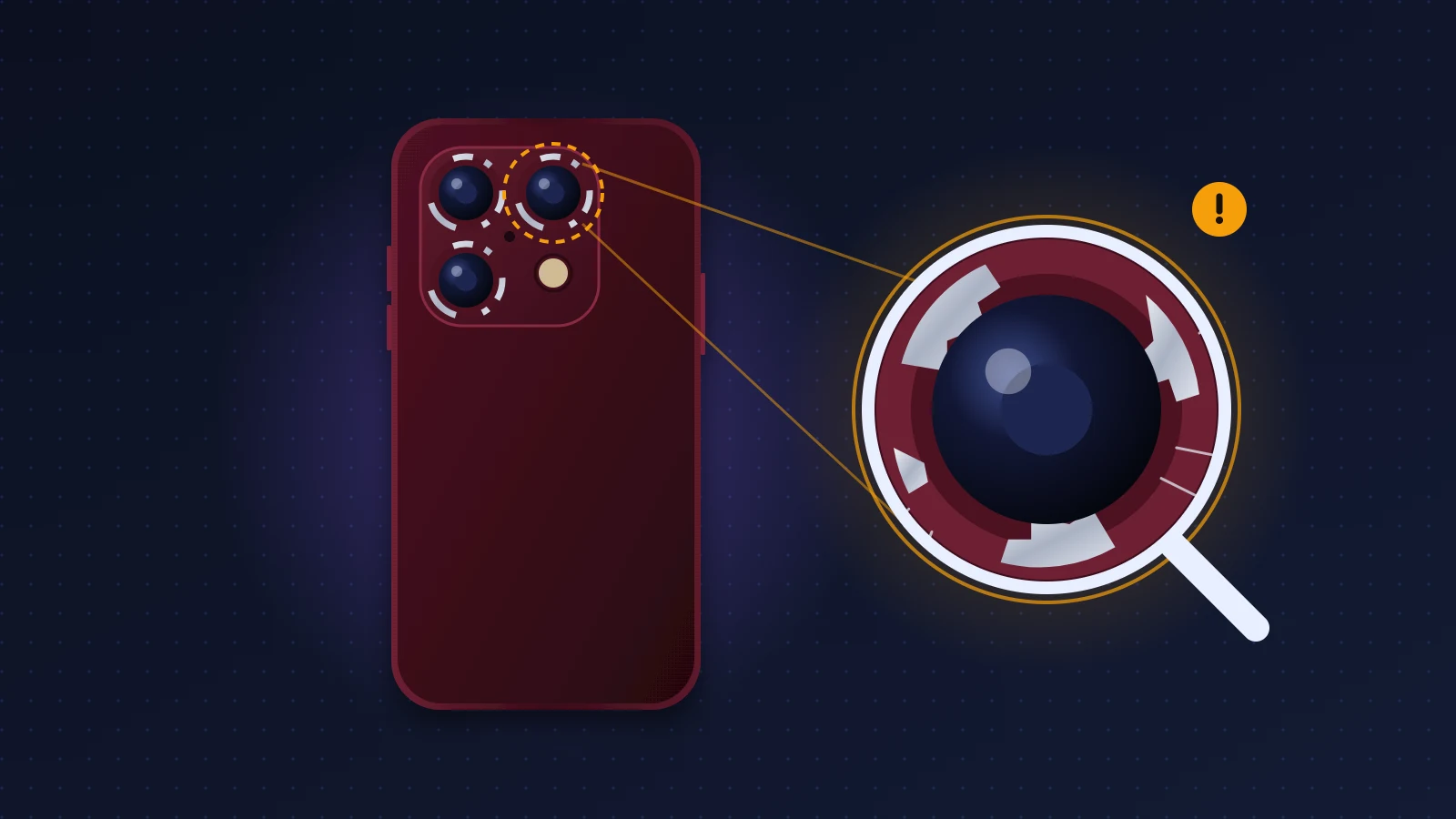
iPhone 18 Pro camera discoloration covers two different problems. The first is a lighter, sometimes pinkish halo around the lenses on the dark models (Burgundy and Black): Apple hasn’t explained it, it affects a minority of devices, and some cases turn out to be nothing more than residue that wipes off with a cloth. The second is the color chipping off the edges of the camera plateau, exposing silver aluminum underneath: that’s mechanical wear, documented since the iPhone 17 Pro. Start by cleaning the plateau properly. If the mark won’t budge and the phone is less than 14 days old, ask for an exchange. After that, your consumer rights against the seller and Apple’s warranty are the levers left.
Quick fix
- Take off the case, wipe with a dry microfiber cloth, then a slightly damp one, then a 70% isopropyl alcohol wipe. Never use bleach or hydrogen peroxide.
- If the mark disappears, it was residue (skin oil, material from the case, transfer from a MagSafe stand).
- If it stays and forms a pale or pinkish halo, photograph it and contact Apple or the seller: this is the case that can be argued as a finish defect.
- If the edge shows shiny metal, the anodizing has chipped: Apple’s warranty treats it as cosmetic damage and won’t cover it, but a case with a raised lip prevents it.
- When you unbox the phone, inspect the camera plateau in bright light before setting it up.
What is the back of the iPhone 18 Pro made of?
The iPhone 18 Pro and iPhone 18 Pro Max chassis is a unibody aluminum design, according to Apple’s spec sheet. Titanium was dropped starting with the iPhone 17 Pro. The back combines that aluminum with a Ceramic Shield glass section, and the camera plateau, the raised strip that runs across the full width of the back, is cut from aluminum. The lenses themselves sit behind sapphire.
Apple offers it in four colors, named Black, Silver, Glacier and Burgundy on its international spec sheet. You’ll find the rest of the specs in our iPhone 18 Pro spec sheet and our iPhone 18 Pro Max spec sheet.
Why does anodized aluminum change appearance?
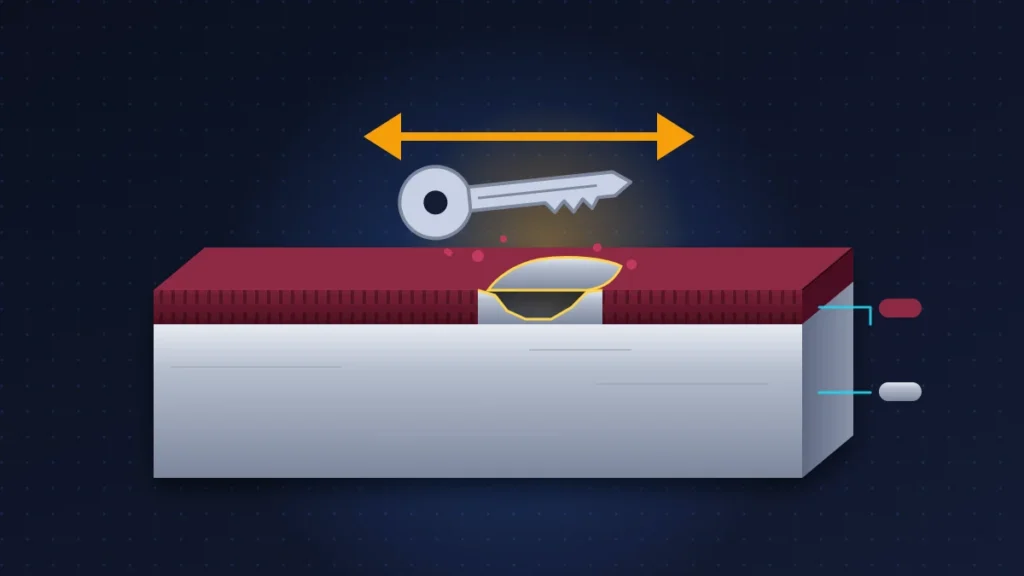
Anodizing uses electrolysis to grow a thin, porous oxide layer on the surface of the metal. A dye is drawn into it, then the layer is closed off (the sealing step). So the color isn’t paint, but pigment held inside the oxide:
- if the oxide is torn away, bare metal shows through, silver and shiny;
- if the dye or the seal is affected, the color fades or shifts, without the surface feeling damaged to the touch.
On a Silver iPhone, a chip is barely visible, since raw aluminum is almost the same shade. On Black or Burgundy, the contrast is as strong as it gets.
How to recognize the problem: pinkish halo or silver edge?
The halo is a lighter, matte area, sometimes leaning toward pink, around one or more lenses. Owners describe a ring that is “paler or pinker than the rest of the plateau.” It feels smooth to the touch. Some noticed it right out of the box, others after two or three weeks of use.
A chip, on the other hand, sits on the corners and sharp edges of the plateau, or on the sides of the frame. It shines under light and your fingernail catches on a small step. It shows up after friction: keys, coins, a case edge, a car mount.
A third situation is the most common on forums: a gray mark or a dark haze that comes back after cleaning. In the MacRumors thread on 18 Pro plateau discoloration, several owners of Black and Burgundy models explain that a cloth is enough to make it look new again. Nobody there reports bare metal.
Which models show iPhone 18 Pro camera discoloration?
Reports concern Burgundy iPhone 18 Pro and 18 Pro Max units first, then Black models. No published complaints so far involve the Silver and Glacier colors. The number of cases is unknown: a few Reddit threads (r/iphone18pro) and photos on social media. GSMArena, which is testing a Burgundy unit, has seen no discoloration.
What is confirmed, what is reported, what remains a hypothesis:
| Point | Status |
|---|---|
| Unibody aluminum chassis, Black, Silver, Glacier, Burgundy colors | Confirmed by Apple |
| Pale or pinkish halo around the lenses on Burgundy and Black | Reported by several users |
| Plateau color flaking off easily under a pointed tip | Observed in testing by JerryRigEverything |
| Halo caused by faulty anodizing dye or sealing | Hypothesis put forward by the press |
| Halo caused by heat from the camera module or UV | Hypothesis, no published test |
| Official response from Apple | None so far; exchanges granted case by case |
Why the color wears off around the lenses
Sharp edges hold anodizing poorly
This is the best-established mechanism. During its iPhone 17 Pro teardown, iFixit dragged a pick of hardness 4 on the Mohs scale (the mineral hardness scale), close to copper and so to a coin or a key, across the flat back and then across the edge of the plateau. On the flat part, the scratch stays superficial. On the edge, the oxide flakes off and exposes shiny aluminum. The materials scientist iFixit consulted puts it down to geometry: the oxide layer adheres poorly to a sharp corner, and a gentler curve would have limited the damage.
The iPhone 18 Pro plateau keeps that design. Zack Nelson (JerryRigEverything) got the same result on the 18 Pro: the plateau color comes off with no effort and the frame marks easily under a blade, while the front glass holds up to level 7.
Repeated friction does the rest
On an iPhone in a case, a chip rarely comes from a single knock. Dust and fine sand slip between the case edge and the plateau and rub the edge like sandpaper every time you pick the phone up. Lens protectors with a metal ring carry the same risk: their hard rim presses on the aluminum around each lens and can trap grit underneath. That is a deduction from the mechanism iFixit describes, not a proven defect.
The pinkish halo remains unexplained
No independent analysis has been published. The most cited theory is imperfect dyeing or sealing, which would let skin oil and moisture alter the shade. The fact that some devices show the halo straight out of the box points to a manufacturing defect on those units, not to misuse.
The iPhone 17 Pro precedent: what Apple said
On the iPhone 17 Pro, “scratchgate” was about visible scratches on display units in stores. Apple told 9to5Mac that it was mostly “material transfer” left by the stores’ MagSafe stands, so residue that comes off, and that the aluminum plateau was designed like its other aluminum products: durable, but liable to show small abrasions over time. In other words, no acknowledged defect for edge wear.
A second controversy involved the Cosmic Orange color, which turned pink or rose gold for some buyers. Apple never published an explanation. Its cleaning page advises against products containing bleach or hydrogen peroxide, and part of the press saw that as the cause. Yet a long-term CNET test with those products produced only a marginal change in shade. Several owners got a replacement by going through Apple Support.
Bottom line: Apple treats edge wear as normal, but replaces, case by case, discoloration that ordinary use doesn’t explain.
Before you start
Remove the case and any lens protectors, then turn off and unplug the iPhone. Under strong light, photograph the plateau with another phone: this reference will be useful when you contact support.
Fix 1: clean the plateau without damaging it
- Start by dusting with a dry microfiber cloth, without pressing. Rubbing with a grain of sand under the cloth scratches the anodizing.
- Wipe with a microfiber or eyeglass cloth lightly dampened with water.
- If the mark doesn’t budge, use a wipe soaked in 70% isopropyl alcohol or 75% ethyl alcohol, without letting any liquid run into the openings.
- Dry with a clean microfiber cloth.
Avoid: bleach, hydrogen peroxide and “oxy” stain removers, melamine sponges (so-called magic erasers, which are abrasive), toothpaste, metal polish, compressed air. Metal polish removes exactly the colored layer.
How to check: if the plateau gets back an even shade, it was residue. Apple even notes, about the glass back, that denim and pocket contents can leave marks that look like scratches and usually wipe away.
Fix 2: tell residue from real wear
Run these four tests in order, with the case off:
- the fingernail test: run it gently over the area. Smooth all the way means residue or discoloration. A small step means a chip;
- raking light: light the plateau at an angle with another phone’s flashlight. A chip sparkles like polished metal, a halo stays matte and diffuse;
- a macro photo, taken with another smartphone, shows whether the color is lighter or the metal is bare;
- position: a mark that follows the outline of your case or lens protectors comes from friction. An even ring around a lens, on a recent device, points to a finish halo.
A mark that comes back a few hours after cleaning is most often residue (skin oil, condensation, material transferred from the case).
Fix 3: remove or replace protectors that rub
If the wear follows the edge of your case, wash the case in soapy water, dry it completely and check that the iPhone doesn’t move around inside it: a loose case, or one that is too hard against the edge, will eventually sand it down.
Metal lens protectors, stuck around each lens, should be removed gently if the aluminum around them starts to turn whitish. Go for a plate or film that covers the whole face of the plateau and is cut for the iPhone 18 Pro. An accessory made for the iPhone 17 Pro won’t necessarily fit the 18 Pro properly: check that the manufacturer explicitly lists this model.
Fix 4: choose a case that really protects the plateau
Most cases, Apple’s included, leave the face of the plateau uncovered. What matters:
- a lip that clearly rises above the plateau and the sapphire, so the iPhone never touches the table when it lies on its back;
- a soft inner rim (TPU, silicone) against the edges, rather than hard polycarbonate;
- a case made specifically for the 18 Pro or 18 Pro Max, not one “compatible with 17 Pro”;
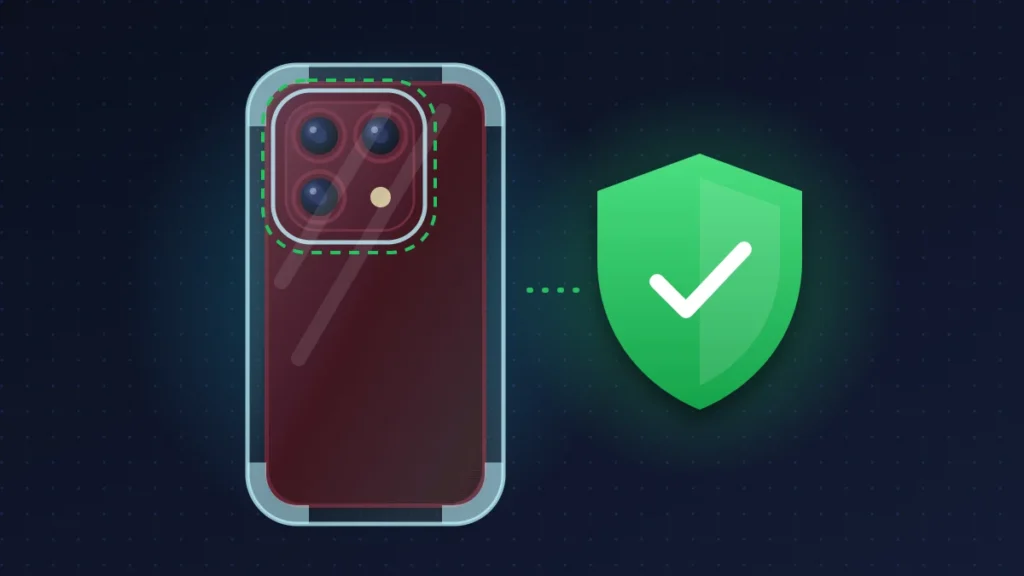
- if you also want to protect the face of the plateau, a full-coverage case with cutouts around the lenses and flash.
Fix 5: have Apple confirm the defect
If the halo doesn’t come off with cleaning, book a Genius Bar appointment or contact Apple Support (Apple Support app). Bring:
- photos of the plateau, before and after cleaning, in strong light;
- a short video under raking light;
- the receipt;
- a factual account: exact age of the device, used in a case, cleaned with water and then 70% alcohol, no prohibited products.
The exchanges reported online were granted case by case. Stress that there was no impact and that the mark isn’t on an edge.
Fix 6: check it at unboxing
Inspect the plateau under bright light as soon as you open the box, and film the unboxing if you can. If you see a halo or a chip:
- bought from the Apple Online Store: you can return it within 14 days of delivery, and Apple asks that any defect be reported within that window;
- bought in an Apple Store: exchanges can be made at any Apple Store in the same country, subject to stock;
- bought from a carrier or retailer: they are the ones to deal with, not Apple.
Inspect the replacement device too before you leave. While you’re at it, check the screen: our guide to a faulty iPhone 18 Pro Max screen out of the box lists what to look for.
Summary table
| What you see | Likely cause | What to do |
|---|---|---|
| Gray film or haze that wipes off | Skin oil, condensation, residue | Microfiber cleaning, then 70% alcohol |
| Mark that follows the case edge | Friction, dust | Wash the case, switch to one with a soft lip |
| Pale or pinkish halo, smooth, around a lens | Possible finish defect | Photos, then Apple or the seller |
| Shiny silver spot on an edge | Chipped anodizing | Case with a raised lip, keep keys and coins away |
| Mark visible at unboxing | Factory defect | Return or exchange within 14 days |
| Color shift after a household cleaner | Oxidizer (bleach, peroxide) | Stop, clean with water, mention it to support |
What does the warranty cover?
Apple’s one-year limited warranty excludes cosmetic damage, such as scratches and dents, unless it results from a defect in materials or workmanship. A chip on an edge after several months without a case will be classed as wear. A halo present at unboxing, or one that appeared within a few days with no impact, may fall under the exception.
AppleCare+ doesn’t change anything here: its terms exclude cosmetic damage that doesn’t affect how the device works, and the French terms explicitly include discoloration.
Your consumer rights against the seller can go further, depending on where you live. In the UK, the Consumer Rights Act lets you ask the retailer for a repair, replacement or refund when goods are faulty or not of satisfactory quality, and appearance and finish are part of that quality. In the EU, the seller owes a legal guarantee of conformity, and a defect that shows up early is presumed to have existed at delivery, so it is up to the seller to prove misuse. The seller is Apple if you bought from Apple, otherwise the carrier or retailer. A finish that degrades quickly in an area with no friction can be presented as a lack of conformity. Don’t touch it up with a marker before taking it in.
In Africa, where Apple has few stores, go through an Apple Authorized Service Provider (listed in the Apple Support app). Apple’s warranty on an iPhone sold in Europe covers repairs in the European Economic Area and Switzerland; outside that area, call the provider to ask whether they will accept the device, and keep the original receipt.
Keeping it from happening again
- No keys or coins in the same pocket: those are exactly the materials used in scratch tests.
- A clean case: wash it from time to time, as sand that builds up inside wears down the plateau.
- Clean only with water and 70% alcohol.
- For your next purchase, the Silver color hides chips far better.
FAQ
Why is my Burgundy iPhone 18 Pro turning pink around the lenses?
The cause hasn’t been confirmed. The most likely explanation is imperfect anodizing on some units. If the mark doesn’t come off with cleaning, have Apple look at it.
Is iPhone 18 Pro discoloration covered by the warranty?
Apple’s warranty excludes cosmetic wear, but not manufacturing defects. A halo with no impact or friction can be argued as a defect. Depending on your country, consumer law also gives you rights against the seller.
Can a case damage the camera plateau?
Yes, if dust builds up inside it or its hard rim rubs the edge. Wash it regularly and choose a soft lip that rises above the plateau.
Are metal lens protectors a good idea?
They protect the sapphire, but leave the surrounding aluminum exposed and can mark it. A plate or film covering the whole plateau makes more sense.
Can I use a disinfecting wipe or alcohol?
Yes, Apple allows 70% isopropyl alcohol and 75% ethyl alcohol. No bleach or hydrogen peroxide.
Are the Silver and Glacier iPhone 18 Pro affected?
No published reports involve them. On Silver, a chip is nearly invisible anyway, since bare aluminum is the same shade.
Do you have iPhone 18 Pro camera discoloration, and did Apple agree to an exchange? Describe your case in the comments, with the color and how long you’ve had the phone: these reports help other readers know what to expect. For the other reported defects, see our roundup of every known iPhone 18 Pro problem and its fix.
Share this content: