
If you’re overwhelmed by an inbox full of unread emails, it’s time to take action. Deleting all those emails one by one can be tedious and inefficient. In this article, we’ll guide you through the simple steps to deleting all your unread emails at once, saving you time and keeping your inbox organised. Follow these easy tips and before you know it, your inbox will be free of all those pesky unread emails.
Use the multiple selection function
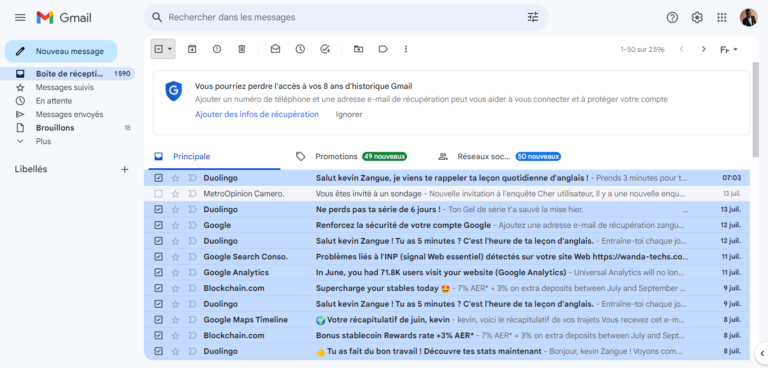
Most email services offer a multi-select function that allows you to select several emails at once. Start by selecting the first unread e-mail, then look for the “Select all” or “Select all unread” option. Once you have made your selection, you can delete them all at once.
Using filters
Another effective approach is to use the filters in your inbox to display only unread emails. Filters vary from one email service to another, but most offer options for displaying only unread emails in a specific category or label. Apply the relevant filter and then select all unread emails for easy deletion.
Using third-party applications
If you have an overloaded inbox and the previous methods aren’t working optimally, you might consider using third-party applications specifically designed to manage email. Some of these applications offer advanced features for quickly sorting, filtering and deleting unread emails. Research the best applications available for your email platform and follow the instructions to delete all unread emails with a single click.
Save and archive
Before deleting all unread emails, it’s important to back up and archive important emails if necessary. Make sure you make a backup copy of all important emails so that you don’t accidentally lose them when you delete unread emails en masse. You can use your email service’s email export or archiving features to back up important data.
Deleting all unread email at once may seem like a difficult task, but with the right methods and tools, it can be done quickly and efficiently. Use multiple selection functions, filters and third-party applications to get rid of all those unread emails and keep your inbox organised. Don’t forget to back up important emails before deleting unread ones en masse. Adopt these tips and manage your inbox with ease and efficiency.
See also :
Share this content: