
This article contains affiliate links: if you buy through them, Wanda-techs earns a commission at no extra cost to you.
A wireless CarPlay adapter only works if your car already shows CarPlay or Android Auto over a USB cable. For both systems in one box, our pick is the AAWireless TWO+, with the Carlinkit 5.0 (2air) as the alternative. For Android Auto alone, the AAWireless TWO and the Motorola MA1 do the job.
Our picks at a glance
- AAWireless TWO+: for a car shared between an iPhone and an Android phone, with a button to switch phones and updates through the app.
- Carlinkit 5.0 (2air): wireless CarPlay and Android Auto, if you can live with manual updates and thin documentation.
- AAWireless TWO: Android Auto only, with a second phone you can pair.
- Motorola MA1: Android Auto only and a single phone, in a puck-shaped box that sticks in place and connects when the car starts.
We leave Ottocast out. Its U2-AIR Pro handles CarPlay only, according to the information available, and we could not verify any dual-system Ottocast model.
How to choose a wireless CarPlay adapter
Your car must already support the wired connection
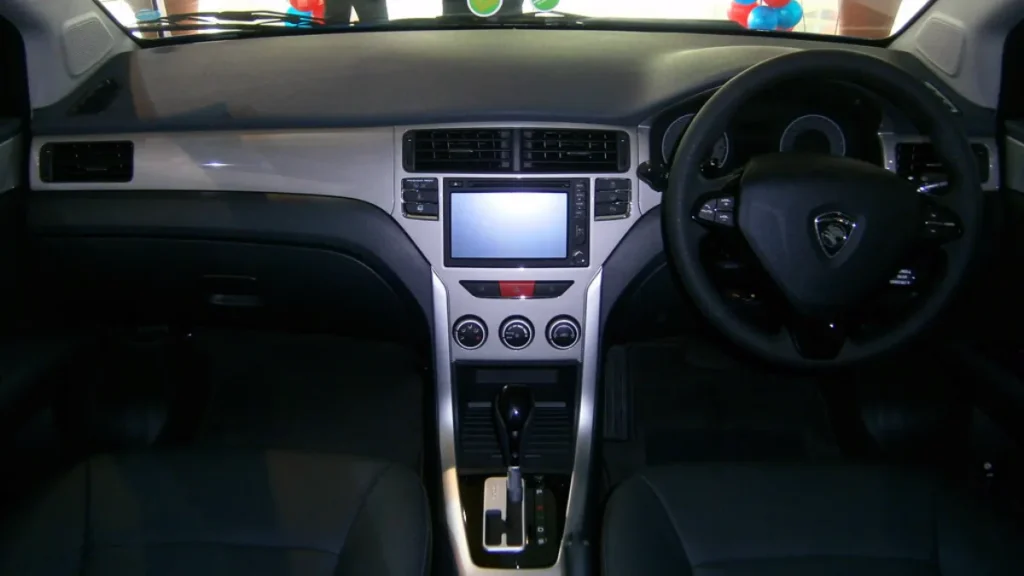
The adapter makes an existing wired connection wireless: it does not install CarPlay or Android Auto in a car that doesn’t have them. Apple lists more than 800 CarPlay-compatible car models, many of them since 2016, but some only support it in certain trims and the list varies by region. Confirm with your dealer; for Android Auto, check Google’s list at android.com/auto/compatibility.
Does your car already offer wireless CarPlay or Android Auto? According to ArenaEV, the AAWireless TWO+ adds nothing there.
CarPlay, Android Auto or both
Only the AAWireless TWO+ and the Carlinkit 5.0 (2air) handle both; the AAWireless TWO and the Motorola MA1 are limited to Android Auto. If an iPhone and an Android phone share the car, a dual model saves you from buying two boxes.
Your phone
The Motorola MA1 and the AAWireless adapters need Android 11 or newer for wireless Android Auto. For CarPlay with the AAWireless TWO+, one press review says an iPhone X or newer, which we have not read on an official page. For the Carlinkit 5.0, the minimum iOS and Android versions appear only on a reseller’s listing: check them on the product page before you buy.
USB-A or USB-C port, and the cable
The adapter plugs into the USB port that already carries the wired connection: a short USB-A plug on the Motorola MA1, a short USB-C to USB-A cable supplied with the AAWireless TWO. If your car has no USB-A port, plan on a USB-C to USB-C cable.
Connection delay and updates
Wirelessly, the AAWireless TWO connects more slowly than with a cable. The Carlinkit 5.0 reconnects in about 10 seconds according to Android Central, and in about 20 seconds according to another test.
Firmware, the adapter’s internal software, is updated through the AAWireless app on the TWO+. The Carlinkit 5.0 has no app: everything goes through the phone’s browser.
One phone or several
The TWO+ switches from one phone to another with a button, the TWO accepts a second phone, and the MA1 allows one connection at a time. With the Carlinkit 5.0, the first user has to turn Bluetooth off to make room for the second.
AAWireless TWO+: for an iPhone and an Android in the same car
The AAWireless TWO+ handles Android Auto and CarPlay, with an Android phone or an iPhone. Its multifunction button switches phones: one click moves to the next paired phone, and a 2-second press pairs a new one. The firmware updates over the air from the AAWireless app.
The light shows the adapter’s state: solid green at startup, flashing green while it connects to the phone, flashing blue while it connects to the car screen, solid blue once connected, solid purple while pairing.
Its limits: on iPhone, the AAWireless app offers fewer settings than on Android, according to EFTM, which tested it with an iPhone 15. During that test, pairing from the app failed and the phone had to be paired over Bluetooth first. At its launch in October 2025, AAWireless sold it on its own web store for the United States and Europe, with Amazon announced for later: it may not be listed on the Amazon store in your country.
Warning: holding the button for 10 seconds resets the adapter to factory settings.
To see the AAWireless TWO+ offer, here is its listing.
AAWireless TWO+ wireless CarPlay and Android Auto adapter
Makes the wired CarPlay or Android Auto connection of a car wireless. A button switches between two phones.
- AmazonSee at Amazon
Carlinkit 5.0 (2air): the dual alternative
The Carlinkit 5.0 (2air) handles wireless CarPlay and wireless Android Auto. It talks to the phone over 5 GHz Wi-Fi.
Its limits are plain. Carlinkit offers no app: to update the firmware, connect the phone to the adapter’s Wi-Fi, then enter the IP address given in the manual in the phone’s browser. Its USB-A port is used to restore the software from a USB stick.
Testers report occasional dropouts, thin documentation and clumsy sharing between drivers. According to unconfirmed reports, the adapter does not carry the Made for iPhone logo, and every unit would share the same Wi-Fi passphrase.
Here is the Carlinkit 5.0 (2air) listing to compare offers.
Carlinkit 5.0 2air wireless CarPlay and Android Auto adapter
Plugs into the car USB port and lets a car that only supports wired Android Auto connect to the phone wirelessly. A more recent model than the 4.0.
- AmazonSee at Amazon
AAWireless TWO: Android Auto only, two phones
The AAWireless TWO, the predecessor of the TWO+, handles Android Auto only, with no CarPlay. It accepts a second phone: the button flashes purple to pair it. It is made in Europe.
Its limits: the short USB-C to USB-A cable is no use if your car has no USB-A port. It comes with no adhesive pad to fix it in place, and the connection is slower than with a cable. Stock comes and goes.
Good to know: when connected wirelessly, the phone is not charged by the adapter, according to Android Central.
For Android Auto only with two phones, here is the AAWireless TWO.
AAWireless TWO wireless Android Auto adapter
Makes the wired Android Auto connection of a car wireless. It accepts a second phone.
- AmazonSee at Amazon
Motorola MA1: Android Auto only, for one phone
The Motorola MA1 handles Android Auto only, with no CarPlay. It uses Bluetooth and 5 GHz Wi-Fi, and connects by itself when the car starts. This puck-shaped box plugs in through a short USB-A plug and sticks in place with the supplied adhesive.
Its limits: it accepts only one connection at a time. It is not made by Motorola but by SGW Global, under license. Launched in January 2022, it has patchy stock, and some retailers no longer sell it new.
Here is the Motorola MA1 listing, for a single Android driver.
Motorola MA1 wireless Android Auto adapter
Makes the wired Android Auto connection of a car wireless. It connects by itself when the car starts.
- AmazonSee at Amazon
Comparison table
| Model | Wireless CarPlay | Wireless Android Auto | Multiple phones | Weak point | Who it suits |
|---|---|---|---|---|---|
| AAWireless TWO+ | Yes | Yes | Yes, switch button | Fewer settings on iPhone | iPhone and Android in the same car |
| Carlinkit 5.0 (2air) | Yes | Yes | Clumsy sharing | Browser updates, reported dropouts | Dual use, no app |
| AAWireless TWO | No | Yes | Yes, second phone | No adhesive, USB-A cable supplied | Android only, two drivers |
| Motorola MA1 | No | Yes | No, one connection at a time | Patchy stock | Android only, one driver |
To compare the offers for all four models side by side, here is the summary.
- AAWireless TWO+ wireless CarPlay and Android Auto adapterMakes the wired CarPlay or Android Auto connection of a car wireless. A button switches between two phones.AmazonSee at Amazon
- Carlinkit 5.0 2air wireless CarPlay and Android Auto adapterPlugs into the car USB port and lets a car that only supports wired Android Auto connect to the phone wirelessly. A more recent model than the 4.0.AmazonSee at Amazon
- AAWireless TWO wireless Android Auto adapterMakes the wired Android Auto connection of a car wireless. It accepts a second phone.AmazonSee at Amazon
- Motorola MA1 wireless Android Auto adapterMakes the wired Android Auto connection of a car wireless. It connects by itself when the car starts.AmazonSee at Amazon
Before you start
- A car that shows CarPlay or Android Auto over a USB cable.
- For Android Auto, Bluetooth, Wi-Fi and location turned on on the phone during setup.
- Android 11 or newer for the Motorola MA1 and the AAWireless adapters.
Warning: install and pair the adapter with the car parked and its screen on, before you drive, and never handle the phone while driving. For any work on the car itself, switch off the ignition; do not touch airbags, seatbelt pretensioners or the high-voltage system of a hybrid or electric vehicle; a red warning light means stop the vehicle; this procedure does not replace a diagnosis at a workshop.
Warning: these adapters are third-party products, not Apple accessories. Do not open the case: opening the device can void the warranty, so check the warranty end date first. The advanced settings in the AAWireless app, such as Passthrough or DPI, come with a warning: leave them alone unless you know what they do.
How to install a wireless CarPlay adapter
- Park the car and turn on the infotainment system, the car’s central screen.
- Plug the adapter into the USB port used for wired CarPlay or Android Auto.
- On an AAWireless TWO+, hold the button for 2 seconds to start pairing a new phone: the light turns solid purple.
- On an Android phone, open Settings > Bluetooth.
- Turn on Bluetooth and Wi-Fi, and location for Android Auto.
- Pair the phone with the adapter over Bluetooth.
The AAWireless TWO+ light should turn solid blue once the connection to the screen is made. If the screen stays blank, our guides CarPlay not working in your car and Android Auto not working go through the causes on the car side and the phone side.
Tip: if pairing fails from the AAWireless app, pair the phone over Bluetooth first. That is what worked during EFTM’s test.
Buying at the right time
Prices for these adapters vary widely from one seller to another: for the Motorola MA1 alone, the listings we saw cover a big spread. Compare several offers for the exact same model, and check that a crossed-out price reflects a real drop with our method for spotting a fake Black Friday deal.
Stock of the Motorola MA1 and the AAWireless TWO is patchy. If your model is out, check that the replacement supports your system, CarPlay, Android Auto or both. And before you pay, confirm your car’s compatibility with the dealer or on Google’s list.
Equip your car: our accessory picks
These accessories go well with an adapter: a phone holder, a car charger and a USB-C cable for cars without a USB-A port.
- UGREEN magnetic phone holder for air vent (MagSafe)Holds the phone on the air vent at eye level, magnetically. Needs a MagSafe case or a metal plate on the phone.AmazonSee at Amazon
- Anker 30 W car charger, USB-C and USB-APlugs into the 12 V socket and charges a phone and a second device at once. A good replacement when the old charger has failed.AmazonSee at Amazon
- Anker 310 USB-C to USB-C cable, 0.9 mUSB-C cable for charging and transferring data. A good cable avoids charging faults caused by a worn lead.AmazonSee at Amazon
Frequently asked questions
Does a wireless CarPlay adapter work in every car?
No, only in a car that already supports CarPlay or Android Auto over a wired USB connection. Check with the dealer or at android.com/auto/compatibility. Without a factory wired connection, the adapter is useless: consider a compatible head unit or an Android box instead.
How do you install a wireless CarPlay adapter?
With the car parked and the screen on, plug the adapter into the USB port used for wired CarPlay or Android Auto, then pair the phone over Bluetooth. On the AAWireless TWO+, a 2-second press on the button starts pairing, and the light turns solid blue once connected.
Is there a delay or dropouts with a wireless adapter?
Yes, a wireless connection is slower than a wired one, according to Android Central’s test of the AAWireless TWO. The Carlinkit 5.0 reconnects in roughly 10 to 20 seconds depending on the tests, and testers report occasional dropouts.
Can one adapter handle both CarPlay and Android Auto?
Yes, the AAWireless TWO+ and the Carlinkit 5.0 (2air) handle both. The AAWireless TWO and the Motorola MA1 handle Android Auto only.
Photo credits: Car dashboard by freestocks.org, licence CC0 1.0; 2014 Proton Suprima S Premium – Dashboard (01) by Aero7MY, licence CC BY-SA 2.0
Share this content: