
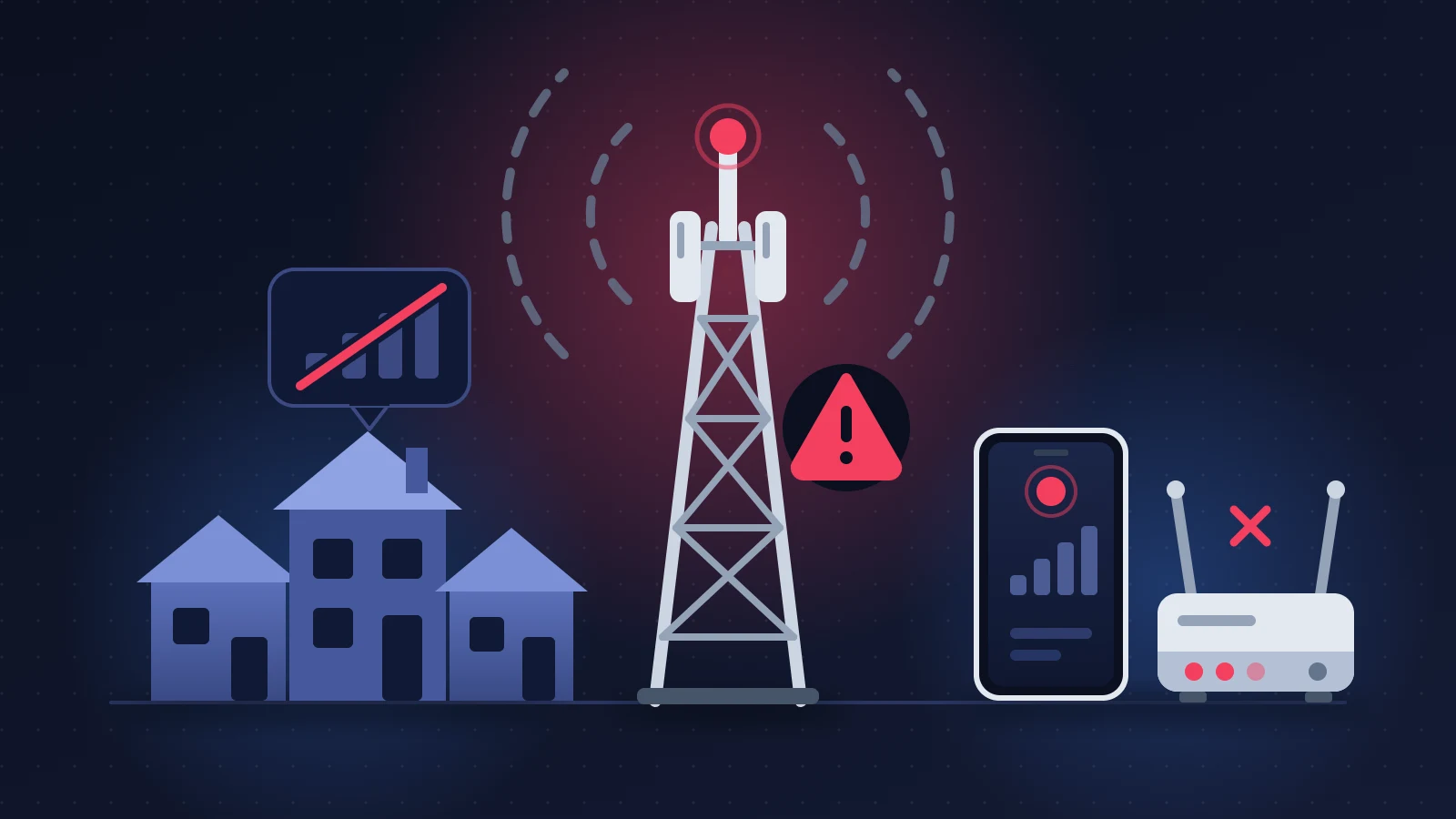
A mobile network outage gives itself away by one detail: it hits several customers of the same carrier at the same moment, and no setting on the phone or the router fixes it. So before you reset anything, find out whether your neighbors are in the same situation and check the carrier’s outage page from another connection. If the outage is widespread, the right move is to switch to Wi-Fi or to a line on another carrier, note the start time, then claim a refund for the lost days once service is back.
In short: the quick fix
- Ask someone on the same carrier whether they have signal, then open the carrier’s outage page and a crowd-sourced reporting site.
- Outage confirmed: turn on Wi-Fi calling, use WhatsApp or another messaging app, or tether to a phone on a different carrier.
- Outage not confirmed: Airplane Mode for thirty seconds, restart, manual network selection, then restart the router.
- Take a timestamped screenshot and open a ticket with customer service. Without those two pieces of evidence, compensation is hard to negotiate.
How to spot a mobile network outage
On the phone, the status bar loses its signal bars. Depending on the brand and the country, you read “No Service”, “Emergency calls only”, “SOS only”, “Searching” or “Mobile network not available”. Calls end with “Call Failed”, texts stay on “Sending”, the 4G or 5G icon has gone.
On a fiber router, the optical light goes out, blinks or turns red, and devices show “Connected, no internet”. A 5G or 4G home internet gateway reports no signal. A sneakier variant: everything looks normal, but activating an eSIM or transferring a line fails over and over, because the servers that manage subscriber accounts are down.
The textbook case is the large AT&T outages in the United States: thousands of phones drop to SOS within minutes, and home gateways lose signal right after. The scenario is the same at Verizon or T-Mobile, at EE, Vodafone, O2 or Three in the United Kingdom, and at MTN, Orange, Camtel, Moov or Airtel in Africa.
Why it happens
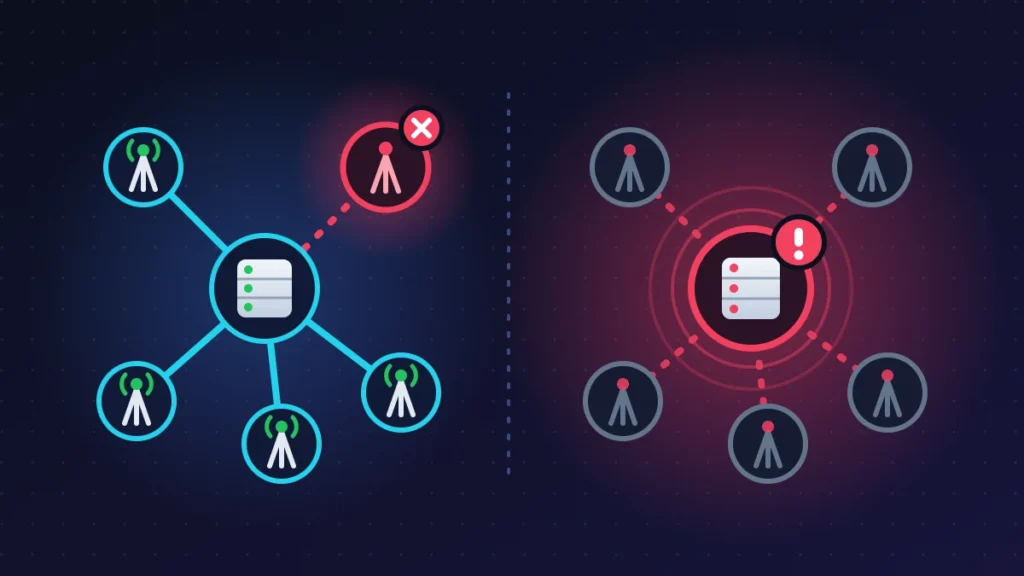
A carrier’s network has two levels. At the bottom, the cell towers and street cabinets that serve a neighborhood. At the top, the core network: the servers that check a subscriber is allowed to connect, route their calls and hand them an internet address.
When a tower goes down (power cut, fiber severed by roadworks, storm), the outage stays local and the phone often latches onto a neighboring tower, with poorer results. When the core network fails, after a botched update or a configuration error, the towers keep transmitting but nobody can authenticate. The phone sees the network without being able to get onto it.
A core network failure can therefore take down mobile, fixed lines and eSIM activations all at once, and it drags along the virtual operators that rent that network.
Before you start
Note the time you noticed the outage, take a screenshot of the status bar and a photo of the router’s lights. Find your account number and your online account login. Line up a fallback connection for checking status pages: a neighbor’s Wi-Fi, a café, a friend’s phone.
Warning: during a widespread outage, do not delete your eSIM and do not factory-reset the phone. The servers that reissue eSIM profiles are often affected too, and you would be left without a line long after the network comes back.
Solution 1: confirm the outage is on the carrier’s side
The four cross-checks
- Ask around. A neighbor on the same carrier with no signal in the same place: you have your answer. If they have normal reception, the problem lies with your line or your device.
- Check the official outage page (table below). Some only show a tower as down after several hours.
- Open a crowd-sourced reporting site such as Downdetector. A sudden spike in reports is unmistakable, even when the carrier has not published anything yet.
- Cross-test: your SIM in another phone, or another carrier’s SIM in yours. If your line works nowhere while the phone works with a different card, the line is at fault.
| Carrier | Official tool | What you find there |
|---|---|---|
| AT&T | att.com/outages | Check by phone number or by account |
| Verizon | verizon.com/support/check-network-status | Network status map |
| O2 (UK) | status.o2.co.uk | Network status by postcode |
| Vodafone (UK) | vodafone.co.uk/network/status-checker | Network status by postcode |
The regulator’s coverage map (the FCC’s National Broadband Map in the United States, Ofcom’s mobile coverage checker in the United Kingdom) shows each carrier’s predicted coverage: an address that was never covered is not suffering an outage. In French-speaking Africa, carriers rarely publish a status page; their official Facebook and X accounts remain the fastest source.
Solution 2: stay reachable during the outage
Turn on Wi-Fi calling
Wi-Fi calling routes your regular calls and texts, on your usual number, through a home router instead of the cell towers.
- iPhone: Settings > Cellular > Wi-Fi Calling, then turn on “Wi-Fi Calling on This iPhone”. “Wi-Fi” appears in the status bar.
- Android (Pixel and similar interfaces): Settings > Network & internet > SIMs > your SIM > Wi-Fi calling.
The limitation, rarely spelled out: this feature relies on the carrier’s core network. If the core is down, Wi-Fi calls fail as well. They save the day when only the neighborhood tower has gone. Few carriers in sub-Saharan Africa offer the service.
Use messaging apps
WhatsApp, Signal, Telegram and FaceTime depend on nothing but an internet connection. On Wi-Fi, they work whatever the mobile outage. Use them to tell the people close to you that your number is unreachable.
Borrow another carrier’s network
Someone on a different carrier can share their connection: on iPhone, Settings > Personal Hotspot; on Android, Settings > Network & internet > Hotspot & tethering. If your phone takes two lines, a prepaid SIM or an eSIM from a competitor restores data within minutes, provided you set that second line as the one used for mobile data.
Calling emergency services
“Emergency calls only” means the phone can use a competitor’s network to reach emergency services. Dial your local emergency number (911, 999 or 112) as usual. With no tower from any carrier in range, only a phone with satellite SOS can still raise the alarm. If the call fails, go straight to a landline or a neighbor’s phone.
Solution 3: kick the network back into life on the phone
Try this if a widespread outage is not confirmed, or when other customers have service again and you do not: after an incident, many phones fail to re-register by themselves.
Airplane Mode and restart
Turn Airplane Mode on for thirty seconds, turn it off, wait a minute. If nothing changes, power the device off and on again. No risk.
Manual network selection
On Android: Settings > Network & internet > SIMs > your SIM, turn off “Automatically select network”. On iPhone: Settings > Cellular > Network Selection, turn off “Automatic”. The search sometimes takes more than a minute. Pick your carrier, then switch automatic mode back on. If it appears but refuses the connection, the signal is there and authentication is missing: the cause is on the carrier’s end.
Force 4G instead of 5G
During an incident, sometimes only one technology is affected. On Android, in the same menu, open “Preferred network type” and choose 4G (LTE). On iPhone: Settings > Cellular > Cellular Data Options > Voice & Data. Go back to the original setting once the outage is over.
Check the APN
The APN (access point name) is the address the phone uses to open its data connection. If calls go through but the internet does not, open Settings > Network & internet > SIMs > your SIM > Access Point Names and choose “Reset to default” from the menu. This mostly concerns imported phones.
Reset network settings
As a last resort. On Android: Settings > System > Reset options > Reset Wi-Fi, mobile & Bluetooth. On iPhone: Settings > General > Transfer or Reset iPhone > Reset > Reset Network Settings. You lose saved Wi-Fi passwords, paired Bluetooth devices and VPNs. Your personal data and your eSIM stay in place.
Solution 4: get the home router going again
Read the lights before you unplug
Photograph the front panel: the support agent will ask what the lights are doing. An optical light that is off or red (often labeled PON, LOS or “Fiber”) means the light signal is no longer reaching your home, because of an incident outside or a damaged cable indoors. A healthy fiber light with a faulty internet light points instead to authentication, and so to the carrier.
Restart properly
- Unplug the router’s power, and the optical terminal’s (ONT) if it is a separate unit.
- Wait about thirty seconds.
- Plug the optical terminal back in first, the router second.
- Give it five to ten minutes: a router that is resyncing blinks its lights for a good while.
Avoid the reset button, which wipes your Wi-Fi settings without changing anything about an outage outside your home.
Check the fiber cable
Follow the thin cable from the wall socket to the router. A piece of furniture resting on it, a tight bend or a connector that is not clicked in is enough to cut the signal. Never look into the end of a fiber.
Reposition a 5G or 4G gateway
These gateways pick up a cell tower, just like a phone. Put the unit near a window, up high, away from thick walls, and turn it a quarter at a time while watching the signal indicator. If it loses all signal at the same time as phones on the same carrier, no position will change that.
Solution 5: keep working
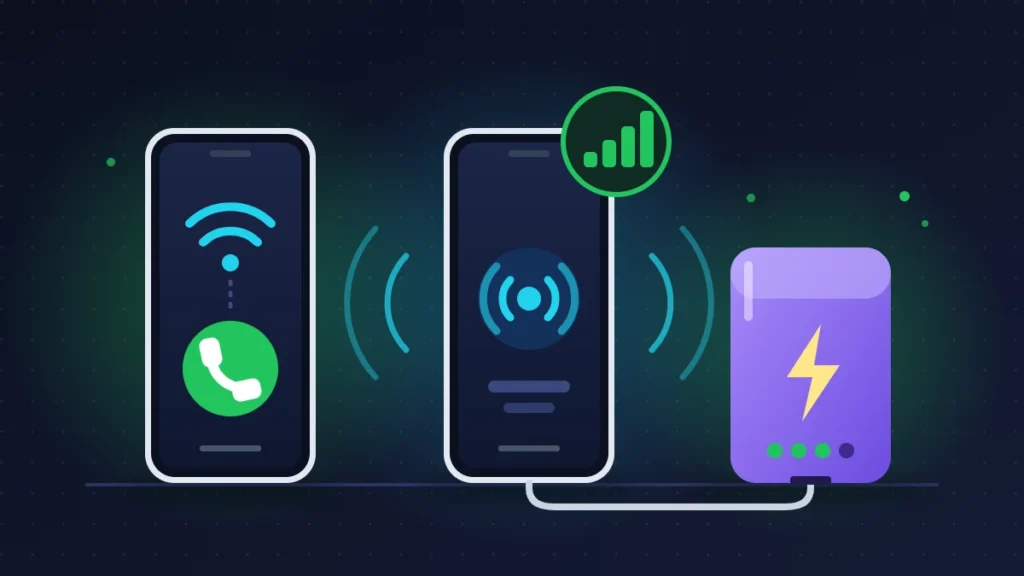
Tethering to a phone on another carrier is still the most effective stopgap. Plug that phone into its charger, pause photo backups and updates, turn off your camera on video calls: the data allowance will last far longer.
Ask your carrier for an immediate gesture as well. During a home internet outage, some credit extra data to the household’s mobile line or lend a 4G hotspot. It is not an entitlement, but the request often succeeds once a ticket is open.
Solution 6: getting compensation
What the rules say in the United States and the United Kingdom
In the United States, no federal rule sets a flat automatic payment for an ordinary outage; what you get depends on your carrier’s own policy and on what you ask for. AT&T commits by contract to crediting a full day of service after an outage of at least sixty minutes on wireless or twenty minutes on fiber, weather events excluded. If your carrier refuses any credit, you can file a free informal complaint with the FCC at consumercomplaints.fcc.gov, which forwards it to the carrier for a written response.
In the United Kingdom, Ofcom’s automatic compensation scheme covers home broadband and landline with the providers that have signed up to it: a daily amount is paid when a total loss of service is not fixed after two full working days. Mobile is not covered by that scheme, so compensation for a mobile outage has to be requested from the provider.
In practice, what you obtain almost everywhere is a pro-rata refund: the monthly price divided by the number of days in the month, multiplied by the days without service. A €30 plan (about 19,700 FCFA) cut off for five days gives €5 (about 3,300 FCFA). Additional loss, such as a top-up bought from a competitor, is claimed on top of that, with receipts.
The evidence to keep
- Timestamped screenshots from the phone, photos of the router’s lights.
- The ticket or case number, obtained the first time you contact customer service.
- A screenshot of the carrier’s outage page or of the spike in reports.
- The day and time service returned, with a speed test.
- Receipts for what you spent (a top-up with a competitor, for example).
The process, step by step
- Report the outage to customer service, in writing if you can (chat, online account), and ask for a case number.
- Once service is restored, send a claim with a figure on it. If the answer is unsatisfactory, escalate in writing to the carrier’s formal complaints team.
- Still refused, or no reply: go outside the company. In the United States, that means the FCC complaint described above. In the United Kingdom, an unresolved complaint can be taken, free of charge, to the alternative dispute resolution scheme your provider belongs to (Communications Ombudsman or CISAS), once the waiting period has passed or the provider has issued a deadlock letter.
Elsewhere
In Cameroon, the Telecommunications Regulatory Board (ART) offers a consumer complaint form on art.cm. It asks for the carrier concerned, the day and place of the incident, and whether you have already complained to the carrier: do that first, in writing or at a branch, and keep the receipt. In Côte d’Ivoire, the regulator ARTCI runs a consumer portal (consommateurs.artci.ci). In Senegal, the body to contact is ARTP. In these countries, a widespread outage most often ends with a collective bonus of data or airtime rather than an individual refund.
Summary table
| Symptom | Likely cause | Solution to try |
|---|---|---|
| “No Service” for several customers of the same carrier | Tower or core network failure | Solutions 1 and 2, then wait |
| Only you have no signal, neighbors are fine | Suspended line, faulty SIM, phone setting | Solution 3, cross-test, customer service |
| Network visible in manual selection but refused | Authentication down or line blocked | Outage page, then customer service |
| Calls work, mobile internet is down | Wrong APN or data incident | Solution 3, force 4G, check the APN |
| Fiber light red or off on the router | No optical signal | Solution 4, then a ticket |
| 5G gateway has no signal, phones on the same carrier too | Local tower down | Solution 5 in the meantime |
| eSIM activation fails, network normal elsewhere | Provisioning servers down | Delete nothing, try again later |
If nothing works
The network has been back for everyone except you for more than twenty-four hours: this is no longer the widespread outage. Call customer service from another line and ask for three checks: the status of the line (active or suspended), the state of the SIM card or eSIM profile in their systems, and whether there is an open incident at your address. Give the start time, the steps you have already taken and the result of the cross-test.
For a router whose optical light stays faulty after a restart, ask for a technician visit. A SIM that works in no phone can be replaced in a store. If the outage drags on despite your written follow-ups, state in your claim that you are asking to leave the contract without penalty because the carrier has failed to provide the service.
Keeping it from happening again
You cannot prevent a carrier outage, but you can prepare for one.
- Turn on Wi-Fi calling while everything is working.
- Keep a prepaid SIM from another carrier in a drawer, or install a backup eSIM on the phone’s second line. In Africa, dual SIM on two different networks is already the norm, for exactly this reason.
- Do not put the household’s home internet and mobile lines with the same carrier if your work depends on the connection.
- Write the customer service number and your account number down on paper.
- Keep a charged power bank: a phone that searches for the network nonstop drains noticeably faster.
Frequently asked questions
How long does a carrier outage last?
A single tower is generally restored within a few hours to a few days. A core network failure rarely lasts more than a day, but service comes back in waves: restart your phone if your neighbors got service back before you did.
Does Wi-Fi calling work during an outage?
Yes if only the nearby tower is affected. No if the outage reaches the core network, because a Wi-Fi call still passes through it. Internet messaging apps, on the other hand, stay available.
Is my virtual operator affected when a big carrier goes down?
If it rents that network, yes. Check your plan’s terms to see which network it runs on, and send your claim to your own operator, not to the host carrier.
Is compensation automatic?
Rarely. After a heavily covered outage, carriers sometimes announce a blanket gesture. Otherwise, you have to ask for it in writing with the days concerned and the case number.
Have you been through a mobile network outage or a home internet cut and obtained a refund, or been turned down? Tell us in the comments which carrier you are with, how long the outage lasted and what steps you took: these accounts help readers who are preparing their own claim.
Share this content: