

The Apple Watch is a handy tool for accessing various features and functions from your wrist. However, it doesn’t have a built-in web browser like Safari. Fortunately, there’s an easy workaround for viewing web content on your smartwatch: via the Messages app. In this article, find out how to open web links on an Apple Watch in a few simple steps.
How to open web links on an Apple Watch
First, you’ll need to copy the web link you want to open onto your iPhone, iPad or MacBook. Next, launch the Messages app and paste the link into the message. Send the message and wait for it to be delivered. Once you’ve opened the message on your Apple Watch, tap the web link in the message and it will automatically open in the Apple Watch’s hidden browser.
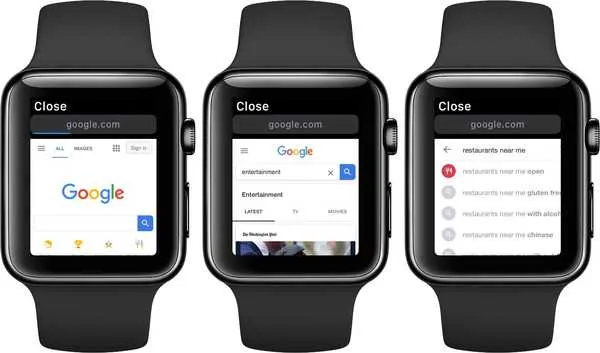
Once you’ve opened a website on your Apple Watch, there are several ways to interact with it. You can scroll through the web page by moving your finger up and down the screen or by using the Digital Crown to scroll. You can even switch between the Reader view and the Web view to personalise your browsing experience.
All in all, it’s easy to open web links on an Apple Watch using the Messages app and interact with content using the functionality of the touchscreen and digital crown. So don’t worry about missing important information when you’re on the move – your Apple Watch is there to help!
See also:
Share this content: