
This article contains affiliate links: if you buy through them, Wanda-techs earns a commission at no extra cost to you.
For a mechanical keyboard this Black Friday 2026, our all-round pick is the Logitech G515 LIGHTSPEED TKL, a compact wireless model that comes in several layouts. For gaming and swapping switches yourself, the Razer BlackWidow V4 75% takes hot-swappable switches, but its page does not show which layouts it ships in.
For office work, the Logitech MX Master 4 mouse and the MX Keys S keyboard make the productivity pair. Logitech still lists the MX Master 3S next to the 4.
Our picks at a glance
- Logitech MX Master 4: for office work, with a haptic panel, an 8000 DPI sensor and about 70 days of battery life per charge, according to Logitech.
- Logitech MX Master 3S: the other MX Master in the lineup, with an 8000 DPI sensor that tracks even on glass.
- Logitech MX Keys S: for typing at a desk and switching between devices, up to three with Easy-Switch.
- Logitech G515 LIGHTSPEED TKL: our pick for an all-round mechanical keyboard, with three connection modes and several layouts.
- Razer BlackWidow V4 75%: our pick for gaming and customisation, with hot-swappable switches and a polling rate that reaches 8000 Hz.
How to choose a mechanical keyboard and a mouse
Layout and size
A keyboard is not always sold in the layout you type on. The MX Keys S and the G515 TKL both list a British QWERTY layout on their pages, and the G515 TKL also lists an Italian one. Razer’s page for the BlackWidow V4 75% does not say which language its keys are in.
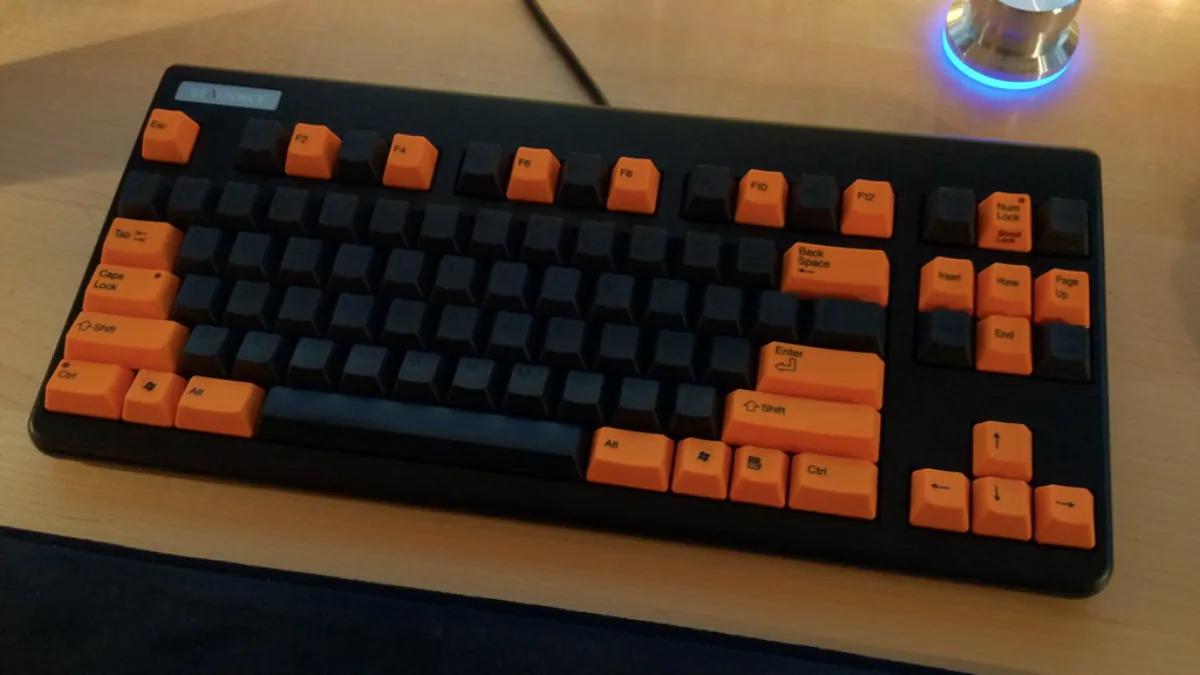
The size describes what the keyboard keeps. A full-size keyboard has a number pad, a TKL (tenkeyless, meaning no number pad) drops it, and a 75% layout squeezes the keys even closer around the main block.
Switches
The switch is the mechanism under each key of a mechanical keyboard. A linear switch goes down with no marked resistance, a tactile switch gives a small bump at the moment the key registers, and a clicky switch adds an audible click. Hot-swappable switches can be pulled out and changed without soldering.
The G515 TKL comes with tactile or linear GL switches, lubricated at the factory, that actuate at 1.3 mm. The Razer BlackWidow V4 75% uses third-generation pre-lubricated Orange Tactile switches, hot-swappable in 3-pin or 5-pin form, with a puller included.
Our guide to a gaming mechanical keyboard or an office keyboard helps you pick the type of keyboard before the model.
Wireless connection and battery life
Bluetooth does not use up a port. A USB receiver plugs into the computer and acts as a dedicated link.
The MX Master 4 offers both: a Logi Bolt receiver, which needs a USB-C port, and Bluetooth LE with a 10 m range. The G515 TKL works over LIGHTSPEED, Bluetooth or a cable.
Of our picks, only the MX Master 4 has a battery life published on its maker’s page: about 70 days per charge. One minute of charging gives about three hours of use. Its 650 mAh battery is not replaceable.
The mouse: sensor, weight and polling rate
DPI measures the sensitivity of the sensor: the higher the value, the less you move the mouse to cross the screen. The MX Master 4 adjusts its Darkfield sensor from 200 to 8000 DPI and weighs 150 g. The MX Master 3S is rated at 8000 DPI and tracks on glass at least 4 mm thick.
The polling rate, in hertz, is how many times per second the device reports its position or keystrokes to the computer. The MX Master 4 stops at 125 Hz. The Razer BlackWidow V4 75%, our gaming pick, goes up to 8000 Hz.
Compatibility and software
The MX Master 4 works with Windows 10 and 11 and macOS 12 or later; on ChromeOS and Linux its basic functions work without software. The Logi Options+ software, which sets up the buttons, exists for Windows and macOS.
The MX Keys S connects to Windows, macOS, ChromeOS, Linux and iPadOS. The G515 TKL is configured in the G HUB software, and its page does not list compatible systems.
Good to know: Keychron is not in our selection, because its product pages could not be read for this guide. If a Keychron tempts you, check the layout, the switches and the battery life on its product page before you buy.
Logitech MX Master 4: for the office
The MX Master 4 adds a Sense Panel, a haptic panel, to the Gesture, Back and Forward buttons and the top button. It measures 128.2 x 88.4 x 50.8 mm and weighs 150 g. It connects through a Logi Bolt receiver or over Bluetooth LE.
Its limits are clear. The Logi Bolt receiver needs a USB-C port, the 650 mAh battery is not replaceable and the polling rate stays at 125 Hz.
On Windows 11, native haptic feedback needs the latest Windows update, the one from late March 2026. Logitech guarantees the mouse for two years.
We give no price for it: check the recommended price on Logitech’s page for your country and use it as your reference to judge a discount. Our comparison of the MX Master 3 and MX Master 4 details what changes from one generation to the next.
Logitech MX Master 3S: the other MX Master in the lineup
The MX Master 3S is still on sale in Logitech’s French store. Its 8000 DPI optical sensor tracks on glass from 4 mm thick, and it is set up in Logi Options+ on Windows and macOS. It connects over Bluetooth.
Its limit, for a buyer: Logitech’s page gives neither its battery life, nor its weight, nor its dimensions. To compare it with the MX Master 4 on those points, look on the seller’s listing or in the manual.
Logitech MX Keys S: for typing at the office
The MX Keys S comes in 14 layouts, including French AZERTY, British QWERTY and Italian QWERTY. It is sold alone or with a palm rest. Its smart backlighting comes on when your hands approach and adapts to the light in the room, with settings in Logi Options+.
Easy-Switch moves it from one device to another, up to three. It works with Windows, macOS, ChromeOS, Linux and iPadOS; outside Windows and macOS, only the basic functions are available without software.
Its limit: the Logitech page we read gives neither the battery life, nor the weight, nor the dimensions. This is not a mechanical keyboard: for switches, look at the G515 TKL or the Razer in this selection.
Logitech G515 LIGHTSPEED TKL: our pick for a mechanical keyboard
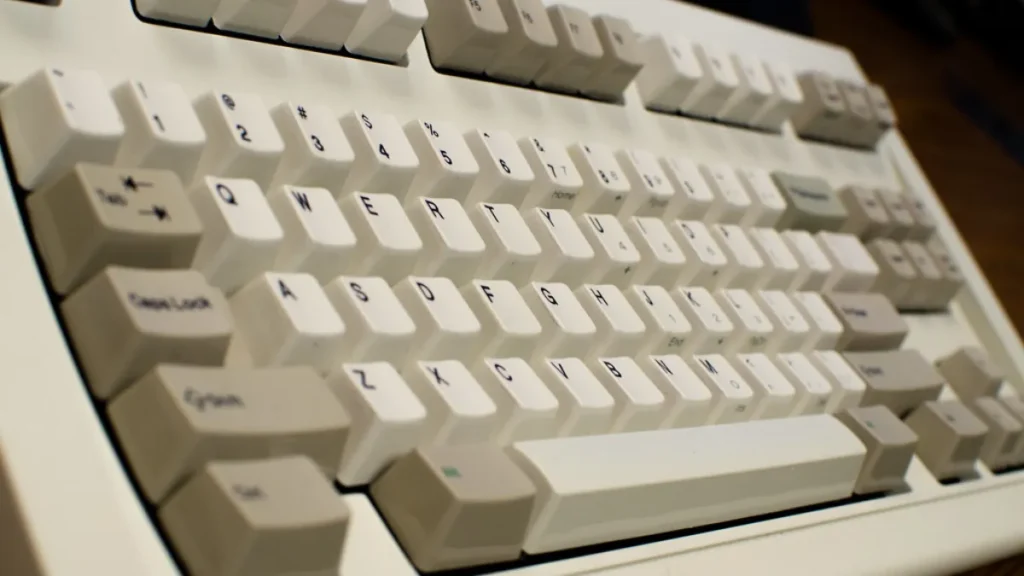
The G515 LIGHTSPEED TKL is a low-profile mechanical keyboard with no number pad, 22 mm tall. It connects over LIGHTSPEED, Bluetooth or a cable, and comes with tactile or linear GL switches that actuate at 1.3 mm. Its keycaps are double-shot PBT, a process where the character is moulded into the key.
It exists in French AZERTY, Italian QWERTY and British QWERTY, and its page lists the black colour. Its settings go through G HUB.
Its limits: the page gives neither the battery life, nor the weight, nor the compatible systems. It does not say either that the switches are hot-swappable. If you want to change switches later, the Razer below is the one to look at.
Razer BlackWidow V4 75%: our pick for gaming and customisation
The BlackWidow V4 75% is a compact keyboard in a 75% format, delivered with third-generation pre-lubricated Orange Tactile switches. Its switches are hot-swappable, in 3-pin or 5-pin form, with the puller included, and its polling rate goes up to 8000 Hz.
It exists in black, white, Phantom Green and a Barebones version, sold without keycaps, switches or palm rest.
Its limits: Razer’s page does not say whether it is wired or wireless, nor its battery life, its weight or the language of its layout. Before you buy, check the listing for a version in your layout, and for the connection type.
Comparison table
| Model | Type | Connection | Key points | Best for |
|---|---|---|---|---|
| Logitech MX Master 4 | Mouse | Logi Bolt (USB-C), Bluetooth LE | 8000 DPI, 150 g, haptic, about 70 days | Office work, gestures and shortcuts |
| Logitech MX Master 3S | Mouse | Bluetooth | 8000 DPI, tracks on 4 mm glass | Office work |
| Logitech MX Keys S | Keyboard | Up to 3 devices (Easy-Switch) | 14 layouts, smart backlighting | Typing at the office |
| Logitech G515 LIGHTSPEED TKL | TKL mechanical keyboard | LIGHTSPEED, Bluetooth, cable | Low profile, GL switches, several layouts | Our all-round pick, gaming and office |
| Razer BlackWidow V4 75% | 75% mechanical keyboard | Not stated on the page | Hot-swap, 8000 Hz | Our pick for gaming and customisation |
Buying a mechanical keyboard at the right time this Black Friday
The dates
Amazon’s French store runs its Black Friday week from 19 to 30 November 2026, with early access on some devices from 16 November. Deals had therefore started before this guide was published. Other countries and stores set their own dates: check your own store.
Track a model’s price over several days before you pay. Our page on the real tech deals of Black Friday 2026 gathers the other categories to watch.
Checking that a discount is real
In France, the reference price of a discount is the price the seller charged for at least 30 days before it. With successive cuts, the reference stays the price before the first cut.
Rules differ from one country to another, so check what applies where you live. Our guide to checking a crossed-out Black Friday price details the method.
We state no price level for any of these models, because we have no dated recommended price that holds for every country. Look up the maker’s recommended price on its page for your country and use it as your yardstick.
Traps to avoid
- Compare the exact name: MX Master 3S and MX Master 4, MX Keys S, BlackWidow V4 75%.
- Check the layout on the listing, especially for the Razer.
- Keep a free USB-C port for the MX Master 4’s Logi Bolt receiver.
- Keep the invoice and a screenshot of the advertised discount.
Your right to return an online purchase depends on the country you live in and on the seller. Read the return terms on the listing before you pay.
Tip: on Windows 11, install the latest Windows update to get native haptic feedback with the MX Master 4.
Complete your desk setup: our accessories pick
A few accessories for anyone buying a keyboard or a mouse, from cleaning to a travel mouse.
- Keyboard and laptop cleaning kit, 11 piecesAn 11-piece kit to clean the keyboard and screen of a laptop. Useful to keep a PC tidy over the years.AmazonSee at Amazon
- Logitech MX Anywhere 3S, compact rechargeable Bluetooth wireless mouseA compact wireless mouse that connects over Bluetooth and recharges instead of using batteries. A comfortable alternative to a laptop trackpad on the move.AmazonSee at Amazon
- Logitech K380 multi-device Bluetooth keyboard, AZERTY, blackA compact wireless keyboard that connects over Bluetooth to a PC, a tablet or a phone. It is a quick stand-in when the built-in keyboard stops responding.AmazonSee at Amazon
- Logitech MX Keys Mini, backlit wireless keyboardA compact backlit keyboard that pairs with several devices. Leaves more room on a small desk.AmazonSee at Amazon
Frequently asked questions
Which mechanical keyboard should I buy on Black Friday?
Our all-round pick is the Logitech G515 LIGHTSPEED TKL, which comes in several layouts and works over LIGHTSPEED, Bluetooth or a cable. To swap switches and play, the Razer BlackWidow V4 75% takes hot-swappable switches and goes up to 8000 Hz. Check then that a version in your layout is sold, as its page does not say.
MX Master 4 or MX Master 3S: which one should I buy on sale?
Take the MX Master 4 if you want the haptic panel and a battery life of about 70 days, according to Logitech. The MX Master 3S shares the 8000 DPI sensor, but its page publishes neither battery life nor weight to compare. Check the MX Master 4’s recommended price on Logitech’s page for your country.
Which switches should I choose for a mechanical keyboard?
Choose tactile switches if you like to feel the moment the key registers, linear ones if you prefer a smooth keystroke. The G515 TKL comes with either as GL switches, the Razer BlackWidow V4 75% with Orange Tactile. If you hesitate, hot-swappable switches like the Razer’s let you change your mind without buying a new keyboard.
Is a wireless keyboard good for gaming?
The Logitech G515 LIGHTSPEED TKL connects over LIGHTSPEED, Bluetooth or a cable, so you can play wired whenever you like. Its battery life is not published: check it on the listing before you buy.
Photo credits: Realforce 87U black & orange by blakespot, licence CC BY 2.0; new keyboard and mouse by pajp, licence CC BY-SA 2.0; IBM Model M SSK by Nick Bair, licence CC BY-SA 2.0; Shipping Box by superstrikertwo, licence CC BY-SA 2.0
Share this content: