
This article contains affiliate links: if you buy through them, Wanda-techs earns a commission at no extra cost to you.
When your Freebox remote control is not working, start with the batteries: it is the first check Free asks for, on every Freebox. Fresh batteries change nothing? Free then has a procedure that applies to every Player, followed by a new pairing whose method depends on the model.
Common symptoms and causes
- The remote no longer triggers any reaction on the TV Player.
- A small red light blinks on the Mini 4K remote.
- The TV Player does not respond at all.
- After the first start-up of a Player Free 4K, the remote stays stuck in pairing.
Possible causes: worn-out batteries or batteries inserted the wrong way round, pairing lost between the remote and the Player, a frozen Player. For remote faults in general, see also our guide on a TV remote that stopped working.
Before you start
Identify your Player: Freebox Pop (same remote as the Player Free 4K), Mini 4K, Revolution, Delta or Freebox One. The pairing procedure is not the same for every model.
For Solution 4, keep a smartphone or tablet connected to your Freebox’s Wi-Fi at hand.
Warning: insert the batteries the right way round and use standard, non-rechargeable batteries, as Free recommends. The Delta touch remote has a built-in battery: never puncture, bend or heat a lithium battery; a swollen battery can no longer be recharged and must be taken to a collection point; work on a non-flammable surface.
Solution 1: replace the remote’s batteries
- Remove the used batteries.
- Note the battery type marked inside the remote’s compartment.
- Insert new non-rechargeable batteries, following the polarity shown.
The remote should control the Player again.
Good to know: Free does not state the battery size for each model. Go by the marking in the compartment.
Solution 2: apply Free’s procedure for all Freebox models
Free describes this procedure for every Freebox, Revolution included.
- Restart the TV Player.
- Remove the batteries from the remote.
- With the remote empty, hold the Free key down for 5 seconds.
- Insert new batteries in the remote.
If the remote responds, the problem is solved. If it still does not, pair it with the Player again (Solution 3).
Solution 3: pair the remote again, according to your Player
Pairing means linking the remote to one particular Player so that it obeys its commands. Free offers pairing at the first start-up of the Player Free 4K, Mini 4K and Delta. After that, each model has its own procedure.
Freebox Pop and Player Free 4K
If the link stays stuck after the first start-up:
- Press OK or Back on your TV’s remote, if the TV supports HDMI-CEC (the standard that lets one remote control devices plugged in through HDMI).
- Failing that, press OK or Back on another Free 4K remote, or Esc on a USB keyboard plugged into the Player.
- Wait for the remote to update automatically.
The remote is then paired. If the problem comes back later, pair it with the TV Player again.
Freebox Mini 4K
- Look at the small red connection light on the remote: if it blinks, the connection with the Player has a problem.
- Start the pairing of the remote with the Player again, following Free’s procedure (page My Freebox Mini 4K remote).
The remote should control the Player again. At the Player’s first start-up, pairing is offered by an assistant shown on screen. If the light keeps blinking, contact Free’s support.
Freebox Revolution
The Revolution remote has a motion sensor that reacts to a flick of the wrist. Free describes its pairing in a video tutorial, with no written steps, available from its page My Freebox Revolution remote. If the problem persists after watching that video, contact support.
Freebox Delta
Free offers pairing at the first start-up of the Devialet Player. When the remote no longer responds, is not recognised or has just been replaced, Free shows the procedure in a video on its page How do I pair my Delta remote?.
Good to know: the touch remote, supplied to the first Delta subscribers, has no batteries. Its built-in battery recharges when you place it at the top right of the Player, where a magnet holds it.
Freebox One
- From the TV interface, press the round button at the back of the Freebox.
- Follow the pairing procedure shown on screen.
- If pairing fails, restart the Freebox.
- Remove the batteries from the remote.
- Hold the Free key down for 5 seconds.
- Put the batteries back in the remote.
- Start the pairing again.
The remote should control the Freebox One again.
Solution 4: control the TV Player from your smartphone
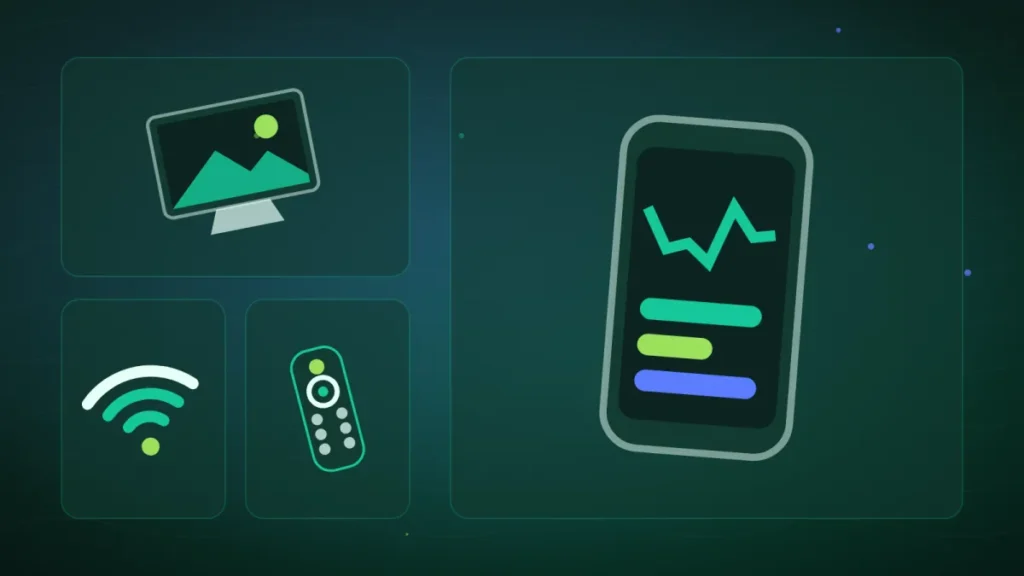
While you get a working remote back, the Free app, Free’s official application, acts as a virtual remote for the TV Player. The Freebox Connect app is not the remote control app.
- Connect your smartphone or tablet to the Freebox’s Wi-Fi.
- Check that the TV Player is on and awake; if needed, unplug it and plug it back in.
- Open the Free app.
- Go to Espace Abonné Freebox > Accueil > Mes équipements Freebox > Player TV > Accéder à la télécommande.
- If the app asks for it, enter the code shown on the TV.
The virtual remote appears on the phone’s screen.
Tip: a long press on the app icon, or the three-dot icon at the top right, creates a shortcut or a widget to the remote.
On the Revolution, a USB keyboard plugged into the Player’s front USB port also works as a remote. According to Free, a Bluetooth keyboard can do the job too.
If you do not have a USB keyboard, here is a wired model to plug into the Player’s front port.
CHERRY KC 1000 wired USB keyboard, AZERTY, black
A USB keyboard that works as soon as it is plugged in, with no battery and no setup. Its flat, quiet keys suit everyday desk use.
- AmazonSee at Amazon
If nothing works
If the remote still does not respond after new batteries, the Free key procedure and a new pairing, contact Free’s support. Give them the model of your Player and of the remote, and the solutions you have already tried.
For a replacement remote, ask support: Free does not detail the process. Meanwhile, control the Player with the Free app. If it is another device plugged into the TV that no longer responds, such as a Chromecast, see our guide on a Chromecast that stopped working.
Take better care of your remote: our toolbox
Here are a few useful accessories to get by or replace a remote; check the battery size marked in your remote’s compartment before ordering.
- One For All Contour 4 universal remote (URC 1240)Remote that controls up to four devices: TV, set-top box, player and soundbar. It replaces a lost or broken remote.AmazonSee at Amazon
- Logitech K380 multi-device Bluetooth keyboard, AZERTY, blackA compact wireless keyboard that connects over Bluetooth to a PC, a tablet or a phone. It is a quick stand-in when the built-in keyboard stops responding.AmazonSee at Amazon
- Duracell Plus AA (LR6) alkaline batteries, pack of 24AA alkaline batteries, the size used by many wireless mice and keyboards. A pack of 24 lets you swap worn batteries for a long time to come.AmazonSee at Amazon
- Duracell Plus AAA (LR03) alkaline batteries, pack of 241.5 V alkaline AAA batteries for remote controls, thermostats and other low-drain devices. The large pack covers several changes.AmazonSee at Amazon
Frequently asked questions
How do I pair a Freebox remote again?
The method depends on the Player. Start with Free’s common procedure: restart the Player, remove the batteries, hold the Free key for 5 seconds, then put new batteries in. If that is not enough, follow the procedure for your model: the OK or Back key for the Pop and the Free 4K, the round button at the back for the Freebox One, Free’s video for the Revolution and the Delta.
Why is my Freebox remote blinking red?
Free documents this light only for the Mini 4K remote. On that model, a small red connection light that blinks signals a connection problem with the Player: the remote has to be paired again. For the Pop, Revolution, Delta and Free 4K remotes, the Free pages we consulted give no meaning to a red light.
How do I control the Freebox without a remote?
Use the virtual remote in the Free app, with your phone connected to the Freebox’s Wi-Fi. You will find it under Espace Abonné Freebox > Accueil > Mes équipements Freebox > Player TV > Accéder à la télécommande. On the Revolution, a USB keyboard plugged into the front of the Player also works as a remote.
Which batteries does a Freebox remote take?
Free recommends standard, non-rechargeable batteries, inserted the right way round. The exact size is not confirmed for each model in the Free pages we consulted: check the marking in the battery compartment. The Mini 4K remote comes with 2 batteries, and the Delta touch remote runs on a built-in battery.
Share this content: