
Is your iPhone 18 Pro speaker crackling, letting out a small “click” when the keyboard appears, or sputtering in the earpiece during calls? You are not alone. Owners of the iPhone 18 Pro and iPhone 18 Pro Max describe the same noise on the MacRumors forums, on Reddit and on several specialist sites. Apple has confirmed nothing, but several clues point to iOS 27, starting with this one: replacement phones make exactly the same sound. The most useful approach is to install the latest version of iOS, turn off keyboard sounds to see whether the clicks go away, then record the fault with another device. A swap only really makes sense if the sound stays distorted all the time, on music as well as on calls.
Quick fix
- Install the latest version of iOS (Settings > General > Software Update), then restart the phone.
- Turn off the keyboard sound (Settings > Sounds & Haptics > Keyboard Feedback) and try Silent mode: if the clicks stop, the speaker is probably not damaged.
- During a call, switch Mic Mode from Voice Isolation to Standard in Control Center.
- Remove the case, the screen protector and any MagSafe battery, then test again.
- If music crackles even at medium volume, film the fault with a second device and book an Apple appointment before your return window closes.
What does the iPhone 18 Pro crackling sound like?
The noise varies from one owner to the next, which makes diagnosis harder. Here are the variants reported on the iPhone 18 Pro and iPhone 18 Pro Max:
- a short “pop,” which one Reddit user compared to the sound of a headphone cable being yanked out;
- a faint tick in the top earpiece when the keyboard slides up, a notification arrives or an alert closes;
- sputtering during initial setup, which becomes less frequent over the following hours;
- a click when toggling Airplane Mode several times, or when quickly dragging the brightness slider;
- a click in the Timer tab of the Clock app, on a picker wheel, or when a muted video autoplays in YouTube;
- crackling on cellular calls, while WhatsApp calls stay clean for some users;
- a harsh treble, “raspy” at high volume, compared with an iPhone 17 Pro Max;
- for a few people, a click every time they touch the screen, including to wake it.
Most reports point to the top earpiece, although many people struggle to pin down where the noise comes from. Buzzing while charging is a separate case, covered further down.
Why is my iPhone 18 Pro speaker crackling?
Is it an iOS 27 bug or a hardware defect?
Apple has not confirmed anything, but the software theory is the strongest one for short clicks. A hardware fault remains plausible when the sound is distorted continuously.
Three observations favor software. First, several buyers had their iPhone 18 Pro or 18 Pro Max exchanged and heard the same noise on the new unit, sometimes right from setup, after a full erase. Second, the noise goes away for some people after a restart, only to return a few hours later. Third, owners of older iPhones and iPads describe crackling since moving to iOS 27. A faulty component does not behave like that: it crackles all the time, in the same place, on the same sound.
On the hardware side, one user listened to more than ten iPhone 18 Pro Max units in an Apple Store and found the same harsh treble on all of them. That single account describes a sound signature rather than a fault.
What is the likely cause?
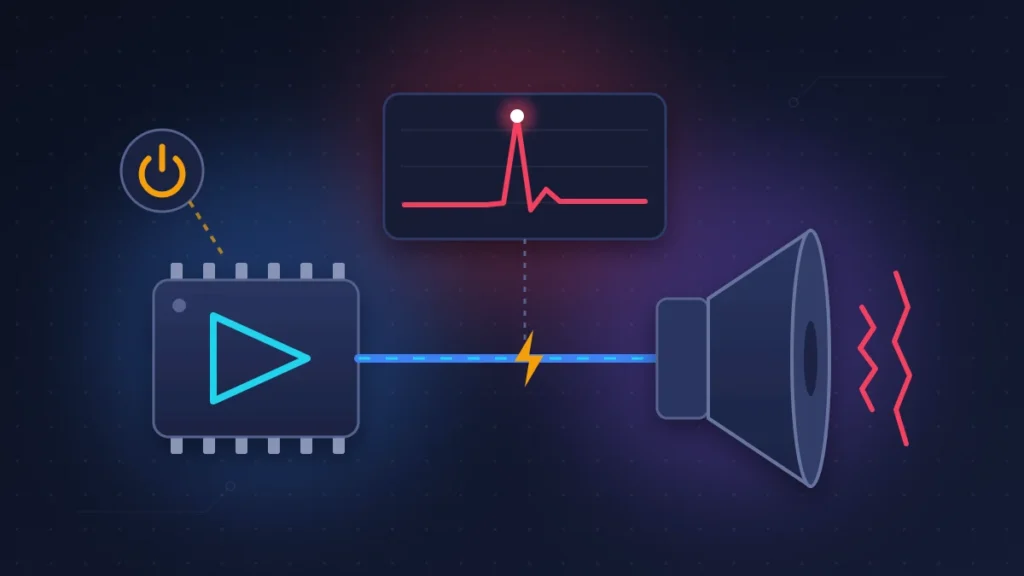
To save battery, an iPhone puts its audio amplifier to sleep as soon as nothing is playing, then wakes it in a fraction of a second at the slightest keyboard click or notification. If that wake-up is badly timed, a small electrical pulse reaches the speaker membrane before the sound does: that is the “pop.” This is a classic problem in audio electronics, and it is usually fixed in firmware, the embedded software that drives the component.
This explanation fits the reported triggers (keyboard, picker wheels, notifications, Airplane Mode), but it remains a hypothesis. There is an encouraging precedent: Apple fixed crackling in the iPhone 8 earpiece during calls with a simple update, iOS 11.0.2.
What about buzzing while charging or with a MagSafe battery?
That is a different phenomenon. On the previous generation, iPhone 17 Pro owners reported an “old radio” hiss from the speakers while charging, wired or MagSafe, which stopped when they unplugged. Replacement phones had the same problem. For the iPhone 18 Pro, reports on this point are still rare. The test is simple: if the noise disappears as soon as you unplug the charger, try another cable, another power adapter and another outlet before blaming the phone.
Before you start
- Note your iOS version (Settings > General > About): Apple Support will ask for it.
- Back up to iCloud (Settings > [your name] > iCloud > iCloud Backup).
- Find your receipt: the return window starts from delivery or in-store pickup.
- Keep a second device at hand to film the noise.
Fix 1: Install the latest iOS version and restart
If you are still on iOS 27.0, update to the most recent version. The iOS 27.0.1 release notes (Face ID, photos, touchscreen) say nothing about the speaker, and most users still hear the noise after installing it; only one says the crackling on calls went away. Look for any mention of audio or the earpiece in each new release.
- Go to Settings > General > Software Update.
- Install the available version with the phone plugged in and on Wi-Fi.
- Restart the iPhone, then repeat the actions that used to trigger the noise.
Risk: none. To check, repeat the same trigger five times (keyboard, Airplane Mode, Timer) and count the clicks.
Fix 2: Turn off system sounds to isolate the cause
This is the most revealing test, and it also works as a workaround.
- Go to Settings > Sounds & Haptics > Keyboard Feedback, turn off Sound and leave Haptic on if you like it.
- In the same menu, also turn off Lock Sound and any other interface sounds you find.
- Then turn on Silent mode, with the Action button or from Control Center.
If the clicks stop in Silent mode and come back as soon as you leave it, the speaker is reacting to the audio chain waking up, not to mechanical wear. One MacRumors forum member saw the noise disappear after turning off keyboard clicks alone. On the other hand, a noise that persists in Silent mode while nothing is playing is worth noting down for Apple Support.
Fix 3: Why does my iPhone 18 Pro crackle on calls?
If the crackling happens mostly on cellular calls, the lead is different: voice processing. Voice Isolation filters out background noise, and some owners say they hear noticeably less crackling after switching back to Standard.
- During a call, open Control Center.
- Tap Mic Mode.
- Choose Standard.
Then compare a cellular call with a WhatsApp or FaceTime call from the same spot. If only the cellular call crackles, network reception may play a part: Apple advises trying again from another location before concluding there is a fault.
Fix 4: Turn off audio processing (EQ, Dolby Atmos, mono)
For distortion at high volume, remove everything that alters the signal before judging the speaker.
- Settings > Apps > Music > EQ: choose Off. A preset that boosts the bass can make small speakers clip.
- In the Music app settings, turn off Dolby Atmos spatial audio for the duration of the test.
- Settings > Accessibility > Audio & Visual: turn on Mono Audio and check that the Balance slider is centered.
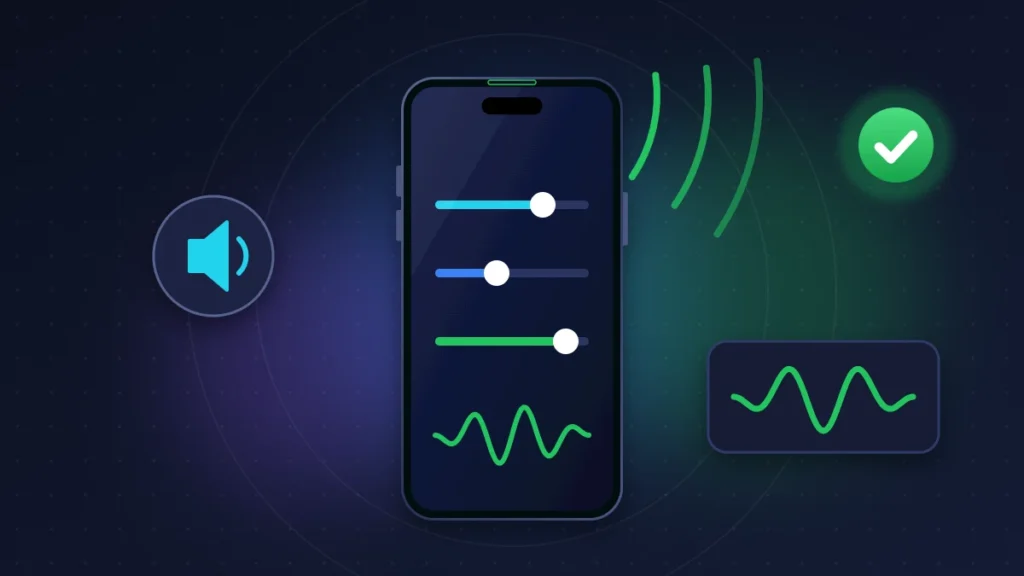
In mono, both speakers receive the same signal: put your ear close to one, then the other, to locate the crackling. Then listen to the same track at 50% and at 80% volume. Distortion at 80% on every track, with all processing turned off, points to hardware.
Fix 5: Test without the case, screen protector and MagSafe accessories
Apple recommends removing films, screen protectors and cases when troubleshooting sound. A badly cut protector that brushes against the earpiece grille can vibrate and cause a sputter. Take everything off, including a MagSafe battery or wallet, and inspect the top grille with a flashlight. If it is dirty, brush it gently with a small soft-bristled brush that is clean and dry. Never use a needle, compressed air or liquid.
If the noise is linked to charging, compare three situations: on battery, on a wired charger and on a MagSafe charger.
Fix 6: Record the fault and run Apple Diagnostics
An intermittent noise is a nightmare for repair staff. One user says the Apple Store technician picked up nothing with his measuring equipment. So gather solid evidence.
How do I record the crackling properly?
- Go to a quiet room.
- Film with another phone, its microphone a few centimeters from the earpiece.
- Show the screen while you reproduce the trigger: keyboard, Airplane Mode, Timer.
- Repeat three or four times in the same video.
Do not use the iPhone’s own screen recording: it captures the digital sound before the amplifier and will normally miss an electrical click.
How do I run Apple Diagnostics?
Apple offers self-service diagnostics in Europe at getsupport.apple.com/self-service-diagnostics. On its support page, Apple explains the steps: connect the iPhone to Wi-Fi, turn it off, then hold the side button while it restarts to open a recovery screen, and choose the diagnostics option. The Audio test plays sounds through the speakers and records a short clip with each microphone.
These tests detect a clear-cut failure, not a random click: a green result does not prove you are imagining the noise.
Fix 7: Reset all settings
The last thing to try at home: Settings > General > Transfer or Reset iPhone > Reset > Reset All Settings. Your data stays, your preferences go back to default. There is no point erasing the whole phone, though: for those who did, the noise was there as soon as they set it up again.
Summary table
| Symptom | Likely cause | What to try |
|---|---|---|
| Click when the keyboard appears | Amplifier waking up (software theory) | Turn off Keyboard Feedback > Sound, update iOS |
| Pop when toggling Airplane Mode or brightness | Probable software bug | Update, restart, video of the fault |
| Sputtering during setup | iOS 27 bug reported by several users | Wait a few hours, update |
| Crackling on cellular calls | Voice processing or network | Mic Mode Standard, another location, compare with FaceTime |
| Harsh, distorted sound at high volume | Audio processing or hardware | EQ Off, Mono Audio, Apple Diagnostics |
| Hiss only while charging | Power supply, as on the iPhone 17 Pro | Change cable and adapter, remove MagSafe battery |
| Constant crackling on every sound | Faulty speaker or amplifier | Video, diagnostics, warranty replacement |
Should I return my iPhone 18 Pro?
If you are still within the return window and the noise is ruining your calls, yes, report it now. Otherwise, it is better to document the fault and wait for an update.
An exchange may get you a unit that makes the same noise, as several users found. But a real hardware defect is easier to get recognized in the first few days. One MacRumors forum member asked for an exchange for fear that a fix would only arrive after his return window had closed.
What are my options with Apple and the retailer?
- Apple return window: 14 days from delivery or in-store pickup. A fault found on arrival should be reported to AppleCare before that window ends, and a faulty online order can be taken to an Apple Store in the country of purchase.
- Apple One-Year Limited Warranty: covers manufacturing defects on top of any rights you have under local law. AppleCare+ extends the coverage.
- Consumer rights: if you bought the phone from a carrier or another retailer, that seller is usually your first point of contact. In the UK, the Consumer Rights Act gives you rights against the retailer for faulty goods; in the EU, a legal guarantee of conformity applies; elsewhere, statutory protections depend on the country. Check the rules that apply where you bought the phone.
At the appointment, bring the receipt, the video, the list of triggers, your iOS version and the diagnostics result. Reproduce the noise in front of the technician and ask for it to be noted that it is intermittent.
What if I live in Africa?
Without an Apple Store nearby, go to an Apple Authorized Service Provider; the list is on getsupport.apple.com. Be aware that Apple’s warranty allows it to restrict iPhone service to the country where the device was originally sold. An iPhone 18 Pro bought in the US, the UK or Europe and used in Lagos, Nairobi or Douala may therefore have to go back there. Keep the receipt and the box.
For the specifications of both models, see our iPhone 18 Pro specs and price and our iPhone 18 Pro Max review.
What if nothing works?
Contact Apple Support, which can run a remote diagnostic and open a case. Even if you keep the phone, report the noise: the more cases there are, the more likely the issue reaches the engineers. If your iPhone has other problems too, such as voice dictation that stops mid-sentence or losing signal with SOS in the status bar, report them in the same case.
How to keep it from happening again
Install iOS updates promptly, choose a screen protector that leaves the earpiece grille fully clear, and avoid unbranded power adapters, which are often behind charging noise.
FAQ
Will an update fix the iPhone 18 Pro speaker crackling?
iOS 27.0.1 does not mention audio and has not solved the problem for most users. Check the release notes of each new iOS version.
Has Apple acknowledged the problem?
Apple has made no public statement about the crackling and has not published a repair procedure. A mention in the notes of a future iOS release would be the first official sign.
Is the iPhone 18 Pro Max affected too?
Yes. Reports cover the iPhone 18 Pro as well as the iPhone 18 Pro Max, with no established link to a particular color or storage capacity.
Can the noise damage the speaker?
No report mentions a speaker damaged by these clicks. Distortion that gets worse over time, however, is a reason to contact Apple Support.
Why does my iPhone 18 Pro crackle only while charging?
That is a separate fault, already seen on the iPhone 17 Pro. Try another cable and another adapter, and report it if the noise persists with Apple accessories.
Does Apple Diagnostics detect crackling?
Rarely. It picks up clear-cut failures. For an intermittent noise, a video filmed with another device remains your best evidence.
Is your iPhone 18 Pro speaker crackling too, in the earpiece or while charging? Tell us in the comments which action triggers the noise and which iOS version you are running: your feedback helps other readers see things more clearly. And if sound is not your only issue, see all the known iPhone 18 Pro problems and their fixes.
Share this content: