
This article contains affiliate links: if you buy through them, Wanda-techs earns a commission at no extra cost to you.
Our pick for the best password manager for most readers in late 2026 is Bitwarden: a free plan with no cap on devices or passwords, published code and independent audits dated 2025. NordPass is not assessed here, because we could not read any of its official pages.
Proton Pass suits you if you want passkeys and email aliases without paying. 1Password is for people who want apps all the way to the Apple Watch and Linux and are happy to pay after the trial. Dashlane is the one to look at for a family of more than six people.
Before you start
Warning: switching from one manager to another can wipe data. Closing the old account or deleting its vault erases every login, note and card inside it, so export the vault and keep that backup before you cancel anything. A forgotten master password can make a vault unrecoverable.
Write the master password down and keep it somewhere safe, offline.
Try the new service during its trial or refund period before you close the old one.

The comparison at a glance
| Criterion | Bitwarden | Proton Pass | 1Password | Dashlane |
|---|---|---|---|---|
| Free plan | Yes, unlimited devices and passwords | Yes, unlimited logins and devices | No, 14-day trial | Not verified |
| Family plan | Up to 6 people | Up to 6 people | Up to 5 members | Up to 10 people |
| Published code (open source) | Yes, full code | Yes, extensions and mobile apps | Not verified | Not found on an official page |
| Passkeys | Yes, in every account | Yes, from the free plan | Yes | Not verified |
| Most recent independent audit we read | 2025 (Cure53, ETH Zurich, Unit 42, Fracture Labs) | 2023 (Cure53) | 2020 (ISE) | Not found |
| Apps | Browser, mobile, desktop | Windows, macOS, Linux, Android, iOS, web | macOS, iOS, watchOS, Windows, Android, Linux | Extension, iOS, Android |
| Trial or refund | Not verified | 30-day money-back guarantee | 14-day trial, no refund | 14-day Premium trial |
Sources: each publisher’s official pages, read on 22 November 2026. “Not verified” means we found the information on no official page, and we would rather say so than guess.
Best free password manager: Bitwarden and Proton Pass tie
Bitwarden’s free plan accepts an unlimited number of devices and passwords. It also lets you share with one other person.
Free Proton Pass also covers unlimited logins, notes, cards and devices, for one user. You get two vaults, each shareable with up to two people, and ten hide-my-email aliases.
The limits of free Proton Pass are stated plainly: no built-in two-factor authentication, no file attachments, no item history and no dark web monitoring.
1Password lists no free plan, only a 14-day trial. For Dashlane, we could not confirm on an official page what a free plan contains, or even whether one still exists.
Security and published audits: Bitwarden wins
An independent audit is a review of the code or infrastructure by an outside firm, which publishes its findings. Bitwarden lists several audits carried out in 2025: Cure53 across several scopes, ETH Zurich on the cryptography, Unit 42 and Fracture Labs. It also displays SOC 2 Type 2 and ISO 27001 certifications.
1Password publishes on its assessments page a penetration test with code review by ISE from April to June 2020, and an AWS audit by Onica, undated. It shows SOC 2 Type 2 and ISO 27001, 27017, 27018 and 27701 certifications. More recent reports sit in its Trust Center, which we did not read: 1Password is not marked down, it is simply less documented here.
Proton Pass had its mobile apps, extensions and API audited by Cure53 in May and June 2023, with a report dated 17 July 2023. Every issue found was fixed except one medium-severity issue on Android. The publisher mentions a second audit in 2026, but we could not read it.
For Dashlane, we found no independent audit with its author and date on any official page, and no word on whether the code is published. That does not mean none exists.
Tip: ask the publisher for these reports before you trust it with your passwords.
Open source password manager: Bitwarden wins
Open source means the code is published and anyone can inspect it. Bitwarden’s code is fully available on GitHub, under the AGPL v3.0 or Bitwarden License v1.0, and the server side can be self-hosted, meaning installed on your own server.
Proton Pass publishes the code of its browser extensions and of its iOS, iPadOS and Android apps. For 1Password, we did not check this point. For Dashlane, we found no mention on an official page.
Passkeys and two-factor authentication: Bitwarden and Proton Pass tie
A passkey replaces the password with a pair of cryptographic keys stored on your device or in your manager. Bitwarden handles passkeys in all its accounts, free ones included. Proton Pass includes them from its free plan.
1Password supports passkeys. We could not confirm their support in Dashlane’s personal plans.
Bitwarden Premium includes a built-in TOTP code generator. Free Proton Pass has no built-in two-factor authentication.
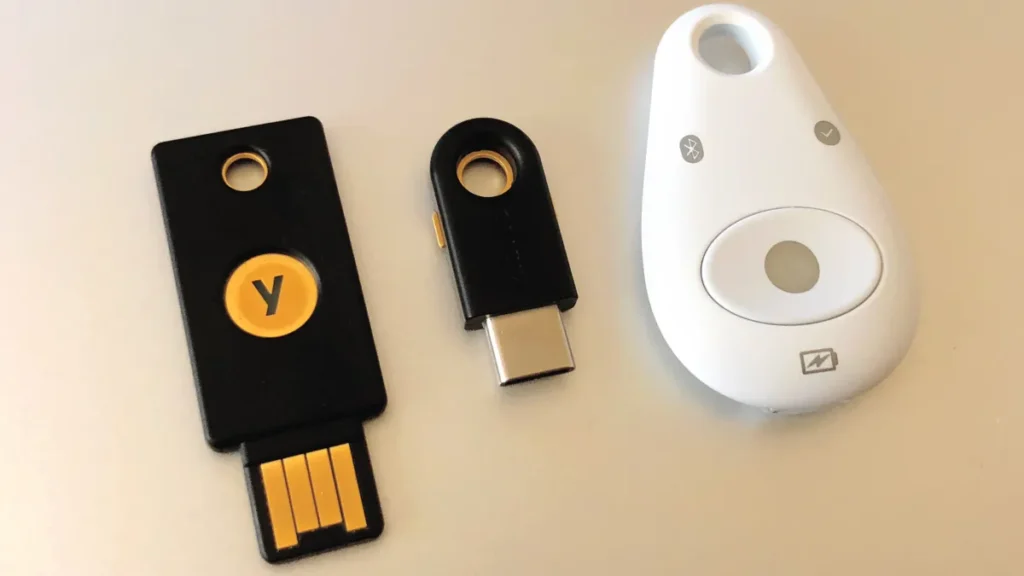
Good to know: a physical security key such as the YubiKey 5 Series, which supports FIDO2/WebAuthn and passkeys, adds protection outside your phone, but we did not check which manager accepts which key.
Family sharing: Dashlane wins for large families
Dashlane offers a Family plan for up to 10 people, each with a private account. That is the largest number of members among the pages we read.
Bitwarden Families covers up to 6 users, each with Premium features, with unlimited sharing and shared folders. Proton Pass Family also covers 6 users, each with Pass Plus, and adds an admin panel. 1Password Families takes 5 invited members, with unlimited shared vaults, admin controls and private items for each member.
Tip: before you choose, count the people in your household who will use the vault. Up to five, all four plans work; at seven or more, only Dashlane’s is enough according to the pages we read.
Apps and platforms: 1Password and Proton Pass tie
1Password has apps for macOS, iOS, watchOS, Windows, Android and Linux, and extensions for Chrome, Safari, Edge, Firefox and Brave. It is the only one of the four that mentions the Apple Watch on the pages we read.
Proton Pass covers Windows, macOS, Linux, Android and iOS, with a web app and the same five browsers. Bitwarden lists browser, mobile and desktop apps. Dashlane advertises a browser extension and iOS and Android apps, with a vault synced across devices and browsers.
Deals, trials and refunds: Proton Pass wins
Proton Pass offers a 30-day money-back guarantee on its paid plans, Pass Plus and Proton Unlimited. It is the only guarantee of this kind we found.
1Password offers a free 14-day trial, on Individual or Families, with no credit card for Individual. It has no money-back guarantee: you can cancel at any time, but amounts already paid and unused time are not refunded. Nothing is charged if you cancel during the trial, and a subscription bought through the App Store or Google Play follows other terms.
Dashlane offers a free 14-day trial of Premium. Its personal page mentions no money-back guarantee.
Warning: for a password manager on offer, we have verified neither the Black Friday deals nor the renewal prices. Before you pay, read the renewal price on the publisher’s page, not only the price of the first term.
To spot a fake discount, our guide to the real tech deals of Black Friday 2026 explains the method.
Which one should you choose?
- Choose Bitwarden if you want a free plan with no device limit, fully published code and the most recent audits we read.
- Choose Proton Pass if you want passkeys and email aliases without paying, or a 30-day money-back guarantee on the paid plan.
- Choose 1Password if you use an Apple Watch or Linux and want unlimited shared vaults for your family, after trying the 14-day trial.
- Choose Dashlane if your family has more than six people, knowing that we could not verify its audits, its free plan or its passkeys.
The same checks apply to a VPN subscription: our guide to Black Friday 2026 VPN deals goes through them. And watch out for fake sites that imitate publishers: our article on Black Friday scams lists the warning signs.
Protect your vault: our selection of security keys
A password manager protects your passwords, and a physical security key protects access to the manager itself: here are three Yubico keys to compare.
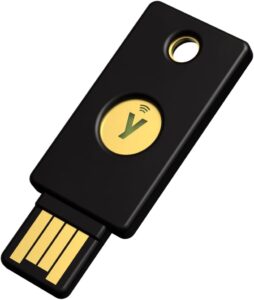 Yubico YubiKey 5 NFC, security keyPhysical key that confirms a sign-in to your Google account over NFC or USB. Protects the account that synchronises your contacts.AmazonSee at Amazon
- Yubico YubiKey 5C NFC security key (USB-C)A physical security key that plugs into USB-C or taps a phone over NFC. It works as a second factor and a passkey to protect your accounts, including your password manager.AmazonSee at Amazon
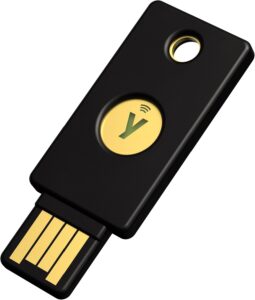 Yubico Security Key NFCThe budget YubiKey, limited to FIDO2 and U2F. Enough to protect hosting, Google, GitHub or Cloudflare accounts.AmazonSee at Amazon
Frequently asked questions
Is a free password manager enough?
Yes, for one person, a free plan like Bitwarden’s or Proton Pass’s is enough if its limits suit you. Free Bitwarden accepts unlimited devices and passwords and sharing with one other person. Free Proton Pass includes passkeys, but not built-in two-factor authentication or file attachments.
Are password managers safe?
We can only judge by the independent audits that are published. Bitwarden lists several audits from 2025, Proton Pass a Cure53 audit from 2023 and 1Password a penetration test by ISE in 2020. For Dashlane, we found no dated audit on any official page.
What happens if you forget your master password?
You risk losing access to the vault, which can become unrecoverable. Write the password down and keep it offline.
1Password or Bitwarden?
Bitwarden if you want a free plan, fully published code and audits from 2025. 1Password if you want apps all the way to the Apple Watch and Linux, knowing that it has no free plan and does not refund amounts already paid. Test it during its 14-day trial before you subscribe.
Can you switch from one password manager to another easily?
Yes, it is possible if you export your vault before cancelling the old service. We did not check the import formats of each publisher: do the transfer during the 14-day trial of 1Password or Dashlane, or during Proton Pass’s 30-day refund window. Keep the old account open until everything is checked in the new one.
Photo credits: Rusty Padlock by darkday., licence CC BY 2.0; Writing in Notebook at Desk by Image Catalog, licence CC0 1.0; U2F Hardware Authentication Security Keys (Yubico Yubikey 4 and Feitian MultiPass FIDO) (42286852310) by Tony Webster from Minneapolis, Minnesota, United States, licence CC BY 2.0
Share this content: