
This article contains affiliate links: if you buy through them, Wanda-techs earns a commission at no extra cost to you.
For an external SSD on Black Friday, our pick is the Samsung T9 for speed and the SanDisk Extreme Portable SSD for carrying around, two SSDs with a 5-year manufacturer warranty. For a lot of family photos in a pocket-sized case, a 5 TB WD My Passport hard drive does the job. For a shared backup at home, get a two-bay Synology DS225+ NAS.
None of these is enough on its own. The 3-2-1 rule asks for three copies, on two different types of media, with one stored away from home.
Our picks at a glance
- Samsung T9: for people who copy big folders of photos and videos, with up to 2,000 MB/s read speed on a USB 3.2 Gen 2×2 port.
- SanDisk Extreme Portable SSD (V2): for an SSD that travels, rated IP65 and protected against drops of up to 3 m.
- WD My Passport 5 TB: for the largest capacity of any drive in our selection, in a pocket-sized case of about 210 g.
- Synology DS225+: for a family that wants a shared backup space on the home network, with drives to buy separately.
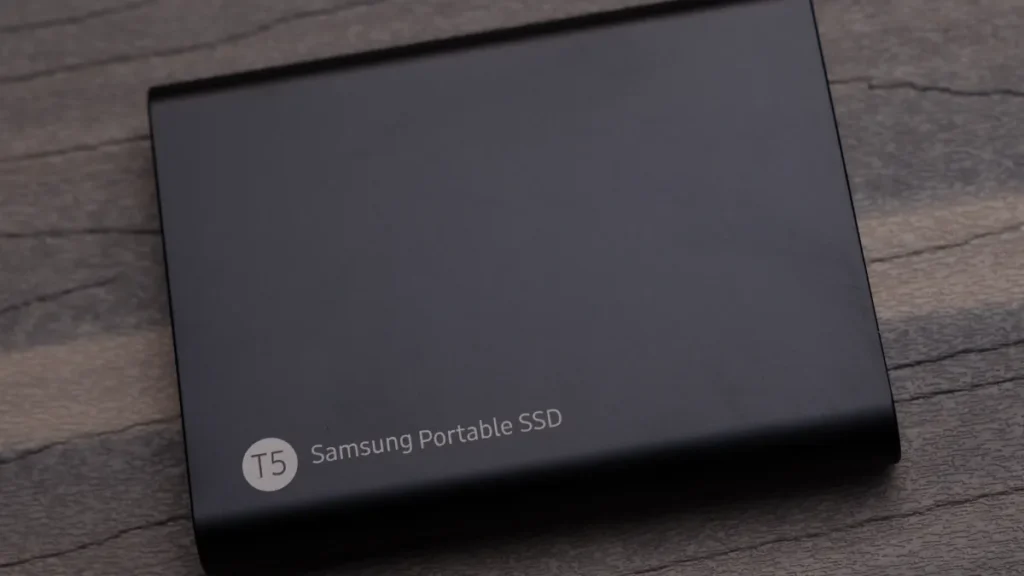
How to choose an external SSD, a hard drive or a NAS
Warning: before you format a new drive or delete anything from the old one, check that your photos exist on another device.
External SSD or external hard drive
An SSD (solid-state drive) stores data on flash memory chips, with no moving parts. A hard drive (HDD) writes to spinning platters: it costs less per terabyte, but it does not like knocks.
An SSD has the edge for something you carry around. For a big archive that sits on a shelf, a hard drive still makes sense.
Capacity
Measure the current size of your photo library, then go one size up to leave room for the coming years. The Samsung T9 comes in 1, 2 and 4 TB, the SanDisk Extreme Portable SSD V2 in 500 GB, 1, 2 and 4 TB. The My Passport we picked is 5 TB.
Speed and USB connection
The advertised speed depends on the drive’s USB standard and on your computer’s port. The T9 uses USB 3.2 Gen 2×2 at 20 Gbit/s, the SanDisk V2 USB 3.2 Gen 2 at 10 Gbit/s, and the 5 TB My Passport USB 3.2 Gen 1 at 5 Gbit/s.
Check the specifications of your computer to see how fast its USB ports are. There is no point paying for a standard your machine does not support.
Toughness
The T9 and the SanDisk V2 both claim drop resistance up to 3 m. Only the SanDisk has an IP65 rating; the T9’s page gives no IP rating.
Warranty and encryption
The limited warranty is 5 years for the T9 and the SanDisk V2, and 3 years for the 5 TB My Passport and the DS225+. All three external drives offer 256-bit AES encryption, password-protected on the SanDisk and the My Passport.
The 3-2-1 rule
The US cybersecurity agency CISA sums up the 3-2-1 rule like this: three copies of your important data, on two different types of media (for example a hard drive and the cloud), with one copy away from home. It also recommends automatic, regular backups. For the online copy, our comparison of Google Photos, iCloud and OneDrive helps you pick a service.
Warning: a single drive, or a NAS on its own, is not a backup. If that device fails, gets dropped or disappears, any photos that exist only on it are gone. Always keep at least one other copy, including one away from home.
Samsung T9: our pick for speed
The Samsung T9 is an NVMe external SSD rated at up to 2,000 MB/s read and 1,950 MB/s write in its 2 TB version. It connects over USB 3.2 Gen 2×2 at 20 Gbit/s and supports UASP. It comes in 1, 2 and 4 TB.
The case measures 88 x 60 x 14 mm and weighs 122 g. According to Samsung it survives drops of up to 3 m, with hardware 256-bit AES encryption and a 5-year limited warranty.
Its limits: Samsung’s page gives no IP rating. The top speed needs a USB 3.2 Gen 2×2 port; on a 10 Gbit/s port it should top out lower, which is our own deduction, as Samsung gives no figure for it.
If speed matters most for your copies, here is the Samsung T9 in its 2 TB version.
Samsung T9 portable external SSD 2TB (MU-PG2T0B)
This NVMe external SSD connects over USB-C and copies large photo and video folders at up to 2,000 MB/s on a USB 3.2 Gen 2x2 port. Its 122 g casing withstands drops of up to 3 m and encrypts data with AES 256-bit.
- AmazonSee at Amazon
SanDisk Extreme Portable SSD: for taking everywhere
The SanDisk Extreme Portable SSD V2 (model SDSSDE61) is rated at up to 1,050 MB/s read and 1,000 MB/s write, over USB 3.2 Gen 2 at 10 Gbit/s. It comes in 500 GB, 1, 2 and 4 TB.
On paper it is the toughest in our selection: IP65 rating, drop protection up to 3 m, 256-bit AES encryption with a password and a 5-year limited warranty. One French test mentions an IP55 rating. We go with the IP65 on the manufacturer’s page.
Its limits: it is about half as fast as the T9 going by the advertised speeds. On 24 February 2026 SanDisk presented a new Extreme Portable SSD (model SDSSDE70) rated at up to 2,000 MB/s, but its sale in France and Europe is not confirmed so far.
Good to know: check the exact model number in the listing. The model described here is the SDSSDE61.
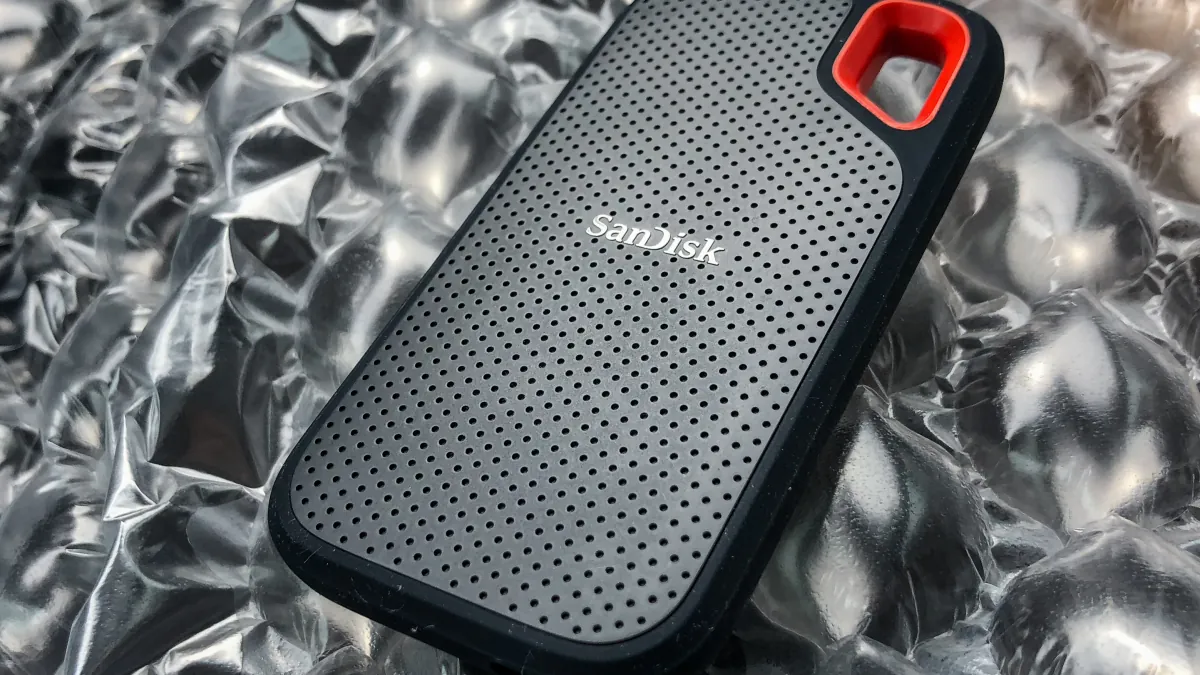
If you want a tough SSD to carry around, here is the SanDisk Extreme Portable SSD from several sellers.
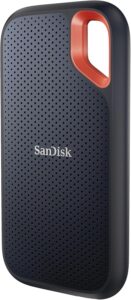
SanDisk Extreme Portable SSD 1 TB
A pocket-size external SSD to back up files or move large folders between computers. Useful when a laptop offers little internal storage.
- AmazonSee at Amazon
- CdiscountSee at Cdiscount
- FnacSee at Fnac
WD My Passport 5 TB: capacity in your pocket
The WD My Passport 5 TB (model WDBPKJ0050BBK-WESN) is an external hard drive: the largest capacity of any drive in our selection, at about 210 g. It connects over USB 3.2 Gen 1, up to 5 Gbit/s, with a Micro-B connector; versions with a native USB-C port exist, such as model WDBGES0050BBK. The bundled software protects the drive with a password and 256-bit AES encryption, and the limited warranty is 3 years.
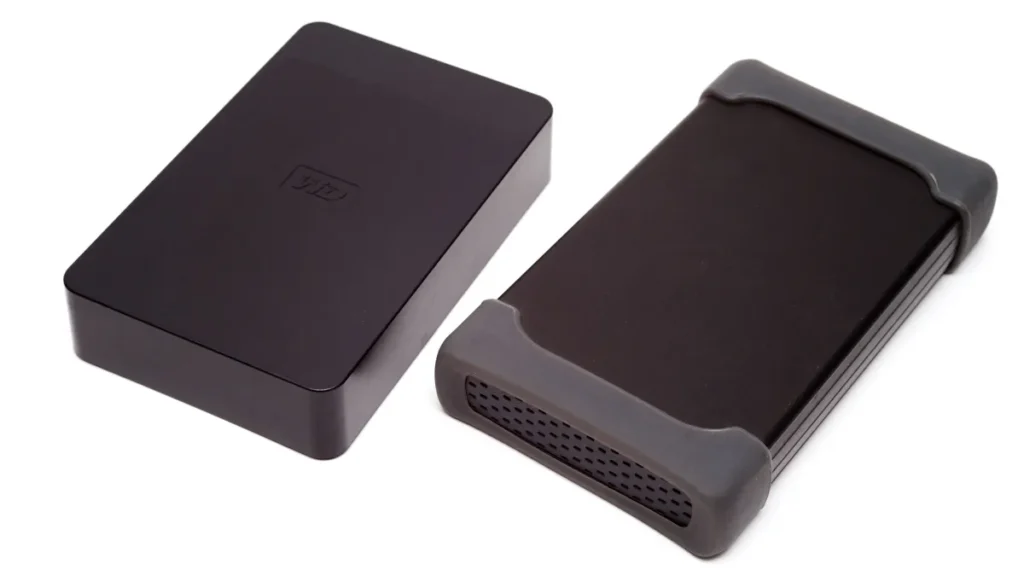
Its limits: it is a mechanical drive, more fragile against knocks than an SSD, so keep it for an archive that rarely moves. Its 5 Gbit/s interface puts it well behind the two SSDs. Check the exact capacity and model number on offer before you buy.
Good to know: two seller listings state a 2-year warranty for this drive, while WD’s page says 3 years. Trust the manufacturer’s page.
For a 5 TB archive that fits in your pocket, here is the WD My Passport, model WDBPKJ0050BBK.
WD My Passport 5TB portable external hard drive (WDBPKJ0050BBK)
This pocket-size hard drive connects over USB 3.2 Gen 1 and holds a large archive of photos and files. The included software protects it with a password and AES 256-bit encryption.
- AmazonSee at Amazon
Synology DS225+: a Synology NAS for the family
A NAS (network-attached storage) is a small storage server plugged into your router and reachable from every device in the house. The DS225+ takes two 3.5-inch SATA hard drives or 2.5-inch SATA SSDs, hot-swappable, meaning without switching the unit off. It runs on a 4-core Celeron J4125 processor with 2 GB of DDR4 memory, expandable to 6 GB.
On the network side it has one 1GbE port and one 2.5GbE port, plus two USB 3.2 Gen 1 ports for plugging in an external drive. The warranty is 3 years, extended to 5 years with the Extended Warranty Plus option in Europe and North America.
Its limits: the drives are not included. Synology publishes a compatibility list that restricts which drives are accepted, including its own Plus HAT3300 and Enterprise HAT5300 drives: check it before buying your drives.
According to seller listings, the DS225+ replaces the DS224+, which has the same processor but only Gigabit ports, and the DS224+ may still be in stock.
Warning: a NAS keeps your photos in one place. Add a copy away from home, on an external drive left with a relative or in the cloud. RAID, which mirrors one drive onto the other inside the NAS, does not replace that copy.
For a two-bay NAS, here is the Synology DS225+ sold without drives.
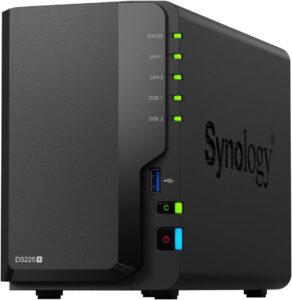
Synology DS225+ 2-bay NAS (diskless)
Home or office backup server: it pulls copies of your sites automatically and keeps versions protected against deletion.
- AmazonSee at Amazon
Comparison table
| Model | Type | Capacities | Advertised speed | Connection | Toughness | Warranty | Best for |
|---|---|---|---|---|---|---|---|
| Samsung T9 | External SSD | 1, 2, 4 TB | 2,000 MB/s read | USB 3.2 Gen 2×2, 20 Gbit/s | drops up to 3 m | 5 years | speed |
| SanDisk Extreme Portable SSD V2 | External SSD | 500 GB, 1, 2, 4 TB | 1,050 MB/s read | USB 3.2 Gen 2, 10 Gbit/s | IP65, drops up to 3 m | 5 years | travel |
| WD My Passport 5 TB | External hard drive | 5 TB | not stated | USB 3.2 Gen 1, 5 Gbit/s | not stated | 3 years | a big archive |
| Synology DS225+ | 2-bay NAS | depends on the drives you buy | not stated | 1GbE and 2.5GbE | not stated | 3 years | the family |
The table data comes from the Samsung, SanDisk, WD and Synology manufacturer pages.
To compare the offers for the models in this selection that we track, here they are side by side.
- Samsung T9 portable external SSD 2TB (MU-PG2T0B)This NVMe external SSD connects over USB-C and copies large photo and video folders at up to 2,000 MB/s on a USB 3.2 Gen 2x2 port. Its 122 g casing withstands drops of up to 3 m and encrypts data with AES 256-bit.AmazonSee at Amazon
- SanDisk Extreme Portable SSD 1 TBA pocket-size external SSD to back up files or move large folders between computers. Useful when a laptop offers little internal storage.AmazonSee at Amazon
- WD My Passport 5TB portable external hard drive (WDBPKJ0050BBK)This pocket-size hard drive connects over USB 3.2 Gen 1 and holds a large archive of photos and files. The included software protects it with a password and AES 256-bit encryption.AmazonSee at Amazon
- Synology DS225+ 2-bay NAS (diskless)Home or office backup server: it pulls copies of your sites automatically and keeps versions protected against deletion.AmazonSee at Amazon
Buying at the right time for Black Friday
The dates
Black Friday falls on Friday 27 November 2026 and Cyber Monday on Monday 30 November 2026. Our selection of the real Black Friday 2026 tech deals covers the other categories.
Checking that a discount is real
In France, since 28 May 2022, an announced price reduction must show the lowest price the seller charged during the previous 30 days, in store and online. After successive price cuts, the reference price stays the one from before the first cut, and the seller has to prove it. Rules differ in other countries, so check what applies where you shop.
Our guide to checking a crossed-out Black Friday price explains the method. Before you pay:
- Note the exact model number and capacity: a 1 TB T9 and a 4 TB T9 are not comparable.
- Compare the price per terabyte between an SSD and a hard drive of similar capacity.
- For a NAS, add the price of the unit and the price of drives that are on Synology’s compatibility list.
- For a SanDisk, check the model number SDSSDE61 or SDSSDE70: they are not the same drives.

Tip: when it arrives, copy a few photos to the new drive and open them from another device. Delete nothing from the old drive before that.
Back up your photos properly: our toolbox
A second drive for the off-site copy and good cables complete your backup.
 WD Elements 4 TB external hard driveStores a full copy of your files and settings before a risky operation such as a network reset or a system update. Connects by USB with no extra power supply.AmazonSee at Amazon
- UGREEN USB 3.0 A to Micro-B cable, 0.5 m, for external hard drivesReplaces the cable of a USB 3.0 external hard drive with a Micro-B connector (WD, Seagate, Toshiba). A new cable rules out a common cause of dropped connections.AmazonSee at Amazon
- Anker 310 USB-C to USB-C cable, 0.9 mA short USB-C cable for charging a speaker, phone or tablet. It fits any USB-C charger or port.AmazonSee at Amazon
- Belkin braided USB-C to USB-C cable 100W, 2mBraided 2m cable that carries up to 100W. It suits fast charging of a phone or a laptop.AmazonSee at Amazon
Frequently asked questions
External hard drive or SSD: which should I choose to back up photos?
Take an SSD if the drive travels with you, and a hard drive if the archive stays at home and capacity matters more than speed. Both SSDs in our selection survive drops of up to 3 m according to their manufacturers, while the mechanical hard drive is more vulnerable to knocks. Either way, keep a second copy elsewhere, following the 3-2-1 rule.
How long does an external SSD keep data?
The manufacturer pages we consulted give no data retention period. They give a 5-year limited warranty for the Samsung T9 and the SanDisk Extreme Portable SSD V2. A warranty covers the hardware, not your files: safety comes from multiple copies and regular backups.
Is a NAS useful for a family?
Yes, when several people want to back up their photos in one place, over the home network. The Synology DS225+ takes two drives, to be bought separately and picked from Synology’s compatibility list. A NAS is still one copy in one place: add a copy away from home.
How much capacity do I need to back up family photos?
Choose a capacity well above the current size of your photo library, which you can read in the folder properties or in your photo app. The drives in our selection range from 500 GB for the smallest SanDisk V2 to 5 TB for the My Passport we picked. For a NAS, capacity depends on the drives you install in it.
Photo credits: File:SanDisk Extreme Portable SSD – 1TB, USB-C (41036158305).jpg by Tony Webster from Minneapolis, Minnesota, United States, licence CC BY 2.0; Samsung T5 Portable External SSD (Solid State Drive) (43544308485) by Tony Webster from Minneapolis, Minnesota, United States, licence CC BY 2.0; WD External Hard Drives IMG 7899 by Ashley Pomeroy, licence CC BY-SA 4.0; Old photo album by Staropramen1969, licence Public Domain Mark
Share this content: