
This article contains affiliate links: if you buy through them, Wanda-techs earns a commission at no extra cost to you.
A Black Friday scam usually takes one of a few forms: a fake promotion, a fake shop that copies a well-known store, a phishing text or email (a message that imitates a company to make you click or pay), or a call to a premium-rate number. The goal is to steal your bank or personal details.
Before you pay, check the site, the sender of the message and the reviews. Already paid? Contact your bank or card issuer right away.
Common symptoms and causes of a Black Friday scam
- A shop that borrows a brand’s name and logo, on a slightly altered web address, with prices that look too good.
- A delivery text or email that contains a link and asks for a small fee.
- A flash-sale countdown that rushes you to pay.
- Reviews that are all glowing, or a crossed-out price that matches no real price.
- A message asking you to call back an unknown number.
Before you start
Keep your phone and your bank’s app or website within reach. No step in this guide deletes data or resets a device.
Warning: if you already typed your card number or login details on a fake site, or after a link in a text, go straight to step 5. Contact your bank about the card, change the password of the account involved and report the fraud.
Step 1: check a shop before you pay
- Be wary of an offer that is far more generous than the product’s usual price.
- Take time to check, even when a countdown says the sale is about to end.
- Check the seller’s site before you pay.
- Search for the site’s name followed by “scam” or “complaint”.
- Read reviews of the shop on sites you trust.
- Compare the total cost, delivery fees included, with other sellers.
If doubt remains after these checks, do not buy. To judge a discount, read our guide to checking a crossed-out Black Friday price.
Good to know: the padlock and https in the address bar do not prove that a site is safe.
Step 2: spot a fake delivery text and report it
- Check the sender of the text or the address of the email before reading further.
- Do not click the link and do not open any attachment.
- Do not follow any instruction in the message: no callback, no fee to pay.
- Check your delivery by contacting the company directly, through its website or app, not through the message.
- Take a screenshot of the text.
- In the UK, note the sender’s number, then forward the text to 7726. In the US, forward it to 7726 (SPAM).
In the UK, 7726 lets customers report suspicious texts for free, and your provider can investigate where the text came from. If 7726 does not work, contact your phone provider to find out how to report it. Our guide to text message scams covers the other variants.

Step 3: spot fake reviews
- Compare the reviews of a product or seller across several sources.
- Open the reviewers’ profiles and look at their review history.
- Be wary of reviews that are too positive and of reviews that are too negative: both can be fake.
- Look for reviews written in exchange for a product or a perk that the author does not mention.
Step 4: pay without taking risks
- Do not hand over your bank details on the first page: check the site with step 1 first.
- Check out as a guest when the site allows it, and do not save your card.
- Pay by credit card rather than by bank transfer.
- Never pay an online seller with a gift card, a wire transfer, a payment app or cryptocurrency.
- If you pay with PayPal, Apple Pay or Google Pay, check what protection the service gives you in a dispute.
- Turn on two-step verification on your accounts.
- Use a different password for every site.
To decide where to shop, see our selection of the real tech deals of Black Friday 2026.
Step 5: you paid or gave away your details, what to do
- Contact your bank or card issuer right away to block the card.
- In the US, if you also gave out a Social Security number, card details or bank information, go to IdentityTheft.gov.
- In the US, report the scam to the FTC at ReportFraud.ftc.gov.
- In England, Wales or Northern Ireland, report it to Report Fraud at reportfraud.police.uk or call 0300 123 2040. In Scotland, call Police Scotland on 101.
- For a suspicious website in the UK, report it to the NCSC (National Cyber Security Centre).
- In the US, if you paid by credit card, dispute the charge with your card issuer right away.
If nothing works
In the US, if a credit card charge is wrong, call your card company immediately and send a letter that reaches it within 60 days of the day it mailed you the first bill showing the error. Ask the card company to temporarily withhold payment while it investigates.
Warning: do not wait. Contact your bank as soon as you notice the problem.
Keep a record of everything: screenshots of the site or the text, order emails, statements and any report reference.
Protect your shopping: our toolbox
These tools do not replace the vigilance described above, but they limit the damage if you click in the wrong place.
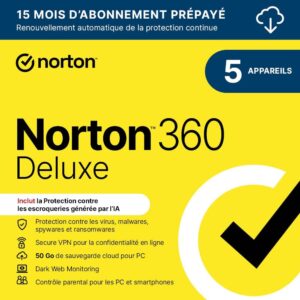 Norton 360 Deluxe 2026, 5 devices, 15 monthsSecurity suite licence for PCs, Macs, Android phones and iPhones, with a VPN and a password manager. A way to protect the accounts that hold your contacts.AmazonSee at Amazon
 Bitdefender Total Security 2026, 3 devices, 1 yearSecurity suite for Windows, Mac, Android and iPhone. It helps protect accounts and files on your phone.AmazonSee at Amazon
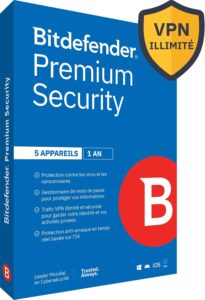 Bitdefender Premium Security 2026 with unlimited VPN, 5 devices, 1 yearBitdefender's top tier, with a VPN with no data cap and a password manager. Useful if you manage your sites from public Wi-Fi.AmazonSee at Amazon
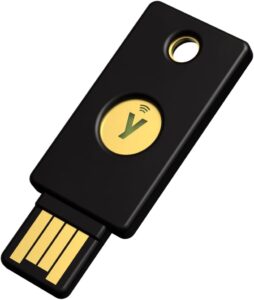 Yubico YubiKey 5 NFC, security keyPhysical key that confirms a sign-in to your Google account over NFC or USB. Protects the account that synchronises your contacts.AmazonSee at Amazon
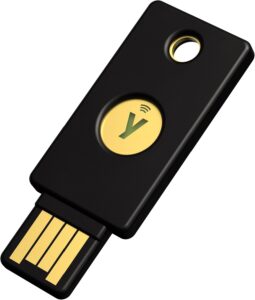 Yubico Security Key NFCThe budget YubiKey, limited to FIDO2 and U2F. Enough to protect hosting, Google, GitHub or Cloudflare accounts.AmazonSee at Amazon
Frequently asked questions
How can you tell a fake online shop?
Be wary of an offer that is too generous and of a countdown that rushes you to pay. Check the seller’s site, search its name with “scam” or “complaint”, and read reviews on sites you trust. The https padlock does not prove the shop is honest.
What should you do after clicking a fake delivery text?
If you typed nothing, follow none of the message’s instructions and report the text: forward it to 7726 in the UK or the US, and in the US you can also report it at ReportFraud.ftc.gov. If you downloaded a file, update your security software and run a scan. If you entered your card details, contact your bank right away and follow step 5.
How can you spot fake reviews?
Compare reviews across several sources and look at the reviewers’ history. Fake reviews can be positive or negative, and some are written in exchange for a perk that is not disclosed.
How do you get your money back after an online scam?
Contact your bank or card issuer right away and report the fraud: in England, Wales and Northern Ireland at reportfraud.police.uk, in the US at ReportFraud.ftc.gov. In the US, dispute a wrong credit card charge with your card issuer, and send a letter within 60 days of the first bill showing the error.
Photo credits: Person completing online shopping transaction using credit card at a laptop by nenadstojkovicart, licence CC BY 2.0; White smartphone – Credit to https://homegets.com/ by homegets.com, licence CC BY 2.0; File:Black smartphone in hand (Unsplash).jpg by Dennis Cortés cortes, licence CC0 1.0
Share this content: